




































 |
|
Page 2 of 2 | |
|
|---|
Bichur
Comment #22 Thursday, May 25, 2006 11:18 PM

Comment #22 Thursday, May 25, 2006 11:18 PM
Yep, the link in #6 takes you to Office in Vitro not Cryo64 in Vitro.
Diafragma
Comment #23 Friday, May 26, 2006 9:20 AM

Comment #23 Friday, May 26, 2006 9:20 AM
Thank you so much for the help explaining Bichur, very clear and detailed I hope it makes sense to him now... 

seldomseen
Comment #24 Sunday, May 28, 2006 11:35 AM

Comment #24 Sunday, May 28, 2006 11:35 AM
Nice! First time I ever tried working in psp, so many thanks for the motivation!
Diafragma
Comment #25 Sunday, May 28, 2006 7:20 PM
Comment #25 Sunday, May 28, 2006 7:20 PM
You are very welcome seldomseen, maybe you will come up w/ some great dock configurations yourself... cheers
seldomseen
Comment #26 Monday, May 29, 2006 3:28 PM
Comment #26 Monday, May 29, 2006 3:28 PM
I'm fascinated by this! Color-changing to match walls and themes! OD+ now allowing placement anywhere on the DT! Fun to run multiple instances of this and stack 'em up like bookshelves! Diafragma, thank you!
LV13: First install Object Dock ("plus" version is best for this!)
Then D/L this, and unzip it 'til you get down to the basic file(usually just unzip once, sometimes twice)
Leave the resulting file alone for a sec and open My Computer > C > Program Files > Stardock > Object Dock > backgrounds.
Then you'll have two open windows on yr DT: 1.)backgrounds, and 2.)the unzipped folder you peeled first.
Right-click>drag>copy the new folder into "backgrounds".
yr done.
May have to restart OD to get the new stuff to appear when you configure Obj Dock.
Right-click on a dock on the desktop, that'll take you to the config box. Play around.
The only other thing is when you D/L icons for your docks, instead of putting them in "backgrounds" you want to put them in "Images"
WARNING! Once you figure it out, you'll find stuff like this and won't be able to stop.
Diafragma: Sorry to hijack this Took me years, literally, to get this. Thought I'd pass it on.
LV13: First install Object Dock ("plus" version is best for this!)
Then D/L this, and unzip it 'til you get down to the basic file(usually just unzip once, sometimes twice)
Leave the resulting file alone for a sec and open My Computer > C > Program Files > Stardock > Object Dock > backgrounds.
Then you'll have two open windows on yr DT: 1.)backgrounds, and 2.)the unzipped folder you peeled first.
Right-click>drag>copy the new folder into "backgrounds".
yr done.
May have to restart OD to get the new stuff to appear when you configure Obj Dock.
Right-click on a dock on the desktop, that'll take you to the config box. Play around.
The only other thing is when you D/L icons for your docks, instead of putting them in "backgrounds" you want to put them in "Images"
WARNING! Once you figure it out, you'll find stuff like this and won't be able to stop.
Diafragma: Sorry to hijack this
 Took me years, literally, to get this. Thought I'd pass it on.
Diafragma
Comment #27 Monday, May 29, 2006 4:13 PM
Comment #27 Monday, May 29, 2006 4:13 PM
Seldomseen, feel free to help others if you have a solution... I submitted a new version a slight modd including modded icons to go w/ this style of docks... so be in the look out. Cheers 


boodymind
Comment #29 Wednesday, May 31, 2006 11:59 PM
Comment #29 Wednesday, May 31, 2006 11:59 PM
when converting from ico to png how do i make it so that i dont have black/white square around the icon >.>
Diafragma
Comment #30 Thursday, June 1, 2006 1:27 AM
Comment #30 Thursday, June 1, 2006 1:27 AM
If you have an ico file when saving it as a png file using photshop it will include the transparancies as well and you wont see the black edges in the new converted file. If you are using the blank png file attached make sure the icons you using are saved as pngs first and then use them with my blank file to change the png size.. I hope this helps but let me know if you have questions
boodymind
Comment #31 Thursday, June 1, 2006 2:01 PM
Comment #31 Thursday, June 1, 2006 2:01 PM
my photoshop does not want to open them. i have not realy used PS that atall so if i am doing somthing wrong let me know http://img410.imageshack.us/my.php?image=grrr9jp.png
edit: meh found something on download.com that i canvert them with now so no prob now

edit: meh found something on download.com that i canvert them with now so no prob now
Diafragma
Comment #32 Sunday, June 4, 2006 3:32 PM
Comment #32 Sunday, June 4, 2006 3:32 PM
thanks for taking the time to comment Thomassen...
Darco
Comment #33 Tuesday, June 6, 2006 4:37 PM
Comment #33 Tuesday, June 6, 2006 4:37 PM
Peter,
This is absolutely stunning. Can it only be used horizontally? Or am I missing something. When you have time e-mail me because my computer crashed and I lost your address.
Darlene
This is absolutely stunning. Can it only be used horizontally? Or am I missing something. When you have time e-mail me because my computer crashed and I lost your address.
Darlene
Diafragma
Comment #34 Tuesday, June 6, 2006 6:59 PM
Comment #34 Tuesday, June 6, 2006 6:59 PM
Hi Darlene, long time no hear fomr you... Glad you like it but yes this was made to be used horizontally...  My emai>> [email protected] in case you need it, take care
 My emai>> [email protected] in case you need it, take care
chizzlemd
Comment #35 Monday, June 12, 2006 6:17 PM
Comment #35 Monday, June 12, 2006 6:17 PM
Hi Diafragma. I love this theme...I am new to objectdock (just dropped aqua dock)...I would really appreciate it if you could explain how to apply these themes. If you'd like to e-mail me rather than posting, you can e-mail [email protected].
Thanks so much!
Michelle
Thanks so much!
Michelle
Dsomkin03
Comment #36 Tuesday, June 20, 2006 9:59 PM
Comment #36 Tuesday, June 20, 2006 9:59 PM
Hi Diafragma. I love this theme...I am new to objectdock (..I would really appreciate it if you could explain how to apply these themes. If you'd like to e-mail me rather than posting, you can e-mail [email protected]
Thanks so much!
Danny
Thanks so much!
Danny
Diafragma
Comment #37 Wednesday, June 21, 2006 11:58 AM
Comment #37 Wednesday, June 21, 2006 11:58 AM
GLad you like it Dsomkin03, ck the comment #26 by seldomseen for deatiled instructions on how to apply it. If you have any additional questions pls email me at [email protected]
Please login to comment and/or vote for this skin.
Welcome Guest! Please take the time to register with us.
There are many great features available to you once you register, including:
- Richer content, access to many features that are disabled for guests like commenting on the forums and downloading files.
- Access to a great community, with a massive database of many, many areas of interest.
- Access to contests & subscription offers like exclusive emails.
- It's simple, and FREE!
|
|
Page 2 of 2 | |
|
|---|




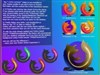
Comment #21 Thursday, May 25, 2006 11:09 PM
Thanks for the tip on the sep png. I'd been puzzling other shots and was almost that close to maybe trying something like that.
Sea Hourse, I use PSP8. The Sep Png is a blank .png 196x196 in size. I copied it to another folder and opened it with psp. Then I opened another .png which was 128x128 but has tranparency. I copied that one and pasted onto the sep png as another layer, then moved it til it was centered as I wanted it. Saved that. I know have a 196x196 png with a 128x128 pic in the middle.
With OD free (add I'm guessing the same with +) doesn't matter if the png you use as an icon on the dock is 92 or 128 or 256, if they are solid squares, they will show as the same size on the dock. It's just the 256 looks better magnified to 192 than the 92 does.
The sep png is like a picture frame. If put a 5x8 photo in a standing frame with a 1/4" border, the picture will sit closer to the table than a 5x8 photo in a frame with a 2" border.
The icons shown in the screen shot were made with the shadows.
Sorry I babble on your thread, Diafragma...too much caffeine today.