




































 |
|
Page 1 of 2 | |
|
|---|
Diafragma
Comment #2 Saturday, May 13, 2006 12:54 PM

Comment #2 Saturday, May 13, 2006 12:54 PM
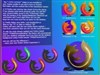
I was referring to a regular size icon which is usually 128px x 128px so just open the blank png file included in photoshop and place your 128x128 png file on top of it and save it as a new png icon resulting in a smaller picture without loosing graphic quality. If you have any questions post your email and I will send you a sample...
Inge18
Comment #3 Saturday, May 13, 2006 1:16 PM

Comment #3 Saturday, May 13, 2006 1:16 PM
Oh yes, now I get it.  Thanks! Works out fine! Nice effect! Great OD background!
 Thanks! Works out fine! Nice effect! Great OD background!
Pinky von Pout
Comment #4 Sunday, May 14, 2006 1:04 AM

Comment #4 Sunday, May 14, 2006 1:04 AM
Lovely desktop, simple, yet effective 
Thanks for the icon tip too, quite the genuis with those mister

Thanks for the icon tip too, quite the genuis with those mister
Bismarz
Comment #5 Sunday, May 14, 2006 7:18 AM
Comment #5 Sunday, May 14, 2006 7:18 AM
This is amazing, ive never seen anything like this before, keep up the good work ! Now i dont suppose you can post some of those icons u have there?
Diafragma
Comment #6 Sunday, May 14, 2006 9:22 AM
Comment #6 Sunday, May 14, 2006 9:22 AM
Much appreciation Pinky
Bismarz, You can find the icons here>> http://arnaez.wincustomize.com/ViewSkin.aspx?SID=5621&SkinID=7159&LibID=29 Just follow the intructions to make any size smaller to get the same effect.
Bismarz, You can find the icons here>> http://arnaez.wincustomize.com/ViewSkin.aspx?SID=5621&SkinID=7159&LibID=29 Just follow the intructions to make any size smaller to get the same effect.

antivista
Comment #9 Sunday, May 14, 2006 2:39 PM
Comment #9 Sunday, May 14, 2006 2:39 PM
...hey wow..!!! i'm simply dumbstruck for words - your work is just simply beautifully artistic..!
DArnaez
Comment #11 Sunday, May 14, 2006 10:17 PM

Comment #11 Sunday, May 14, 2006 10:17 PM
Great job!!! I'm using it right now. Thanks for to shown it with the Cryo64 in Vitro icons.
Diafragma
Comment #12 Monday, May 15, 2006 12:26 AM
Comment #12 Monday, May 15, 2006 12:26 AM
Congrats on those icons my friend... you are one of the favorites
Maybe you would be great enough to make a small set to be used w/ this background
Maybe you would be great enough to make a small set to be used w/ this background

LV13
Comment #13 Tuesday, May 16, 2006 3:39 AM
Comment #13 Tuesday, May 16, 2006 3:39 AM
Hi,
I dont know how to download this beautiful work! Would ya plz give me some "How 2 Download" instruction? Tks loads!
I dont know how to download this beautiful work! Would ya plz give me some "How 2 Download" instruction? Tks loads!
alphabyte
Comment #14 Tuesday, May 16, 2006 9:09 AM

Comment #14 Tuesday, May 16, 2006 9:09 AM
Excellent work with this dock background! Very nice glass effects! Thank you very much for the update! Outstanding job!
Diafragma
Comment #15 Tuesday, May 16, 2006 9:17 AM
Comment #15 Tuesday, May 16, 2006 9:17 AM
LV13, First you must have Object Dock Installed, then unzip the folder and you should find two themes one Tempered Glass OD which is what you need. The Tempered Glass RK is for people that uses RK launcher Dock. Anyhow place the TG OD folder in the backgrounds folder and then just select it from the dock properties menu... let me know if you need more help...
Alpha, very glad you have use for it...
Alpha, very glad you have use for it...
messiah1
Comment #16 Thursday, May 18, 2006 10:43 AM

Comment #16 Thursday, May 18, 2006 10:43 AM
I love the perspective on this dock. 1st i've seen like this. Very nice.
Sea Hourse
Comment #18 Monday, May 22, 2006 8:40 PM
Comment #18 Monday, May 22, 2006 8:40 PM
These round glass icons just blow me away sitting there on the glass shelf. They are easily the most stunning things I have seen in a long time. OK, here's my problem. I don't have Photo Shop. My graphics program is Paint Shop Pro X. It has a png file but when I insert your sep png it is not round. In fact all I get is a blank square. I can paste another png into it but I just end up with a colored square. Does Photo Shop have something that automatically creates a round shape like yours? And if your sep png is blank then where does the slightly dark base inside the glass come from? And the thin dark line along the top of the glass? I really want this effect and will get a copy of Photo Shop if need be. Incidentely, the link to the icons used isn't working at this moment. Thanks for any help and I'll be watching to see what your next work is. Very impressive.

Diafragma
Comment #20 Thursday, May 25, 2006 9:15 AM
Comment #20 Thursday, May 25, 2006 9:15 AM
Thank you Sea Hourse and thomassen for the nice comments....
Sea Hourse, the whole purpose of what I explained above in the tutorial is to make the icons (png files) small enough to make them look their best on the tray no matter what program you use. You can also use Icon Developer by Stardock to make tehm small enough for them to look good. If you want me to save you the job I can send you the icons so just post your address and you will see by yourself what Im talking about... regards
Sea Hourse, the whole purpose of what I explained above in the tutorial is to make the icons (png files) small enough to make them look their best on the tray no matter what program you use. You can also use Icon Developer by Stardock to make tehm small enough for them to look good. If you want me to save you the job I can send you the icons so just post your address and you will see by yourself what Im talking about... regards
Please login to comment and/or vote for this skin.
Welcome Guest! Please take the time to register with us.
There are many great features available to you once you register, including:
- Richer content, access to many features that are disabled for guests like commenting on the forums and downloading files.
- Access to a great community, with a massive database of many, many areas of interest.
- Access to contests & subscription offers like exclusive emails.
- It's simple, and FREE!
|
|
Page 1 of 2 | |
|
|---|




Comment #1 Saturday, May 13, 2006 12:17 PM