








































|
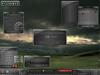
Friendly eXtreme *FINAL*Updated Sep 01, 2004 by #-EnforceR-# |
||||||
aceman67
Comment #2 Sunday, July 4, 2004 5:48 PM

Comment #2 Sunday, July 4, 2004 5:48 PM
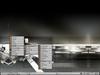
Great theme, only one problem with it, It has a small space where you can see the wallpaper above the bar (I have the bar on the bottom)
#-EnforceR-#
Comment #3 Tuesday, July 6, 2004 1:44 PM
Comment #3 Tuesday, July 6, 2004 1:44 PM
Johan Klos: I just learned how to make such wallpapers from artofgregmartin.com. And i wanted to see if I could make something as cool as "Effusion". So my is inspired by that wallpaper..  acemam67: That problem is fixed by a setting in RC6 but just change jDeskWorkArea "0, 0, 0, -44" to jDeskWorkArea "0, 0, 0, -40" in layout1.rc and then you are good to go!
 acemam67: That problem is fixed by a setting in RC6 but just change jDeskWorkArea "0, 0, 0, -44" to jDeskWorkArea "0, 0, 0, -40" in layout1.rc and then you are good to go!
 Please login to comment and/or vote for this skin.
Welcome Guest! Please take the time to register with us.
There are many great features available to you once you register, including:
- Richer content, access to many features that are disabled for guests like commenting on the forums and downloading files.
- Access to a great community, with a massive database of many, many areas of interest.
- Access to contests & subscription offers like exclusive emails.
- It's simple, and FREE!


Comment #1 Saturday, June 26, 2004 10:00 AM
purely coincidental, I'm sure