





































SD CENTRAL
Thursday, January 1, 2004 by Elizabeth121 | Discussion: WinCustomize Talk
 I HAVE PURCHASED OBJECT DESKTOP BUT UNABLE TO DOWNLOAD STARDOCK CENTRAL KEEP GETTING ERROR 1001???UNABLE TO FIND OUT ANYTHING PLZ HELP?
 |
|
Page 1 of 2 | |
|
|---|

kongit
Reply #3 Thursday, January 1, 2004 2:06 PM

Reply #3 Thursday, January 1, 2004 2:06 PM
been here yet? https://www.stardock.com/sdnet_login.asp
azdruid
Reply #4 Thursday, January 1, 2004 2:08 PM
Reply #4 Thursday, January 1, 2004 2:08 PM
The page Travis linked to is a login page for Stardock.net. You need to enter your username "Elizabeth121" and your password. From there you will be able to download Stardock Central. The site isn't down, I just checked it.


Hus
Reply #5 Thursday, January 1, 2004 2:09 PM

Reply #5 Thursday, January 1, 2004 2:09 PM
If you get the "Error 1001" after trying to run Stardock Central, it might be a firewall issue. Do you have ZoneAlarm or any firewalls running? If so, try turn them off and then run Stardock Central.
azdruid
Reply #6 Thursday, January 1, 2004 2:14 PM
Reply #6 Thursday, January 1, 2004 2:14 PM
Could it be a firewall? I have ZoneAlarm up and I've never had a problem. Although I had to bypass Proxomitron.
Is it that you can't download SDcentral, or just not download IN SDcentral?
Is it that you can't download SDcentral, or just not download IN SDcentral?

qrush
Reply #9 Thursday, January 1, 2004 2:30 PM
I also like how she hasn't replied yet.
Let's start from the VERY VERY beginning....Is your internet connected? (Is your computer...on?)
Maybe she's on like an older version of Windows, like 95 or 98.

Reply #9 Thursday, January 1, 2004 2:30 PM

I also like how she hasn't replied yet.
Let's start from the VERY VERY beginning....Is your internet connected? (Is your computer...on?)

Maybe she's on like an older version of Windows, like 95 or 98.
azdruid
Reply #10 Thursday, January 1, 2004 2:33 PM
Reply #10 Thursday, January 1, 2004 2:33 PM
SDcentral should work on all versions of Windows. I haven't had a problem with it.
 You want help, you have to reply to your post.
 You want help, you have to reply to your post.
White_Moth
Reply #11 Thursday, January 1, 2004 3:31 PM
Never would I shut down a Firewall like that for anybody or thing.
I get as many as 100 - 150 access attempts on my computer an hour that my firewall blocks, it would be like comitting computer suicide. There is no need to turn OFF a firewall, just check your settings to see if you have ALLOWED Stardock/WC access or not.

Reply #11 Thursday, January 1, 2004 3:31 PM
| #5 by Sir Hus - 1/1/2004 2:09:18 PM If you get the "Error 1001" after trying to run Stardock Central, it might be a firewall issue. Do you have ZoneAlarm or any firewalls running? If so, try turn them off and then run Stardock Central. |
Never would I shut down a Firewall like that for anybody or thing.
I get as many as 100 - 150 access attempts on my computer an hour that my firewall blocks, it would be like comitting computer suicide. There is no need to turn OFF a firewall, just check your settings to see if you have ALLOWED Stardock/WC access or not.

Leo the Lion
Reply #12 Thursday, January 1, 2004 3:44 PM

Reply #12 Thursday, January 1, 2004 3:44 PM
Glad you said that, White Moth......i have the same problem where i can get quite a few malicious attacks an hour and all it takes is one to get through and you have got a disaster on your hands. 

WOM
Reply #14 Thursday, January 1, 2004 3:49 PM

Reply #14 Thursday, January 1, 2004 3:49 PM
DoctorNick, those have there own problems if you don't cover yourself. 

yrag
Reply #15 Thursday, January 1, 2004 3:52 PM
Actually you need to put your E-mail addy....
I think the Author fell off the planet, but for what it's worth...What Firewall are you using?

Reply #15 Thursday, January 1, 2004 3:52 PM
| You need to enter your username "Elizabeth121 |
Actually you need to put your E-mail addy....
I think the Author fell off the planet, but for what it's worth...What Firewall are you using?
qrush
Reply #16 Thursday, January 1, 2004 3:56 PM
True, but I seriously doubt that anyone near me can steal my bandwidth (I'd doubt if anyone in my whole town has a laptop or computer with a wireless card or centrino), plus I have Norton running constantly.
Reply #16 Thursday, January 1, 2004 3:56 PM
| DoctorNick, those have there own problems if you don't cover yourself. |
True, but I seriously doubt that anyone near me can steal my bandwidth (I'd doubt if anyone in my whole town has a laptop or computer with a wireless card or centrino), plus I have Norton running constantly.
WOM
Reply #17 Thursday, January 1, 2004 4:08 PM
Reply #17 Thursday, January 1, 2004 4:08 PM
They had a small special on my news channel about that. Showed how it could be done and what you needed to do to stop it.
qrush
Reply #18 Thursday, January 1, 2004 4:17 PM
Reply #18 Thursday, January 1, 2004 4:17 PM
All I really have to do put a password on the WAN, but it's not necessary since anyone sitting out on the street (i'm in North Tonawanda, a small city in between Buffalo & Niagara Falls, and no one goes outside in the winter here ) would only get around 1 mbps, probably a lot lower. As of now I haven't had any probs with h4xx0rs.
) would only get around 1 mbps, probably a lot lower. As of now I haven't had any probs with h4xx0rs.
azdruid
Reply #19 Thursday, January 1, 2004 4:17 PM
Reply #19 Thursday, January 1, 2004 4:17 PM
My bad. Sorry. DoctorNick, wireless network security is still in its infancy. A firewall does not do everything. WEP was an early standard for security, but was not widely used because of its slowness. WPA is a new technology that is implemented in most new hardware. I don't know if you have an 802.11b or g network. You can get a firmware upgrade for most b routers, and I think most g routers have the protection built in. Hijacking a wireless Internet connection may not a grea concern because of the odds, but I certainly wouldn't want a hole in my system I was capable of fixing.

Please login to comment and/or vote for this skin.
Welcome Guest! Please take the time to register with us.
There are many great features available to you once you register, including:
- Richer content, access to many features that are disabled for guests like commenting on the forums and downloading skins.
- Access to a great community, with a massive database of many, many areas of interest.
- Access to contests & subscription offers like exclusive emails.
- It's simple, and FREE!
|
|
Page 1 of 2 | |
|
|---|
Reply #1 Thursday, January 1, 2004 2:05 PM
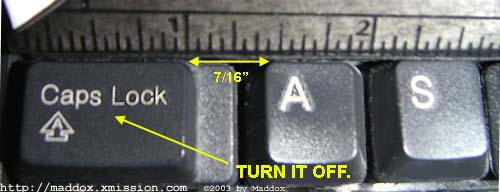
Also, please turn off CAPS.