

















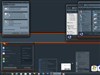

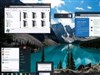














Killer open/save dialog application!
Friday, September 27, 2002 by Tarkus | Discussion: WinCustomize Talk
Just discovered a very cool app called File-Ex that adds a ton of functionality to the standard open/save dialogs, both with and without Common Dialogs buttons.
It has such features as auto-size/center/position/etc. It can automatically open each dialog in Details mode by default! It has such functions as Copy, Move, New Folder, Find, etc. It can remember an app's last open folder, even if the app doesn't. It maintains history and favorites for both files and folders in nice drop-down lists. It even has a training mode, for apps that don't use common open/save dialogs!
I've been using ImageFox, which also has favorite folders, along with previews. This program doesn't do previews, but unlike ImageFox, it seamless integrates into the open/save dialog, even those skinned by WB, rather than looking like it was recklessly pasted on. It literally looks like it was put there by Windows.
The new v3 with XP support is still in beta, but so far it's working very well on my XP SP1 system.
http://www.cottonwoodsw.com/fx3summ.html

It has such features as auto-size/center/position/etc. It can automatically open each dialog in Details mode by default! It has such functions as Copy, Move, New Folder, Find, etc. It can remember an app's last open folder, even if the app doesn't. It maintains history and favorites for both files and folders in nice drop-down lists. It even has a training mode, for apps that don't use common open/save dialogs!
I've been using ImageFox, which also has favorite folders, along with previews. This program doesn't do previews, but unlike ImageFox, it seamless integrates into the open/save dialog, even those skinned by WB, rather than looking like it was recklessly pasted on. It literally looks like it was put there by Windows.
The new v3 with XP support is still in beta, but so far it's working very well on my XP SP1 system.
http://www.cottonwoodsw.com/fx3summ.html

werewolf
Reply #2 Friday, September 27, 2002 11:15 AM

Reply #2 Friday, September 27, 2002 11:15 AM
Thanks Tarkus. Sound really good. Will give it a shot.
feline
Reply #3 Friday, September 27, 2002 12:24 PM
Reply #3 Friday, September 27, 2002 12:24 PM
feline runs off to follow the link
the key point for me is that it works with WB *hope* *hope*
the key point for me is that it works with WB *hope* *hope*
Chris
Reply #4 Friday, September 27, 2002 12:30 PM
Reply #4 Friday, September 27, 2002 12:30 PM
It does work with WB since its a complete dialog replacement (as opposed to adding extra title bar buttons which get covered up by WB).
So far it's pretty cool. A bit overwhelming at first by the size of it and the options on it but so far it's pretty useful.
I like how you can specify favorite folders and favorite files and specify them either globally for all apps, or only applicable for specific apps.
So far I'm really liking it. I may register it.
So far it's pretty cool. A bit overwhelming at first by the size of it and the options on it but so far it's pretty useful.
I like how you can specify favorite folders and favorite files and specify them either globally for all apps, or only applicable for specific apps.
So far I'm really liking it. I may register it.
Tarkus
Reply #5 Friday, September 27, 2002 3:59 PM

Reply #5 Friday, September 27, 2002 3:59 PM
Yeah, it has some of the same features as ImageFox, which I've grown to love. However, ImageFox looks horrible, because it tries to attach itself to normal open/save dialogs, and the results are often really, really bad on skinned dialogs.
I've also tried Hyperionics' solution, which adds buttons to the titlebar. And as Chris said, that's no good with skinned windows (though WB4 promises to change that).
I also much prefer the combo box for favorites instead of ImageFox's buttons, which simply take you to a directory with saved shortcuts.
I'm definitely liking this more and more as I use it.
I've also tried Hyperionics' solution, which adds buttons to the titlebar. And as Chris said, that's no good with skinned windows (though WB4 promises to change that).
I also much prefer the combo box for favorites instead of ImageFox's buttons, which simply take you to a directory with saved shortcuts.
I'm definitely liking this more and more as I use it.
Chris
Reply #6 Friday, September 27, 2002 4:31 PM
Reply #6 Friday, September 27, 2002 4:31 PM
I already registered it  It's just too damn useful to pass up. Saves me from the stupid repetive tasks of opening/navigating to files and folders. I've already got it set up to point to different different folders and files as my favorites, plus have it default to detailed view. Woot! woot!
 It's just too damn useful to pass up. Saves me from the stupid repetive tasks of opening/navigating to files and folders. I've already got it set up to point to different different folders and files as my favorites, plus have it default to detailed view. Woot! woot!
Koasati
Reply #7 Saturday, September 28, 2002 12:38 AM

Reply #7 Saturday, September 28, 2002 12:38 AM
grrrrrrrrr.........now I have to spend another 20 bucks!
Thanx Tarkus, I think I'm gonna love this.
Thanx Tarkus, I think I'm gonna love this.
Please login to comment and/or vote for this skin.
Welcome Guest! Please take the time to register with us.
There are many great features available to you once you register, including:
- Richer content, access to many features that are disabled for guests like commenting on the forums and downloading skins.
- Access to a great community, with a massive database of many, many areas of interest.
- Access to contests & subscription offers like exclusive emails.
- It's simple, and FREE!
Reply #1 Friday, September 27, 2002 1:16 AM