





































taskbar transparency question - sks
Wednesday, March 7, 2012 by gmc2 | Discussion: WindowBlinds

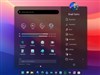
the areas of attention are suppose to be transparent but are not. can this be corrected?

Reply #2 Wednesday, March 7, 2012 10:14 AM
haven't had the time to put those programs on yet, this might the incentive???
the graphic is made correctly, double checked to be sure. I'm having a sneaky suspision that I might be getting this because the tray section, start button and pinned app graphics are solid color from top to bottom while the taskbar button are not?? thought it good to see if anyone encountered this before.

Reply #3 Wednesday, March 7, 2012 11:56 AM
It's probably caused by the taskbar blurring the background. Tune off the background effect method from
Blur to semi transparent in the taskbar extra settings tab, on SkinStudio.

Reply #4 Wednesday, March 7, 2012 12:02 PM
Damn, Danni........beat me to it. I'm sure that's it.
Reply #5 Wednesday, March 7, 2012 1:30 PM
ah, that makes sense, thank you for the solution.
belated Happy Birthday Tim.
Please login to comment and/or vote for this skin.
Welcome Guest! Please take the time to register with us.
There are many great features available to you once you register, including:
- Richer content, access to many features that are disabled for guests like commenting on the forums and downloading skins.
- Access to a great community, with a massive database of many, many areas of interest.
- Access to contests & subscription offers like exclusive emails.
- It's simple, and FREE!
Reply #1 Wednesday, March 7, 2012 9:14 AM
Greg not sure how you made the graphic. I make the flat part of the TB graphic on one layer and set adjusted the transparency where I wanted it. Then I added another layer the size you want (smaller) and put in the gradient. It should wiork if you do it on one layer. Make sure the color used is in your case Black and then add the Gradient. I'm well aware you are good at making graphics but just though I would throw this out. Strange things can happen at times and once I spent an hour trying to do this and realized I keep changing the fill and not the transparency. I believe you use paint shop pro but if you did this in PS I would love to see the psd.