























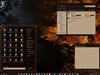

















windows start menu blank
Wednesday, November 7, 2001 by Baltika | Discussion: WinCustomize Talk
After installing Windowblinds, I found that I was unable to read the contents of my start menu as each pull down was blank. This occured with all skins and options regarding backgrounds, menus or borders. Any wisdom on what to do?
Darchon
Reply #2 Thursday, November 8, 2001 10:40 PM
Reply #2 Thursday, November 8, 2001 10:40 PM
Baltika:
Don't know if you've found a solution to this problem, so I'm passing this along to you. In the display properties, disable the menu effects in the appearance tab by clicking the effects button then uncheck then menu animation box. This worked for me using WinXP, dunno about other versions.
Good luck!
Don't know if you've found a solution to this problem, so I'm passing this along to you. In the display properties, disable the menu effects in the appearance tab by clicking the effects button then uncheck then menu animation box. This worked for me using WinXP, dunno about other versions.
Good luck!
Please login to comment and/or vote for this skin.
Welcome Guest! Please take the time to register with us.
There are many great features available to you once you register, including:
- Richer content, access to many features that are disabled for guests like commenting on the forums and downloading skins.
- Access to a great community, with a massive database of many, many areas of interest.
- Access to contests & subscription offers like exclusive emails.
- It's simple, and FREE!
Reply #1 Thursday, November 8, 2001 12:31 AM
I too would like a fix.
Thanks