






































DesktopX 4 and DesktopX 4 Pro Beta Updates
Wednesday, November 30, 2011 by Island Dog | Discussion: WinCustomize News
%20Icon_small.png)
We have released an update for both DesktopX 4 and DesktopX 4 Pro. These updates are only bug fixes for DesktopX.
You can download the betas (v3.96) via the Stardock store only.
 |
|
Page 4 of 4 | |
|
|---|

Reply #62 Wednesday, December 7, 2011 5:28 PM
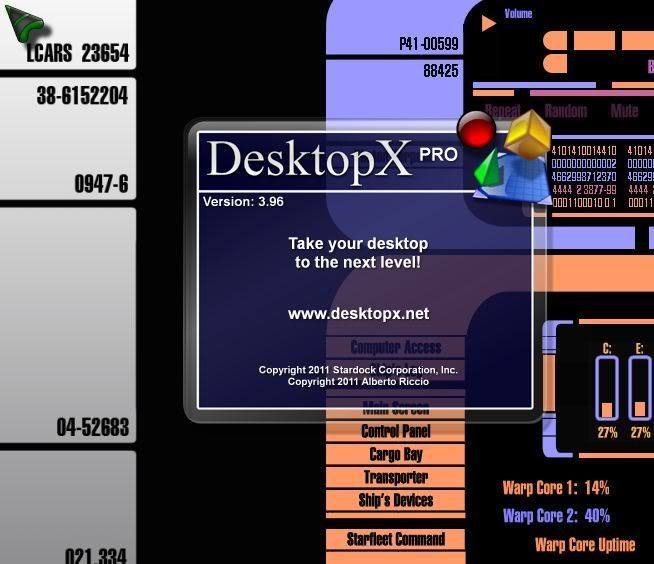
RND, are you sure we are talking about DXPro? The link for DX says 3.96, the link for pro SAYS 3.5 but as we all know, that info is not correct at all.

Reply #64 Thursday, December 8, 2011 12:23 AM
So ? Will there be a fix at least for the download any time soon ?
Reply #65 Thursday, December 8, 2011 11:09 AM
wow, this just gets better and better....
I have 3.5 Pro installed via Impulse on my laptop. Trying to uninstall it. Seems that I have to have Impulse installed just to uninstall the old version. A complete and utter load of #$%^.
This must be something new and stupid that gamestop has done. It never used to be like that.
Reply #66 Thursday, December 8, 2011 11:48 AM
now the brighter side.
The beta (3.96) seems to work ok on Win7 x64 Ultimate. I loaded up an object I created in 3.5 and at least the script editor opens with this version. It did not do so with the 4.00.017 version
Reply #67 Thursday, December 8, 2011 12:51 PM
I have 3.5 Pro installed via Impulse on my laptop. Trying to uninstall it. Seems that I have to have Impulse installed just to uninstall the old version. A complete and utter load of #$%^.
This must be something new and stupid that gamestop has done. It never used to be like that.
The uninstallers for applications installed via Impulse have always required Impulse to uninstall. Thats because Impulse is the installer and uninstaller and so without that there is no code to perform the uninstall.

Reply #68 Thursday, December 8, 2011 1:21 PM
I wish I had a 3.5 Pro I could stash away.
I can't get Impulse archives to work.
RND try restoring the archive of a
not
updated build and then restoring the updated version thats the only way it worked for me the last time
Reply #69 Thursday, December 8, 2011 1:33 PM
Neil, I've uninstalled apps before via add remove programs in control panel, but...... honestly, this may have been the first time I've done it after I removed Impulse.
( Phoon salts foot, inserts in mouth for 100,000,000 th time....)
Reply #70 Thursday, December 8, 2011 2:13 PM
There is always Your Uninstaller Pro, or Revo Uninstaller. These will uninstall anything and take the registry entries with it.
Roloccolor, Gamestop has borked the Impulse Archive system and they no longer work. At least, that's what I think Zubaz said.
I tried to install one and got a dialog telling me to go to Impulsedriven.com and unlock it. IE can't load the page.
Makes no sense to me since it's supposed to be an offline install.

Reply #72 Thursday, January 12, 2012 5:39 PM
Can we get this returned to the new version of DX? Please....

Reply #74 Thursday, August 1, 2013 12:24 PM
Does anybody know where I can get 3.96? I've got 4 but don't have a key, and as has been discussed, 3.5 is really borked up. I need 3.96 Pro.
Reply #75 Thursday, August 1, 2013 12:42 PM
You have a key for 3.96? It should work for 4.
Please login to comment and/or vote for this skin.
Welcome Guest! Please take the time to register with us.
There are many great features available to you once you register, including:
- Richer content, access to many features that are disabled for guests like commenting on the forums and downloading skins.
- Access to a great community, with a massive database of many, many areas of interest.
- Access to contests & subscription offers like exclusive emails.
- It's simple, and FREE!
|
|
Page 4 of 4 | |
|
|---|
Reply #61 Wednesday, December 7, 2011 1:13 PM
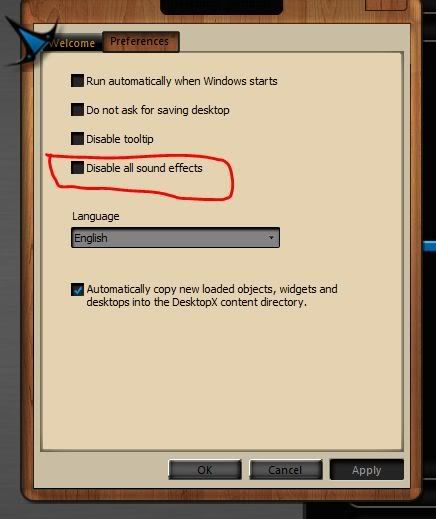
I wonder, while we're at this, can we fix it so the setting to start with windows works?