





































Microbe: Red (BETA)
Saturday, May 2, 2009 by sViz | Discussion: Sneak Previews
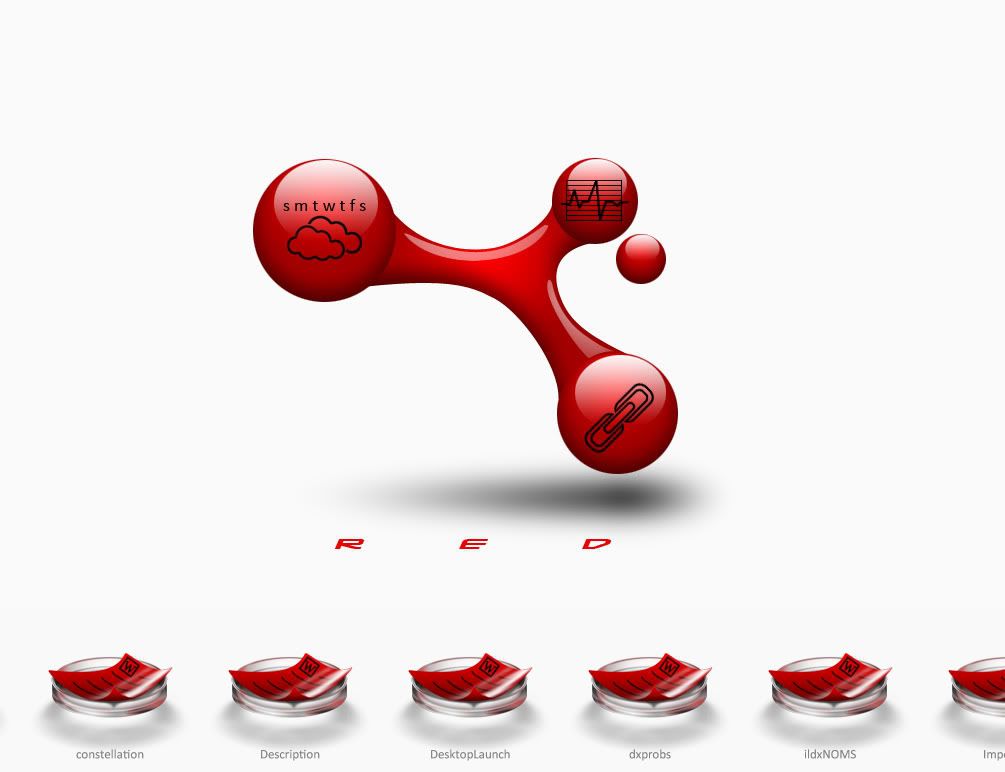
Experimenting with this one. Trying my hand at a bunch of new functions. Desktop icons arrange in the petri dishes at the bottom. It scrolls on hover. I'm hoping to have several custom file icons.
The large molecule in the middle is the wall. I centered it on a 2560x2048 canvas so it's rez independent. That allows me to position the black icons on top of them in DX. The smaller red orb moves in a circular perspective effect. At the very least, I expect to make a few more templates from this theme.
*** UPDATE 6/16/09: BETA 1.3 DOWNLOAD LINK ***
 |
|
Page 3 of 4 | |
|
|---|

Reply #42 Saturday, June 6, 2009 9:11 PM
glad you but it so I got to see it
I got a script error when I ran it
There has been a script error in object "dsktp_back"
To correct the error, click "disable and edit' below
file not found
Line: 74
Code:
(not available)
move my mouse anywhere below " R E D " and I get a basic e-w resizer cursor
tried to add a new menu and lost the 'aero gadgets' short cut

Reply #44 Saturday, June 6, 2009 9:47 PM
Hmm. The first menu that loads by default is everything from your desktop. I have a hunch what it might be...do any of the shortcuts, specifically folders, on your desktop have period in their file names? This caused an error in a different project I once worked on and it might be the same catch22 here.
When you create a new menu, it will be blank, save for the My Computer shortcut. To restore the previous menu click on the menu options icon and choose it from the list.
The resizer cursor is just to indicate that moving the mouse left or right will slide the menu (if there are enough shortcuts)
Reply #45 Saturday, June 6, 2009 10:07 PM
as in:
.exe
.jpg
.png
.msi
yes
Reply #46 Saturday, June 6, 2009 10:08 PM
figured that out, but when I went back to the default it was still messed up
let me clean up my desktop....
Reply #48 Saturday, June 6, 2009 10:37 PM
if I make a new bar and drop short cuts on it I get a scripting error
Object required: 'DesktopX.object(...)'
Line: 381
Code:
(not available)
same one each time
and the shortcut didn't run - possibly because what a dragged down was a shortcut that had been on my desktop which I dragged into a folder - switched back to the default desktop bar - opened that folder checked the shortcut to make sure it did work, copied the link out of properties to check against the link on my created bar...
switched back to the new bar and it's blank again except for 'my computer'
Reply #49 Saturday, June 6, 2009 10:42 PM
for some reason, while it's running it seems to cause FF to hang when minimizing unless I right click on the taskbar to do so
Reply #51 Saturday, June 6, 2009 11:34 PM
.exe
.jpg
.png
.msi
No, I meant in the actual name, e.g. This.is.my.file.exe
Yeah, that is a problem, moving the files after a shortcut's been created. I'll have to work on several contingencies. Perhaps a warning that the path no longer exists and option to change the target.
Thanks for your input so far. I'll try to have modified version up by tomorrow.
Reply #52 Saturday, June 6, 2009 11:36 PM
The only thing using internet is the weather. I don't have FF, so I'm not sure what the cause is.
Reply #53 Sunday, June 7, 2009 12:16 AM
c
could be my semi old system...
Reply #54 Sunday, June 7, 2009 12:19 AM
i did have some downloaded .exe's with version numbers like 1.2.6 and a zip with a url in the name

Reply #55 Sunday, June 7, 2009 12:29 AM
Looks, and works fine for me!
I like the satellit ball.. 

Reply #56 Sunday, June 7, 2009 1:21 AM
bilbo
click the little molecule to the left of 'desktop' and create a new bar
drag some some on onto it
switch back and forth and see if the new bar still holds up...
Reply #57 Sunday, June 7, 2009 1:46 AM
click the little molecule to the left of 'desktop' and create a new bar
drag some some on onto it
switch back and forth and see if the new bar still holds up...
yeah it works till I'm trying rename the new bar.. then dx crashes.. on builder mode too.. 
Reply #58 Sunday, June 7, 2009 2:16 AM
I could name it, go to it, drag stuff to it, but when I went back to desktop then back to the bar, then name is still there but the bar was empty, I'll look some more tomorrow... might need to clear my cache and start it over
Reply #59 Sunday, June 7, 2009 2:45 AM
I'm seeing some odd bugs there, too. I'll try to iron it out by tomorrow.
If all else fails, go to the DesktopX folder and delete the Microbe_inifile.txt text file. Then restart the theme. Sometimes the formatting gets screwed up and the theme can't read the file.
Reply #60 Sunday, June 7, 2009 11:08 AM
Okay, updated version.
Updates:
- Fixes to recognize files with (.) in their base names
- Fixes to delete items that have been moved or otherwise gone missing.
- Fixes to rename menu
- Fixes to facilitate drag and drop files with identical names
- Added menu refresh button (click on the menu name text object to refresh)
Please login to comment and/or vote for this skin.
Welcome Guest! Please take the time to register with us.
There are many great features available to you once you register, including:
- Richer content, access to many features that are disabled for guests like commenting on the forums and downloading skins.
- Access to a great community, with a massive database of many, many areas of interest.
- Access to contests & subscription offers like exclusive emails.
- It's simple, and FREE!
|
|
Page 3 of 4 | |
|
|---|
Reply #41 Saturday, June 6, 2009 8:29 PM
Bumpity bump of the day.