






















Object Desktop: Next Steps
What would you like to see?
Wednesday, June 6, 2007 by Frogboy | Discussion: WinCustomize Talk
There's so many things we could do next with Object Desktop but we're having a hard time narrowing down what we should focus on.
After all, with only 15% or so of the user base moved to Vista (a LOT slower than anticipated) it doesn't make much sense to pour all new development into Vista specific tech.
But at the same time, we don't want to get into the path of making "legacy" software as well.
One of my personal peeves with Object Desktop is that it's too eye candy focused these days and not enough productivity.
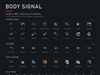
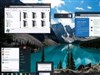
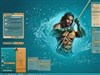
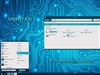
The OS/2 version of Object Desktop was almost purely productivity software:
Here's a link to the OS/2 version of Object Desktop (10 years ago).

Now, a lot of features that were part of Object Desktop have become part of the OS today.
But still, I think there's a lot of room for growth in other areas. Before I post my ideas for what I'd like to see in there, we'd love to hear some things you'd like to see us work on.

Reply #2 Wednesday, June 6, 2007 7:24 PM
I was a big fan of the ThinkDesk Suite, but it looks like development on those apps have slowed down some. Thank God Multiplicity got released; I'd die without it. Same with Keepsafe. Secure process looks like it's rolled partly into TweakVista but I used the StarupManager (I think that's it's name) more than the main app.
Sometimes it's the little apps that make the biggest difference too. ObjectEdit and Keyboard launchpad have made life much easier (although I wish OE had a little more love more often too).
In win 3.1/95/98 I had dozens of little shareware apps running to do all the little things I wanted to be easier. WinXP rolled most of them into the OS like you said. Maybe we need a post for "What's your pet peeve in XP?" and see if there's a solution.
For example, sometimes I want this set of apps to run at startup, and sometime this other set. Wouldn't it be great if I could use a key combination at (or near) boot to pick which set to load?

Reply #3 Wednesday, June 6, 2007 8:09 PM


Reply #4 Wednesday, June 6, 2007 8:12 PM
I would just like to see the work continue as it has in a very well orderly fashion. You and your team of designers have done a fantastic job with eveything. I am a very happy customer of Stardock. We all wait patiently for the rest of what will soon be the new Object Desktop of the future.
I'll go with Zubaz on his idea of something along the line of a virtual desktop loading setup program. But with more like the DesktopX gadgets and all that also. Really sort of like having more than one purpose for each user to use at login. Would be great for laptops for use at work and then come home and run graphics! Seeing we always have problems with such at where I work at and in some case's are not allowed. This is why I have a multi-boot system on my laptop and here on my system at home also. But even so I do not even run stuff with my laptop as I do with my desktop at home. That or esp. at work on my desktop.
But it would serve me as Zubaz has mentioned.
That and if it at all we wait patiently for the new Object Desktop 2008 for the new Vista release's. WB6 and esp. that of Skin Studio Vista.
SGT

Reply #5 Thursday, June 7, 2007 1:41 AM
What i am missing is more international support for apps. Okay, we have user made translations already, but what I mean is for example the english context menus when starting DesktopX or IconX. Also a few apps are still english only (mentioning ObjectEdit for example).
And to come back to DesktopX, it would be nice to have a few more professional made Widgets by Stardock itself graphics- and productivity wise to show its real power (perhaps a better task after OB and DX where merged).
A really important task for skinners would be to get SkinStudio Vista out soon.
Regarding Thinkdesk I think there would be even more potential if progs where finally finished. ThinkSync for example. And I could imagine Multiplicity (Pro ?) to get a VNC option to 'really' remote other machines (dream, dream), that one would be great.
All in all I am very glad that product infos and requests are really handled more open and more frequently than it was some time before (especially arround GalCiv II) and nearly like it was when Stardock was smaller. I can imagine this is a big task as the whole skinning thing has become a lot bigger in the meantime and of ccourse more complicated and more work for all. My wish would be that it remains so. And it is a good thing to me that Brad himself is popping up here more frequently now and creates threads like these. Just some quick thoughts.

Reply #6 Thursday, June 7, 2007 4:08 AM

Reply #7 Thursday, June 7, 2007 8:13 AM
Wish list item for me would be something akin to Sysmetrix or Samurize that add a status bar to the bottom of each window (parent windows only would prbly be best) that you can config to show whatever system performance items you wish and save the config for different programs. IE a program that uses network resources could be configured to show TCP in/out, total bytes downloaded, wireless signal, etc. and a program that uses a lot of physical memory and CPU could show both of those items and maybe handles and threads.

Reply #8 Thursday, June 7, 2007 2:53 PM
From the world Of Apple:
Think
Download: http://www.freeverse.com/think/
Description: Think allows you to limit your attention
to one application - any application - at any time. If you suffer from
OS X A.D.D., this program will help you become way more productive. It has an added bonus of making your screen easier on your tired eyes.
Pic2Icon
Download: http://www.versiontracker.com/dyn/moreinfo/macosx/13226
Description: Pic2Icon is a program that creates
beautiful 128×128 Mac OS X icons for your pictures. Simply drop
pictures or folders full of pictures onto the application and it will
start creating icons. These icons will be applied to the pictures, so
you can browse through them in the finder and you will be able to
identify them without having to open them!

Reply #9 Thursday, June 7, 2007 3:49 PM
With this in mind a couple of things I would like to see are..
Tranparency added to RightClick, Objectbar.
Icon Developer fixed.. and perhaps a plugin for creating icons straight ( exporting ) from Photoshop. ( like Axialis )
Wb6 \ SKS developed to the point that it makes skinning Windows XP and Vista easier for everyone while still maintaining all advanced functions and a greater emphasis given to working around all the "damned if you do, damned if you don't" areas of the windows interface. In short, taking the areas that inherit properties from some other area of a skin and seperating them so that EVERYthing is skinned independantly of any other element being affected. Lastly, Giving WB \ SKS the capabilities of circumventing the shortfalls of the Vista interface. (rant) WWW Link
Please login to comment and/or vote for this skin.
Welcome Guest! Please take the time to register with us.
There are many great features available to you once you register, including:
- Richer content, access to many features that are disabled for guests like commenting on the forums and downloading skins.
- Access to a great community, with a massive database of many, many areas of interest.
- Access to contests & subscription offers like exclusive emails.
- It's simple, and FREE!
Reply #1 Wednesday, June 6, 2007 7:09 PM
Enhanced File Dialog is one of my fav apps in ODNT. That one is pure productivity and functionality.