





































OK BRANIAC NOW WHAT??
Monday, February 5, 2007 by ToxicTranceChamber | Discussion: WindowBlinds
K I downloaded it  so now what should I do?
 so now what should I do?
 |
|
Page 4 of 7 | |
|
|---|
I.R. Brainiac
Reply #62 Monday, February 5, 2007 8:19 PM

Reply #62 Monday, February 5, 2007 8:19 PM
dialog bitmaps,no thats much later...stick to the start menu for now...finish astart menu in photoshop(the whole thing)then we will cut it up and set the margins and text colors. 

ToxicTranceChamber
Reply #63 Monday, February 5, 2007 8:21 PM

Reply #63 Monday, February 5, 2007 8:21 PM
Oh u mean like do the whole wb for the start menu then cut those pieces up to use in ss?
I.R. Brainiac
Reply #64 Monday, February 5, 2007 8:21 PM
Reply #64 Monday, February 5, 2007 8:21 PM
you can apply anthing you do at any time...your not going to mess up the skin,you just may not like what you see and have to change it.
ToxicTranceChamber
Reply #65 Monday, February 5, 2007 8:22 PM
Reply #65 Monday, February 5, 2007 8:22 PM
LOL I posted that then read ur response lol
ToxicTranceChamber
Reply #66 Monday, February 5, 2007 8:24 PM
Reply #66 Monday, February 5, 2007 8:24 PM
Ok so I don't need to click on anything in ss for now just open a pic of a start menu in ps?
I.R. Brainiac
Reply #67 Monday, February 5, 2007 8:26 PM
Reply #67 Monday, February 5, 2007 8:26 PM
damn edit keeps refusing me,makes our post look out of order...sometimes I'm responding to a post 2 replys back 
yes,do the entire start menu in PS...then cut it up...this is where I need a ss,damn Image shack screwed up my login.
Will see if I can fix.Does image bucket allow full resolution images?

yes,do the entire start menu in PS...then cut it up...this is where I need a ss,damn Image shack screwed up my login.
Will see if I can fix.Does image bucket allow full resolution images?
ToxicTranceChamber
Reply #68 Monday, February 5, 2007 8:28 PM
Reply #68 Monday, February 5, 2007 8:28 PM
Photobucket u mean really big ones??
your talking to a blond who just started usin a computer last yr lol
u mean really big ones??your talking to a blond who just started usin a computer last yr lol
Bichur
Reply #69 Monday, February 5, 2007 8:39 PM
troll
and I hope he has an air supply

Reply #69 Monday, February 5, 2007 8:39 PM
HEY! lol I have that lil grimlin thing its in my fish bowl lol
troll
and I hope he has an air supply
I.R. Brainiac
Reply #71 Monday, February 5, 2007 8:45 PM
Reply #71 Monday, February 5, 2007 8:45 PM
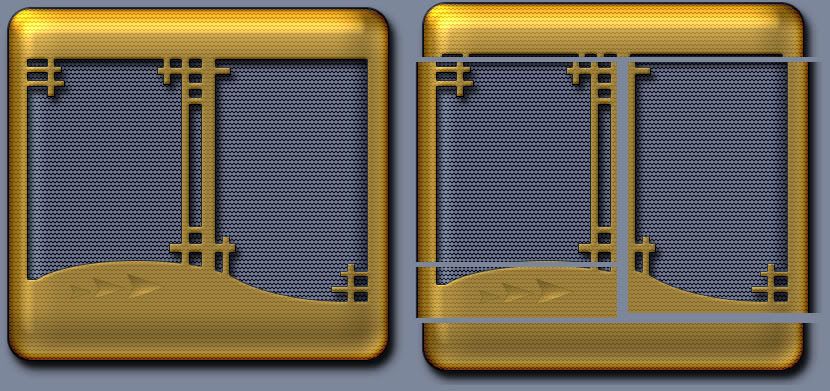
Cooooel! Full start menu image on the left,cutup on tha right. 

I.R. Brainiac
Reply #72 Monday, February 5, 2007 8:48 PM
Reply #72 Monday, February 5, 2007 8:48 PM
2 middle sections can be cut shorter,then tiled...but hopefully that makes things clearer.
ToxicTranceChamber
Reply #73 Monday, February 5, 2007 8:49 PM
Reply #73 Monday, February 5, 2007 8:49 PM
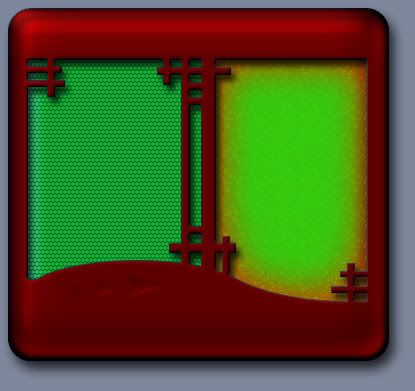
Oh ok, so I make it look all pretty as one big piece and cut it into those sections. But how did u get the pieces that are cut out (like in the 1st pic,not the cutting afterward)so perscise? Do ya know what I mean?
I.R. Brainiac
Reply #75 Monday, February 5, 2007 9:06 PM
Reply #75 Monday, February 5, 2007 9:06 PM
If you look at the PS file you can see they are just 2 shapes with styles applied(thats how you can make really quick changes to the appearance.They are just solid grey underneath.
Creating shapes is just something you have to play with,Mostly altering them with the selection tool and adding or deleting some of the shape.
The custom shapes tool has alot of ready made shapes and you can download zillions more.
Creating shapes is just something you have to play with,Mostly altering them with the selection tool and adding or deleting some of the shape.
The custom shapes tool has alot of ready made shapes and you can download zillions more.
ToxicTranceChamber
Reply #76 Monday, February 5, 2007 9:14 PM
Reply #76 Monday, February 5, 2007 9:14 PM
Ok I will definatly have to sit down and mess with photoshop then and I will keep you informed on how I am doing, LOL. I'm sure I'll need your help again. But once again thank you soooo very much!!! You handsome man u! LOL Well i AM GONNA BE LAYING DOWN SOON, SO i HOPE THAT YOU HAVE A GOOD NIGHT! OOPs caps again 



ToxicTranceChamber
Reply #80 Wednesday, February 7, 2007 1:44 PM
Reply #80 Wednesday, February 7, 2007 1:44 PM
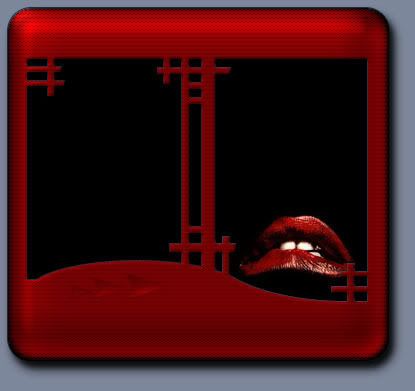
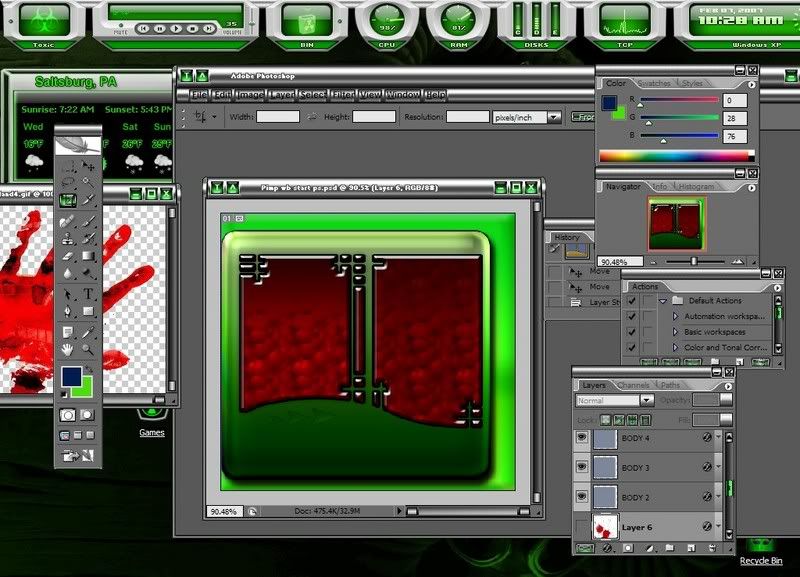
Ok I figured out how to change the colors and shit but what should I do with the shapes and I'm not sure what do to with the boxes and how to change how they look, do I just delete them and start over with a blank image? HELP??? LOL
This is what I got going on....
This is what I got going on....
Please login to comment and/or vote for this skin.
Welcome Guest! Please take the time to register with us.
There are many great features available to you once you register, including:
- Richer content, access to many features that are disabled for guests like commenting on the forums and downloading skins.
- Access to a great community, with a massive database of many, many areas of interest.
- Access to contests & subscription offers like exclusive emails.
- It's simple, and FREE!
|
|
Page 4 of 7 | |
|
|---|
Reply #61 Monday, February 5, 2007 8:18 PM