


































ObjectBar 2.0 Released!
The wait is finally over
Tuesday, September 19, 2006 by Zoomba | Discussion: WinCustomize News
 At long last, ObjectBar 2.0 is available now on Stardock.com . This upgrade is free to existing customers.
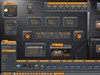
ObjectBar is a program that can replace or extend the Windows taskbar. It provides the functionality of the Start bar while adding a vast array of new features and benefits. Because it is so flexible and skinnable, it can be made to look like any sort of toolbar, menu, dock, etc. found on any OS, or it can be used to create something entirely new, giving you a level of personalization on the Windows desktop interface.
This new version comes with several different looks to choose from, and each one can be personalized based on your needs.
This versatile and useful program is only $19.95, or can be purchased as part of the Object Desktop Suite of desktop customization programs for only $49.95.
For more information, go to www.objectbar.net
To learn more about Object Desktop go to www.objectdesktop.net
To see a brief video detailing he highlights of ObjectBar 2.0, go here
 |
 |
 |
 |
|
Page 3 of 4 | |
|
|---|

Reply #42 Wednesday, September 20, 2006 7:08 PM
Seems to be alot more "stable" than previous versions...have ALWAYS had the problem of ObjectBar just "forgetting" that it was running, and simply quit responding after a while(w/o any other adverse effects).
Well done team!

Reply #43 Wednesday, September 20, 2006 9:34 PM
I've lost my patience with SD over this. For a year we've been told right in the SDC description of OB that it is "for Windows 2000 & XP". If it "should" work, change the SDC installer so we can try it.
This kind of carelessness & inattention to a problem that has been pointed out repeatedly for the last 6 months borders on deliberate & really frosts me. Sorry, but that's the way I see it. It may influence my ODN renewal decision come January.

Reply #44 Wednesday, September 20, 2006 9:49 PM
That doesn't make sense. All SDC does is copy the files. What exactly happens?
Reply #45 Wednesday, September 20, 2006 9:49 PM
Reply #46 Thursday, September 21, 2006 12:27 AM
When you highlight OB in SDC & click on "Update", you get a message box saying OB requires XP or higher and it quits right there after you click OK, which is the only option.
And sorry for the tone... I'm just frustrated after such a long wait.

Reply #47 Thursday, September 21, 2006 1:16 AM
Reply #48 Thursday, September 21, 2006 1:57 AM
i promptly resubbed

anyone know a good wb theme to go with the Friendly theme?
Ikku

Reply #49 Thursday, September 21, 2006 2:23 AM
But this program has all kinds of problems.
Just a few quick observations....
1. The alignment on the built in drop down does nothing. (At least not for me)
2. It max's out my CPU if I try too many skins. (Also see #6)
3. Crashed on me once.
4. The CPU and Memory plug-ins are nothing more than links to open task manager?
5. I was unable to change the auto-hide delay. I used both extremes and it made no difference.
6. After the CPU max'd with OB, I closed it and it still ran @ 50-54% idle. Showed as Explorer.exe in task manager. I had only my desktop showing with the usuals running. Restarted, problem resolved. Played with OB, happened again. (Maybe because I used a start menu graphic from my current WB for the ddm skin? I don't know...it was all I could think of)
7. The ToDo list widget is really buggy if you move it, or the main menu, it will not re-align.
I uninstalled the program, and re-installed. Same results.
Finally uninstalled after about 2 hours. Too many head-aches. Nothing seemed to work quite right.
My specs
AMD Athlon 64 3700+ - 2.20 GHz - 1 MB L2
Windows XP Home (32 bit) running Completely up to date
1.12 GB Memory (after video)
Nvidia 6100 onboard graphics - (Just updated the drivers recently)
Most of the latest Stardock products via Object Desktop (No Beta's)
I can/have run Vista Ultimate with no problems at all.
I really like the concept behind this program, but the bugs concern me.
It strikes me as a beta type of release. I'm not trying to be hyper-critical however.
I have Camtasia and I can capture images if you would like to see what I'm talking about.
O.k., everyone......pounce.
PC


Reply #50 Thursday, September 21, 2006 8:07 AM
| O.k., everyone......pounce. |
Right wing conspiracy?

I'll test your issues from here and report back. At least we can start setting a baseline.
Reply #51 Thursday, September 21, 2006 12:09 PM
Reply #52 Thursday, September 21, 2006 6:22 PM
This happens on my work machine which is also running Windows 2000. I'd love to use this at work, it would be so productive!
Desktop X Widgets (except Vista Clock) do not work on Windows Vista in OB2.0. This is a right pain in the arse of any otherwise superb program.

Reply #53 Thursday, September 21, 2006 9:23 PM
Reply #54 Thursday, September 21, 2006 10:17 PM
| I'll test your issues from here and report back. At least we can start setting a baseline. |
That would be great. I'd really like to use this program.
I'll help out where I can if you need.
PC
Reply #55 Thursday, September 21, 2006 11:04 PM
| I'll help out where I can if you need. |
All bars or some bars? What bars did you use/build?
Reply #56 Thursday, September 21, 2006 11:17 PM
I had theme manager running with the new Vista Plus suite while I ran OB. I uninstalled theme manager, re-installed OB and everything is functioning as advertised now. Quite well actually.
I'm using the Vista Plus WB (instead of the suite), and it's all getting along great.
This is a really great program.
PC

Reply #57 Thursday, September 21, 2006 11:20 PM
| 1. The alignment on the built in drop down does nothing. (At least not for me) 2. It max's out my CPU if I try too many skins. (Also see #6) 3. Crashed on me once. 4. The CPU and Memory plug-ins are nothing more than links to open task manager? 5 5. I was unable to change the auto-hide delay. I used both extremes and it made no difference. 6. After the CPU max'd with OB, I closed it and it still ran @ 50-54% idle. Showed as Explorer.exe in task manager. I had only my desktop showing with the usuals running. Restarted, problem resolved. Played with OB, happened again. (Maybe because I used a start menu graphic from my current WB for the ddm skin? I don't know...it was all I could think of) 7. The ToDo list widget is really buggy if you move it, or the main menu, it will not re-align. |
1. What drop down specifically?
2. Can't reproduce. Tried lots of skins. (really liked teh Friendly menu skin with my custom bar. Reminds me of The Political machine.
)3 Can't reproduce
4. Confirmed. No apparent way to change it. Suggest a DX widget that does the same thing and can be configured.
5. Can confirm that changing via the properties tag does have an effect. Long delay took forever to launch.
6. Can't confirm
7. Confirmed that that widget gets really screwed up. Pievces get dragged all over everywhere.
Wish I could help more.
Reply #58 Friday, September 22, 2006 12:03 AM
Will OB2 work as a simple "Use Windowblinds Skin" Taskbar replacement in Win2K, as 1.65 does now? I don't need to use any fancy widgets, I'm just looking for the functionality of 1.65 but with its bugs fixed.
Reply #59 Friday, September 22, 2006 12:14 AM
Did you try running theme manager with the Vista Plus Suite? I haven't had any problems since getting rid of theme manager (I updated the Vista Plus WB too) (Thanks adni18!)
I'm having a ball with this program now. It would be nice to have the bar transparency separated from the icons though. I wouldn't mind fading the bar without having my icons vanish with it.
Still, all in all....a HUGE improvement and well worth the $$$ IMHO.
PC
EDIT: Is there a way to make Virtual Desktops align horizontally? It looks terrible as it is using 4 desktops. It's all scrunched up and impossible to tell one desktop from another. I can expand the bar, but that doesn't look good either.
Again, no big deal though.

Reply #60 Friday, September 22, 2006 12:46 AM
Am I missing something? Does this not work with WB5? Not the newest WB5 (its only version 5.0 or something...)?
Some help?
Please login to comment and/or vote for this skin.
Welcome Guest! Please take the time to register with us.
There are many great features available to you once you register, including:
- Richer content, access to many features that are disabled for guests like commenting on the forums and downloading skins.
- Access to a great community, with a massive database of many, many areas of interest.
- Access to contests & subscription offers like exclusive emails.
- It's simple, and FREE!
|
|
Page 3 of 4 | |
|
|---|
Reply #41 Wednesday, September 20, 2006 6:50 PM