




































ObjectBar 2.0 Released!
The wait is finally over
Tuesday, September 19, 2006 by Zoomba | Discussion: WinCustomize News
 At long last, ObjectBar 2.0 is available now on Stardock.com . This upgrade is free to existing customers.
ObjectBar is a program that can replace or extend the Windows taskbar. It provides the functionality of the Start bar while adding a vast array of new features and benefits. Because it is so flexible and skinnable, it can be made to look like any sort of toolbar, menu, dock, etc. found on any OS, or it can be used to create something entirely new, giving you a level of personalization on the Windows desktop interface.
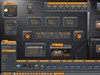
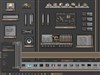
This new version comes with several different looks to choose from, and each one can be personalized based on your needs.
This versatile and useful program is only $19.95, or can be purchased as part of the Object Desktop Suite of desktop customization programs for only $49.95.
For more information, go to www.objectbar.net
To learn more about Object Desktop go to www.objectdesktop.net
To see a brief video detailing he highlights of ObjectBar 2.0, go here
 |
 |
 |
 |
|
Page 1 of 4 | |
|
|---|

Reply #2 Tuesday, September 19, 2006 4:22 PM
Not showing on Stardock Central as 2.0

Reply #3 Tuesday, September 19, 2006 4:37 PM

Reply #4 Tuesday, September 19, 2006 4:46 PM

Reply #5 Tuesday, September 19, 2006 4:48 PM
Gregory2001 - looks like one of the themes that were shown in the article from about 3 weeks ago is still being worked on. Keep an eye out for it - hopefully it will be ready soon!
For those who want to create their own themes, Jeff Bargmann, creator of ObjectBar, has posted a skinning guide. You can find it by going to www.objectbar.net and clikcing on the documentation button.
Hope everyone likes it! 

Reply #6 Tuesday, September 19, 2006 4:48 PM
Nutshell: restart your Stardock Central client and it should show up then (it did for me, even yelled at me to update).
Reply #7 Tuesday, September 19, 2006 5:04 PM

Reply #8 Tuesday, September 19, 2006 5:37 PM

Reply #9 Tuesday, September 19, 2006 5:51 PM
Now just one little problem...which OD+ dock do I get rid of??? I've come to rely on them..!

Reply #11 Tuesday, September 19, 2006 6:24 PM
[The about screen isn't nearly as good as OD+ though]

Reply #12 Tuesday, September 19, 2006 6:29 PM

Reply #13 Tuesday, September 19, 2006 6:44 PM
Can't wait to get home and try it. Thanks for all the hard work.


Reply #14 Tuesday, September 19, 2006 8:11 PM
Well worth the wait! Good thing I have nothing planned - this will keep me busy awhile! Thanks all who were involved in development - Great Job! Reply #15 Tuesday, September 19, 2006 8:24 PM
Seems to slow down my system quite a bit -
 to the point I wouldnt use it - and yes, I got a kick ass system -
 Also wish that the Folders you drop (which become a popup) would expand any Shortcuts it finds

It is a much nicer interface
Reply #16 Tuesday, September 19, 2006 8:31 PM

Reply #17 Tuesday, September 19, 2006 8:46 PM
Reply #18 Tuesday, September 19, 2006 9:06 PM

Reply #19 Tuesday, September 19, 2006 9:30 PM
I loaded the Vista side bar, and it's W I D E
Takes up 1/4 of the screen...
I've looked all over, but see no place to 'resize' it?

Reply #20 Tuesday, September 19, 2006 9:41 PM
| I've looked all over, but see no place to 'resize' it? |
Click and drag from edge of side bar.
Please login to comment and/or vote for this skin.
Welcome Guest! Please take the time to register with us.
There are many great features available to you once you register, including:
- Richer content, access to many features that are disabled for guests like commenting on the forums and downloading skins.
- Access to a great community, with a massive database of many, many areas of interest.
- Access to contests & subscription offers like exclusive emails.
- It's simple, and FREE!
|
|
Page 1 of 4 | |
|
|---|
Reply #1 Tuesday, September 19, 2006 3:36 PM