



















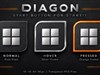
















ObjectBar 2.0 Released!
The wait is finally over
Tuesday, September 19, 2006 by Zoomba | Discussion: WinCustomize News
 At long last, ObjectBar 2.0 is available now on Stardock.com . This upgrade is free to existing customers.
ObjectBar is a program that can replace or extend the Windows taskbar. It provides the functionality of the Start bar while adding a vast array of new features and benefits. Because it is so flexible and skinnable, it can be made to look like any sort of toolbar, menu, dock, etc. found on any OS, or it can be used to create something entirely new, giving you a level of personalization on the Windows desktop interface.
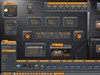
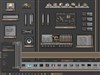
This new version comes with several different looks to choose from, and each one can be personalized based on your needs.
This versatile and useful program is only $19.95, or can be purchased as part of the Object Desktop Suite of desktop customization programs for only $49.95.
For more information, go to www.objectbar.net
To learn more about Object Desktop go to www.objectdesktop.net
To see a brief video detailing he highlights of ObjectBar 2.0, go here
 |
 |
 |
 |
|
Page 2 of 4 | |
|
|---|

Reply #22 Tuesday, September 19, 2006 9:44 PM
I can get it to re-size, but it's still rather wide.... I'll keep playing around with it.
I have it on the secondary Monitor..
Maybe I will disable the 2nd monitor and see if that helps..
(I quess more testing of Multiple montiros is in store..)

Reply #23 Tuesday, September 19, 2006 9:58 PM

Reply #24 Tuesday, September 19, 2006 10:05 PM
| Click and drag from edge of side bar. |
You may have to right-click on theme manager and choose Skin. check the radio buttons in the middle.
Reply #25 Tuesday, September 19, 2006 10:25 PM
If I un dock and drag to the primary monitor, then resize it there, then drag to the 2nd monitor and Dock it, it's just what I want!
Reply #26 Tuesday, September 19, 2006 10:51 PM


Reply #27 Tuesday, September 19, 2006 11:30 PM
 And let the customizing begin!

Reply #29 Wednesday, September 20, 2006 12:18 AM
can it be resized ?
Reply #30 Wednesday, September 20, 2006 1:14 AM

UPDATE: It would appear that I got a little carried away with this on Vista. My DX widgets dont seem to work. THey just dont show at all. The DX widget tht came with Vista Bar works absolutely fine, but any other one does not
 I'm hoping its because I'm running Vista and not XP and that Stardock are looking into this phenomenon as we speak. DX does work fine on Vista though

Reply #31 Wednesday, September 20, 2006 1:41 AM


Reply #32 Wednesday, September 20, 2006 1:43 AM

Reply #33 Wednesday, September 20, 2006 2:02 AM
Tinkering with all of the new features and stuff gives me plenty to do in the silent moments between my five-day-old's bouts of crying and hunger!


Reply #34 Wednesday, September 20, 2006 4:11 AM

Reply #35 Wednesday, September 20, 2006 7:50 AM
It was always well worth the money, but.. damn. How are you guys not going bankrupt?

Reply #36 Wednesday, September 20, 2006 8:53 AM

Reply #37 Wednesday, September 20, 2006 9:28 AM
I've noticed that there are 3 'MyShadows' applications running though. Is this normal? Should there be only 1?

Reply #38 Wednesday, September 20, 2006 10:33 AM
The shadows show up in the task manager as 'running applications' - I can assure you there're not applications just single windows so really its 0 of them running Windows just puts anything thats visible and has a window title in that list. Taken care of Reply #39 Wednesday, September 20, 2006 1:25 PM
I meant George Bush is hopeless and Lincoln was outstanding

Reply #40 Wednesday, September 20, 2006 4:23 PM
Please login to comment and/or vote for this skin.
Welcome Guest! Please take the time to register with us.
There are many great features available to you once you register, including:
- Richer content, access to many features that are disabled for guests like commenting on the forums and downloading skins.
- Access to a great community, with a massive database of many, many areas of interest.
- Access to contests & subscription offers like exclusive emails.
- It's simple, and FREE!
|
|
Page 2 of 4 | |
|
|---|
Reply #21 Tuesday, September 19, 2006 9:42 PM
If I create a horizontal Bar, Auto hide it and Dock to edge, it snaps back to the Primary monitor.
If I un-auto hide it, and drag it to the other monitor it stays, and sits on the top (as I want it)
But as soon as I enable Auto hide, it snaps back to the other monitor...
But I Love this app!
Keep up the Excellent work!