






































B2R
Comment #2 Wednesday, November 11, 2009 3:38 PM

Comment #2 Wednesday, November 11, 2009 3:38 PM
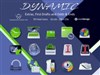
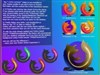
Hi, This is the normal procedure. 1. download the file clearDock.dockzip 2. In ObjectDock Properties (right click, Dock Settings... on the dock): 3. Themes: Import a package, select clearDock.doczip and open, OK. 4. Appearance: Background, select clear Dock , close. Thanks for your choice. 

Please login to comment and/or vote for this skin.
Welcome Guest! Please take the time to register with us.
There are many great features available to you once you register, including:
- Richer content, access to many features that are disabled for guests like commenting on the forums and downloading files.
- Access to a great community, with a massive database of many, many areas of interest.
- Access to contests & subscription offers like exclusive emails.
- It's simple, and FREE!





Comment #1 Wednesday, November 11, 2009 11:14 AM