This docklet is inspired on 1spray "Wifi Signal Strength Docklet", since on my Vista machine Systats' based docklets does not work, I decided to program my first docklet so I can check on my Wireless network.
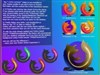
This docklet shows you the WiFi signal strength and SSID, and changes the icon shown depending on the signal strength detected. By clicking on the dock it shows more datailed information about the currently configured wlan adapter & connection.
This docklet is based on Microsoft WIFI API. I have done basic testing on both XP & Vista, but it might be still buggy.
Thanks 1spray for letting me use his icons in this docklet!
I have updated the Docklet with a few new capabilities:
-It now supports Unicode (needs testing)
-The command has been implemented, whatever you capture at the config dialog will be spawn by the docklet by left-clock & holding the mouse button. Left-click will simply open the detailed information dialog.
-New information on the Network Adapter is shown (IP Address, MAC Address & Network Mask)
-Is possible to show the IP Address as data in the docklet.
- 08/01/2008:
+ Added a configuration parameter to query a web site to retrieve the external IP address of the system. The information is shown in the Detailed iformation dialog. Capture your prefered web site (like checkip.dyndns.org) in the External IP Address URL parameter.
+ Optimized the icon images to streamline the download size.
Hope you find these useful. Please give it a try, any comments & suggestions are welcome!
Several Windows XP users have reported that the docklet does not show up. Under XP Wireless LAN API should be installed in order to work. If needed, download & install MS KB918997:
Link








































Comment #81 Tuesday, May 5, 2009 11:34 PM
Today I got back home after our authorities anouncing that the situation is starting to normalize. It will take a few days for us to spin up again (lot's of stuff back at work, and my son school, etc.) but I will check on that.
Thanks for your patience.