







































frankell
Comment #2 Saturday, January 19, 2008 4:50 AM

Comment #2 Saturday, January 19, 2008 4:50 AM
Hi cliveports !!
If you don't have already the "Animated Shortcut" docklet you have to download it:
WWW Link
move the anishortcut.dll in the ObjectDock "Doklets" folder
+ move the Firefox Mozilla Animated Icon in the Object Dock "Bundled Images" folder
now right-click on the dock, go to "Add" and then click on New "Animated Shortcut" Docklet.
Rightclick on the new Icon "?" to set the properties:
the Shortcut-Path (first clean completely the box then browse for Firefox.exe),
the Animation-Set Image (browse for the Firefox Mozilla Animated Icon ),
the Delay (I suggest around 140)
ADVICE:
regarding the previous version downloaded on early Saturday January 19.
Finally this update is in the Gallery !
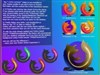
Please replace the "FirefoxMozillla Animated Icon" fixing the oversize issue.
If you don't have already the "Animated Shortcut" docklet you have to download it:
WWW Link
move the anishortcut.dll in the ObjectDock "Doklets" folder
+ move the Firefox Mozilla Animated Icon in the Object Dock "Bundled Images" folder
now right-click on the dock, go to "Add" and then click on New "Animated Shortcut" Docklet.
Rightclick on the new Icon "?" to set the properties:
the Shortcut-Path (first clean completely the box then browse for Firefox.exe),
the Animation-Set Image (browse for the Firefox Mozilla Animated Icon ),
the Delay (I suggest around 140)
ADVICE:
regarding the previous version downloaded on early Saturday January 19.
Finally this update is in the Gallery !
Please replace the "FirefoxMozillla Animated Icon" fixing the oversize issue.
Please login to comment and/or vote for this skin.
Welcome Guest! Please take the time to register with us.
There are many great features available to you once you register, including:
- Richer content, access to many features that are disabled for guests like commenting on the forums and downloading files.
- Access to a great community, with a massive database of many, many areas of interest.
- Access to contests & subscription offers like exclusive emails.
- It's simple, and FREE!



Comment #1 Saturday, January 19, 2008 4:39 AM