







































|
OS X Leopard Dock PackUpdated Jan 06, 2008 by TSAElement |
||||||
 |
|
Page 4 of 6 | |
|
|---|

TSAElement
Comment #64 Sunday, June 1, 2008 7:09 PM

Comment #64 Sunday, June 1, 2008 7:09 PM
fmarini: thanks for compliment 
sAdom: Unzip the package and drop the folder in your Objectdock backgrounds folder. If you need more explanation, then either leave a message on my WC page, or email me (my email address is on my WC page).

sAdom: Unzip the package and drop the folder in your Objectdock backgrounds folder. If you need more explanation, then either leave a message on my WC page, or email me (my email address is on my WC page).
Kamikaze077
Comment #65 Thursday, June 12, 2008 12:43 PM

Comment #65 Thursday, June 12, 2008 12:43 PM
Very Nice. In use now. If I could rate would give it a 4.5 because you have to manually install it, but still very good looking and smooth.
Hamodi
Comment #66 Tuesday, July 1, 2008 11:02 AM
Comment #66 Tuesday, July 1, 2008 11:02 AM
After copying the folder to C:\Program Files\Stardock\ObjectDock\Backgrounds\Non-Tabbed How can i run/use it??????
TSAElement
Comment #70 Thursday, September 25, 2008 10:05 AM
Comment #70 Thursday, September 25, 2008 10:05 AM
dancer9090
Comment #71 Thursday, October 2, 2008 3:17 PM
Comment #71 Thursday, October 2, 2008 3:17 PM
The link to the tutorial you posted earlier is down. I would really like to get my icons to sit right! Could you please let me know how to get the tutorial and template.
TSAElement
Comment #72 Tuesday, October 7, 2008 10:45 AM
Comment #72 Tuesday, October 7, 2008 10:45 AM
The link to the tutorial you posted earlier is down. I would really like to get my icons to sit right! Could you please let me know how to get the tutorial and template.
My email is listed on WC page. Send me an email and I'll send a text tut that explains it.
olican101
Comment #74 Saturday, November 8, 2008 7:18 PM
Comment #74 Saturday, November 8, 2008 7:18 PM
[quoteYou need to copy the Leopard folder over to the objectdock directory. It should look something like this: C:\Program Files\Stardock\ObjectDock\Backgrounds\Non-Tabbed [/quote] it still isnt on my list  help
help
 help
help
ThePhantasma
Comment #76 Friday, February 13, 2009 2:26 PM

Comment #76 Friday, February 13, 2009 2:26 PM
Great work, just bought ObjectDock Plus and this was what i looking for. And now i using it.
TSAElement
Comment #77 Friday, February 13, 2009 4:27 PM

Comment #77 Friday, February 13, 2009 4:27 PM
Great work, just bought ObjectDock Plus and this was what i looking for. And now i using it.
Thanks Phantasma, I'm glad you like it 
ChrisRednationAlex
Comment #78 Saturday, February 28, 2009 10:28 PM
Comment #78 Saturday, February 28, 2009 10:28 PM
Excuse me.... another stranger asking silly question...� �how do you do more than one object dock? I mean you have so much for like 11 of it! I mean wow, look at your your design, terrific. Reply me asap okay? Thank you!!
 �how do you do more than one object dock? I mean you have so much for like 11 of it! I mean wow, look at your your design, terrific. Reply me asap okay? Thank you!!
TSAElement
Comment #79 Friday, March 6, 2009 7:33 PM
Comment #79 Friday, March 6, 2009 7:33 PM
Excuse me.... another stranger asking silly question... how do you do more than one object dock? I mean you have so much for like 11 of it! I mean wow, look at your your design, terrific. Reply me asap okay? Thank you!!
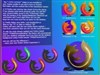
The preview is just a mash-up of multiple screenshots to demonstrate all the different styles. But you can run multiple docks with ObjectDock Plus.
Andromeda_Erick
Comment #80 Friday, April 30, 2010 9:23 PM
Comment #80 Friday, April 30, 2010 9:23 PM
It's a great background!!
I love it!
Thanks for do it.
Pura vida!
Please login to comment and/or vote for this skin.
Welcome Guest! Please take the time to register with us.
There are many great features available to you once you register, including:
- Richer content, access to many features that are disabled for guests like commenting on the forums and downloading files.
- Access to a great community, with a massive database of many, many areas of interest.
- Access to contests & subscription offers like exclusive emails.
- It's simple, and FREE!
|
|
Page 4 of 6 | |
|
|---|


Comment #61 Tuesday, May 6, 2008 12:48 PM