






































Clairvoyance and Customization
Take 2
Sunday, October 4, 2026 by Frogboy | Discussion: WinCustomize Talk
Since our last thread got hijacked into a discussion of why Clairvoyance isn't, in fact, ChatGPT I wanted to get back to how AI can improve customization.
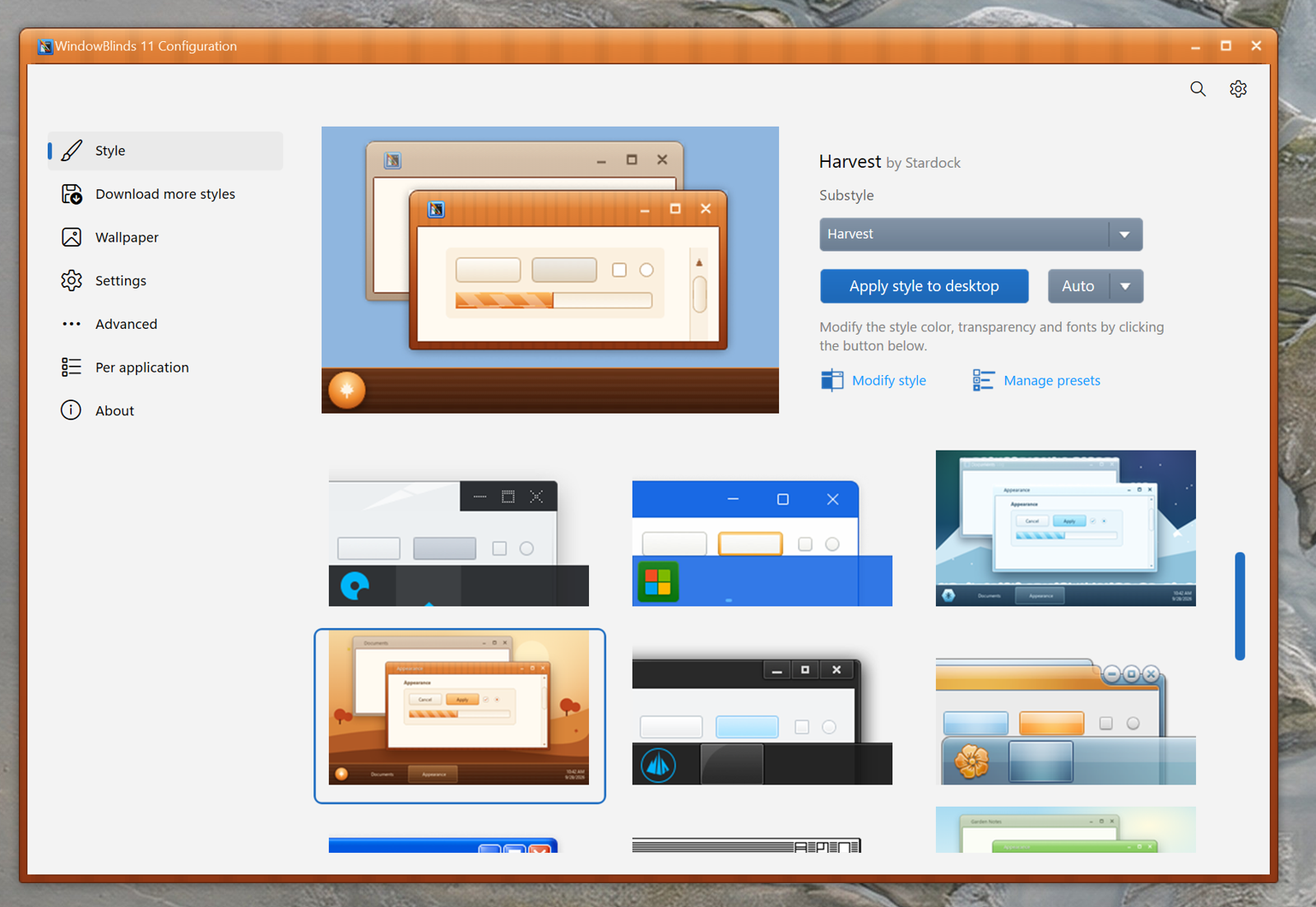
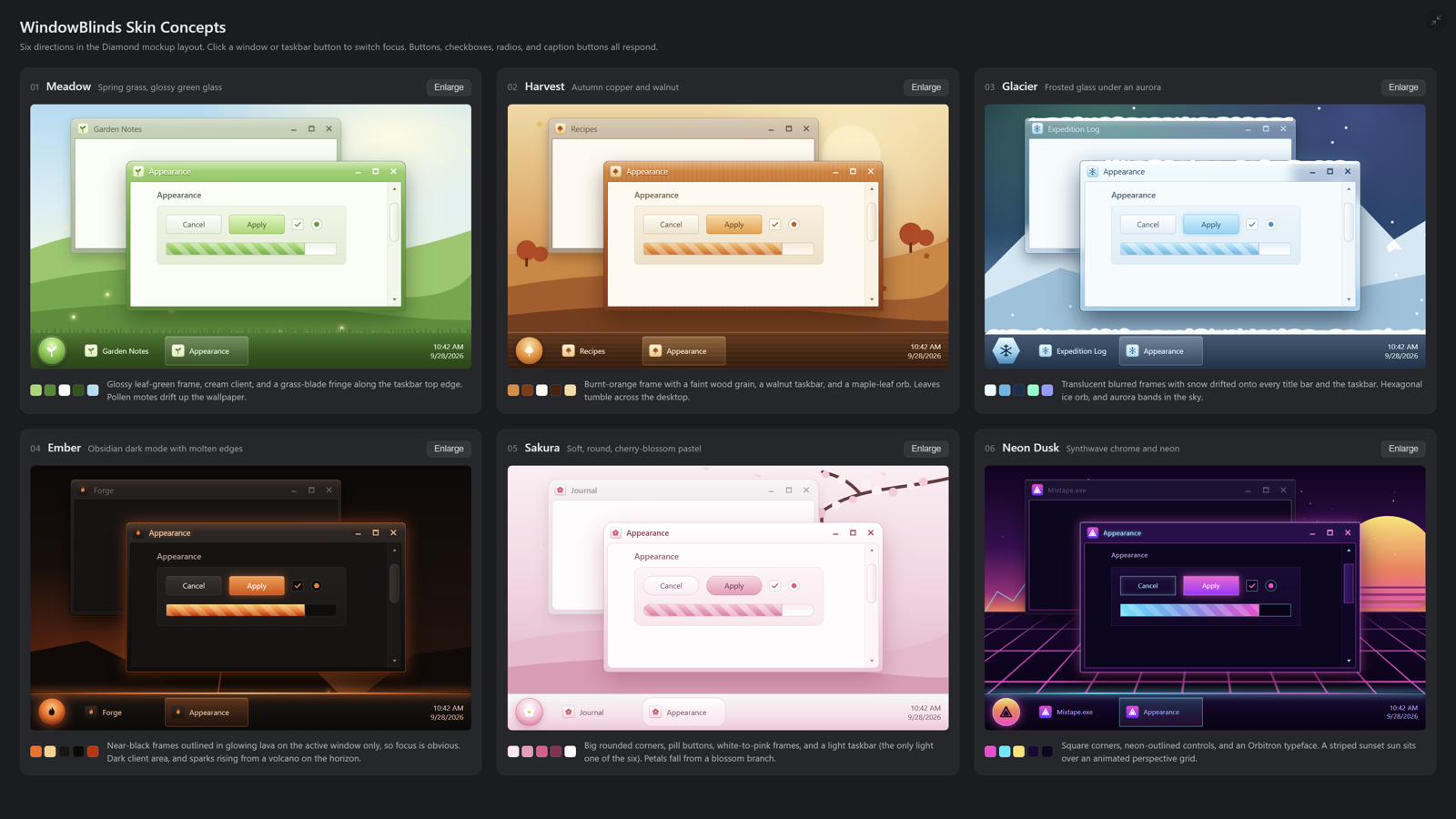
I had it make a bunch of WindowBlinds skins. They weren't perfect, I'll need to iterate and nail down a workflow (it doesn't know how to handle tabs. But I suspect AI could be used to update many good skins to Windows 11 by fixing UIS errors.
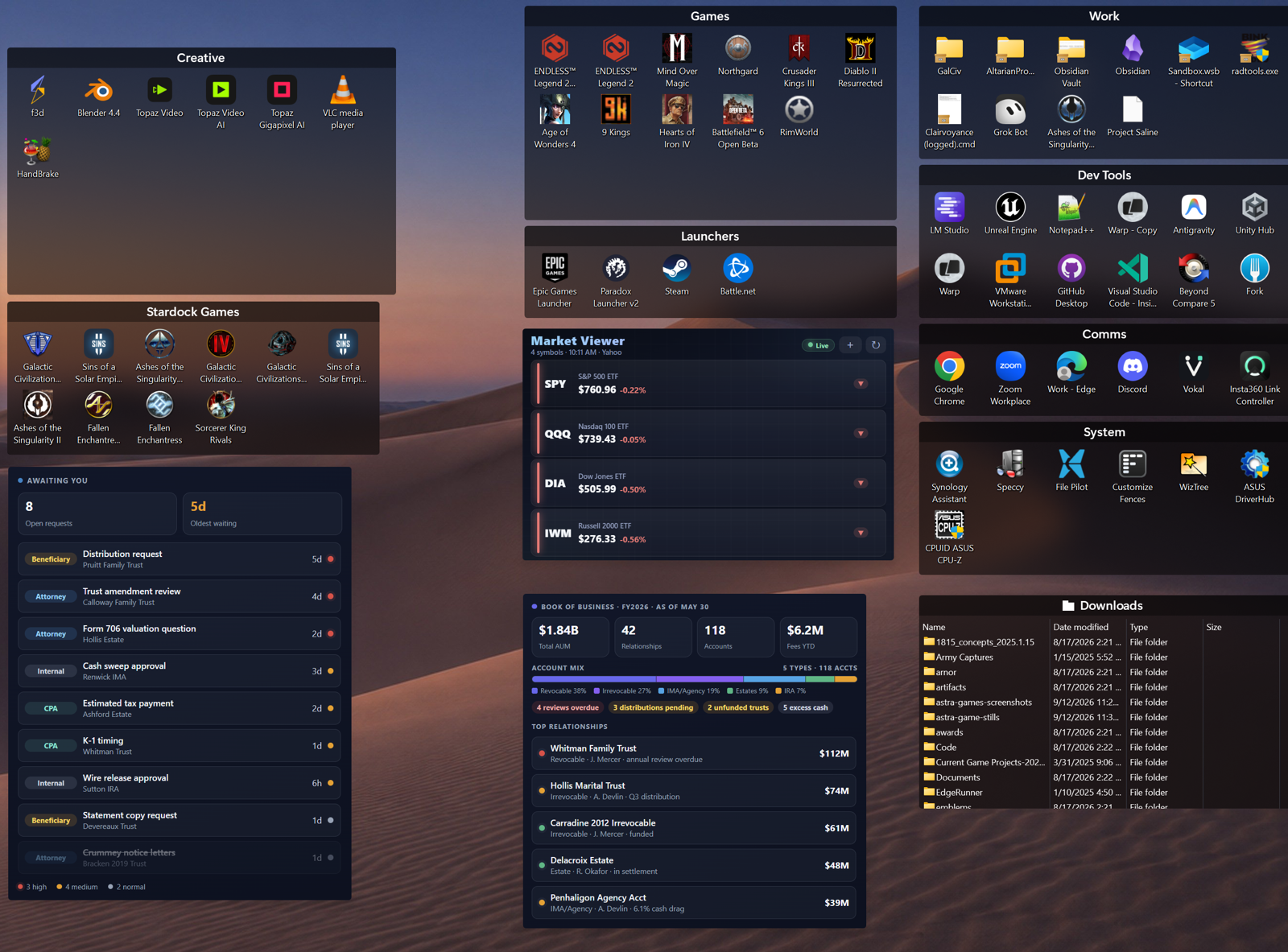
Here I had Clairvoyance talk to Fences and have it clean up my desktop by adding new fences and moving my desktop icons to the proper one.

These are some of the WindowBlinds skins I had made. Other than not handling tabs (yet) they are pretty much ready to go.
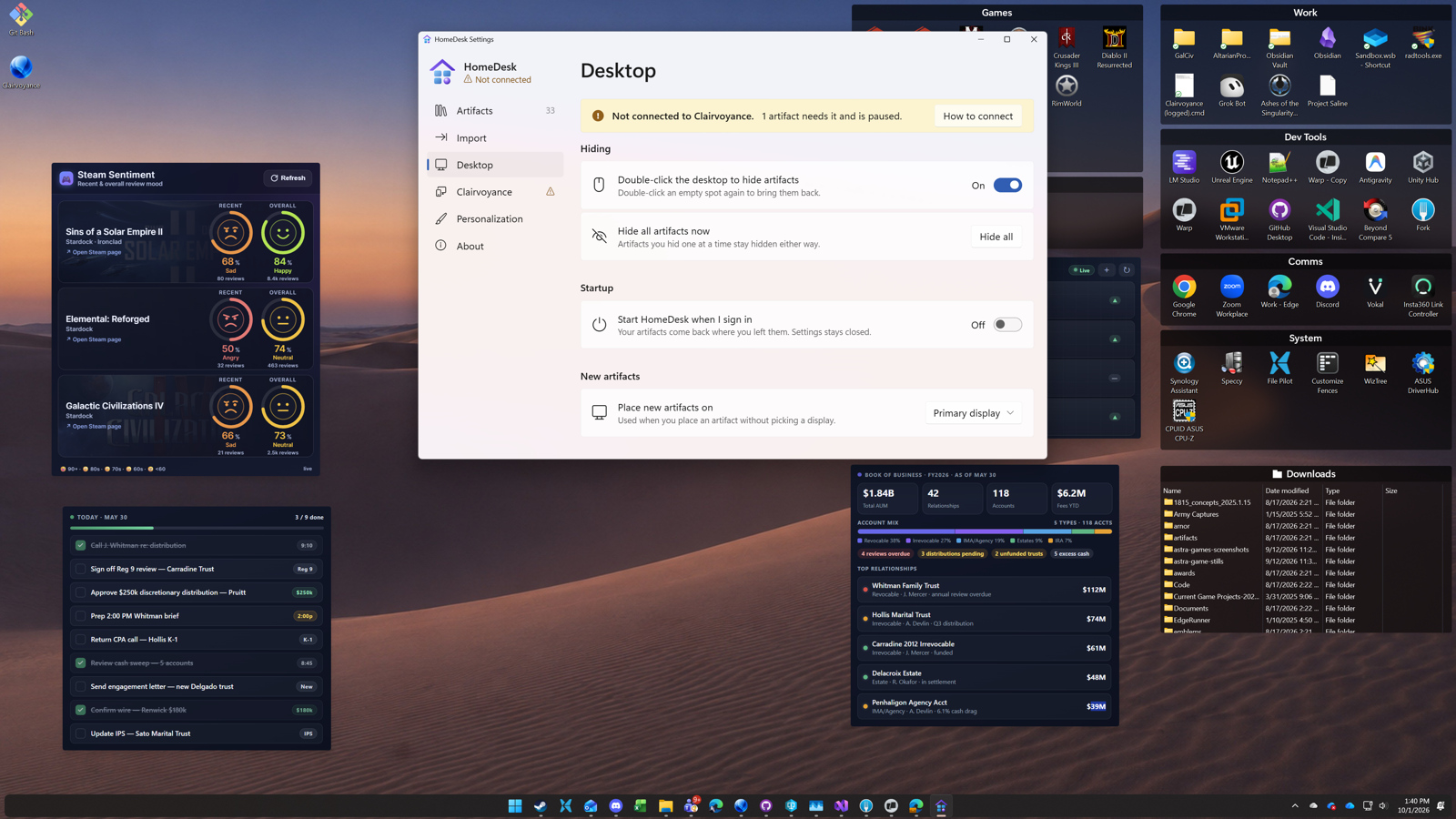
Here's a screenshot of a new Object Desktop app we're working on. HomeDesk. Side by side with Fences.
With HomeDesk, you put artifacts (think intelligent widgets) onto your desktop. If you have Clairvoyance running, they can call it for AI support.
Another screenshots:
Icons and desktop wallpapers are an obvious easy target as well.
Please login to comment and/or vote for this skin.
Welcome Guest! Please take the time to register with us.
There are many great features available to you once you register, including:
- Richer content, access to many features that are disabled for guests like commenting on the forums and downloading skins.
- Access to a great community, with a massive database of many, many areas of interest.
- Access to contests & subscription offers like exclusive emails.
- It's simple, and FREE!
Reply #1 Monday, October 5, 2026 1:34 AM
Thanks, Brad. Could You give an example of a prompt You used for WindowBlinds skins? Also what model(s) did You use and what where Your settings in CV? I think beginners with CV give up too soon, although it is still in it's 0.xx stage has a myriad of options.
Or is there sort of 'CV for beginners' to start with anywhere?