









































Rainmeter weather is not working
Tuesday, March 24, 2026 by Chasbo | Discussion: Help
Rainmeter weather is not showing anything. Very depressed. 
 |
|
Page 2 of 2 | |
|
|---|

Reply #22 Saturday, March 28, 2026 3:10 PM
My coding is different. I do have resources but it doesn't look like the one you have. On mine there is no API or URL or Latitude and Longitude.

Reply #24 Sunday, March 29, 2026 12:05 PM
The only thing that worked is when I got ProtonVPN and switched to Canada. I logged out of my computer to see how the VPN would come up. I got the VPN up but every time I tried to switch countries a window came up saying I would have to pay to access that feature. That's really not free.
I'm sick of the whole thing. That coding that was posted didn't work. I have the latest version on Rainmeter.
I can't afford to pay for a VPN. It's ridiculous this is happening at all.

Reply #25 Sunday, March 29, 2026 2:38 PM
every time I tried to switch countries a window came up saying I would have to pay to access that feature. That's really not free.
Wow. That's really a sneaky rip off, but I'm glad my suggestion worked. Proton free states:
Free VPN to protect your privacy
Create a free account and download our VPN
-
1 device
-
No ads
-
No logs
-
Unlimited and free forever
- Did you put it on just one device, Chuck? From their site, if you want choice of country then you have to pay. The wording is sneaky. You do get one country free, though and if that works, what's the problem?.
- One thing...when a VPN is "free", just like browsers, you're the commodity as is your traffic.
Reply #26 Sunday, March 29, 2026 4:20 PM
I never have had good luck with VPN's. In the past they slowed down my computer. Proton worked great at first. Didn't slow things down a bit. Then the dreaded give us more money message came up.
I was gonna go back to xwidget but anytime I even click on their website Malwarebytes says it's no good. Bad JuJu.
I turned widgets on from Taskbar settings and I have a little thing in the taskbar that shows a small icon and the weather conditions. It's all I got.
Oh one other thing. I did reinstall Winstep and it works ok. It's version 22.7. The weather feed for me is not working. It always shows 43F degrees. I tried it on other towns and it works fine. I am destined to be weather widgetless.
Wait I checked Workshelf and the weather widget is working showing the proper Icon and temp.

Reply #28 Sunday, March 29, 2026 9:29 PM
v22.7 is nearly 4 years old. Since then I've released v23.11, v24.4, v25.2, v25.6, v25.7, v25.9, v26.1 and I am just about to release v26.3. They’re all packed with new features - definitely worth checking out, especially if you are on Windows 11. On the v26.1 announcement page, click the "older news" link on the right panel to see the feature summaries for the previous versions.

Reply #29 Thursday, April 2, 2026 3:45 PM
Reply #30 Thursday, April 2, 2026 4:08 PM
I cannot even get xwidget installed, Mirosoft security hates the download

Reply #32 Friday, April 3, 2026 10:38 AM


Reply #33 Sunday, April 5, 2026 9:35 AM
Hey guys thanks for the good advice. Right now I'm not going to mess around with a VPN. I have some things going on in my life right now where trying to get a VPN set up is not on the table. I am very easily rattled right now. In other words my nerves are shot. I'll deal with the VPN once things settle down.
Reply #34 Sunday, April 5, 2026 10:14 AM
Take your time, Chuck.
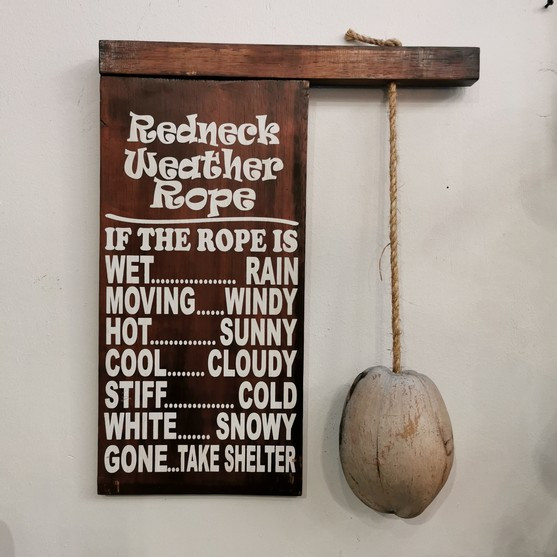
You can use my weather widget in the meantime... 


Reply #36 Sunday, April 5, 2026 8:08 PM
xWidget has been mentioned a couple of times; just so people know, xWidget has been dead for years, as the developer, Tony, has been MIA. As someone who has made over a hundred xWidget widgets, I still use it, but the weather no longer works, so I have been using Rainmeter for weather, which I don't like all that much because of the boring weather backgrounds, but for those who don't care about what it looks like and just want the info, Rainmeter is working well, at least in my neck of the woods.
Reply #37 Tuesday, April 7, 2026 11:53 AM
I've taken a weather widget by xenium and adapted it to work with different skins.
Please login to comment and/or vote for this skin.
Welcome Guest! Please take the time to register with us.
There are many great features available to you once you register, including:
- Richer content, access to many features that are disabled for guests like commenting on the forums and downloading skins.
- Access to a great community, with a massive database of many, many areas of interest.
- Access to contests & subscription offers like exclusive emails.
- It's simple, and FREE!
|
|
Page 2 of 2 | |
|
|---|
Reply #21 Saturday, March 28, 2026 2:30 PM
My coding is different. I do have resources but it doesn't look like the one you have. On mine there is no API or URL or Latitude and Longitude.
Do you have the latest version, Chuck?