







































What is this element called?
Monday, October 14, 2024 by pumkin54 | Discussion: WindowBlinds
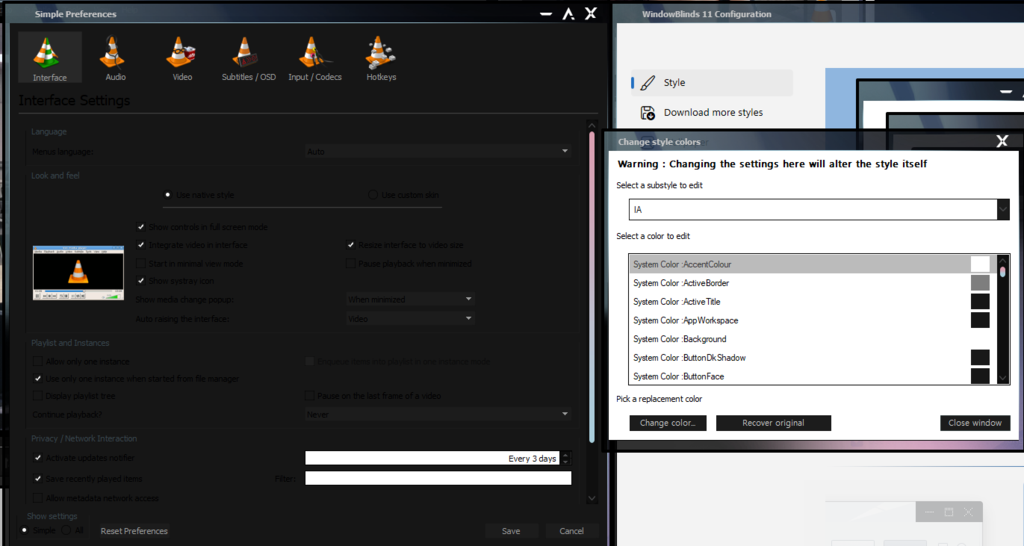
Installed a skin that makes the backgrounds of a lot of elements dark with black text on top. I've figured out most of it, but two have me stumped. How do I change the color of:
- The part of dialogue boxes as shown in the image.
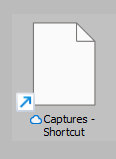
- The highlight color when selecting items in Explorer.
https://i.postimg.cc/X7M2dh0W/whatsit.png
https://i.postimg.cc/qM0RtJgd/whatsit2.png
Thanks for any help.

Reply #2 Monday, October 14, 2024 8:05 PM
Hello,
Sorry to hear you are having issues. But, I can't tell which area you was referring to. It is best to include an arrow or a box that point to the area in question. With that said, do know some area is hard coded and can not be change.
Thank you.
Basj,
Stardock Community Assistant.
Please login to comment and/or vote for this skin.
Welcome Guest! Please take the time to register with us.
There are many great features available to you once you register, including:
- Richer content, access to many features that are disabled for guests like commenting on the forums and downloading skins.
- Access to a great community, with a massive database of many, many areas of interest.
- Access to contests & subscription offers like exclusive emails.
- It's simple, and FREE!
Reply #1 Monday, October 14, 2024 7:21 PM
Open up the SkinStudio app, double click on a skin, change skin colors and play around with the app, and see what you can do with it. Keep in mind that you might be taking at least a small risk in changing the colors around. It could mess up the skin. IMO. I could be wrong, though.