































skins issue
Saturday, April 8, 2023 by SnowTyger | Discussion: WindowBlinds
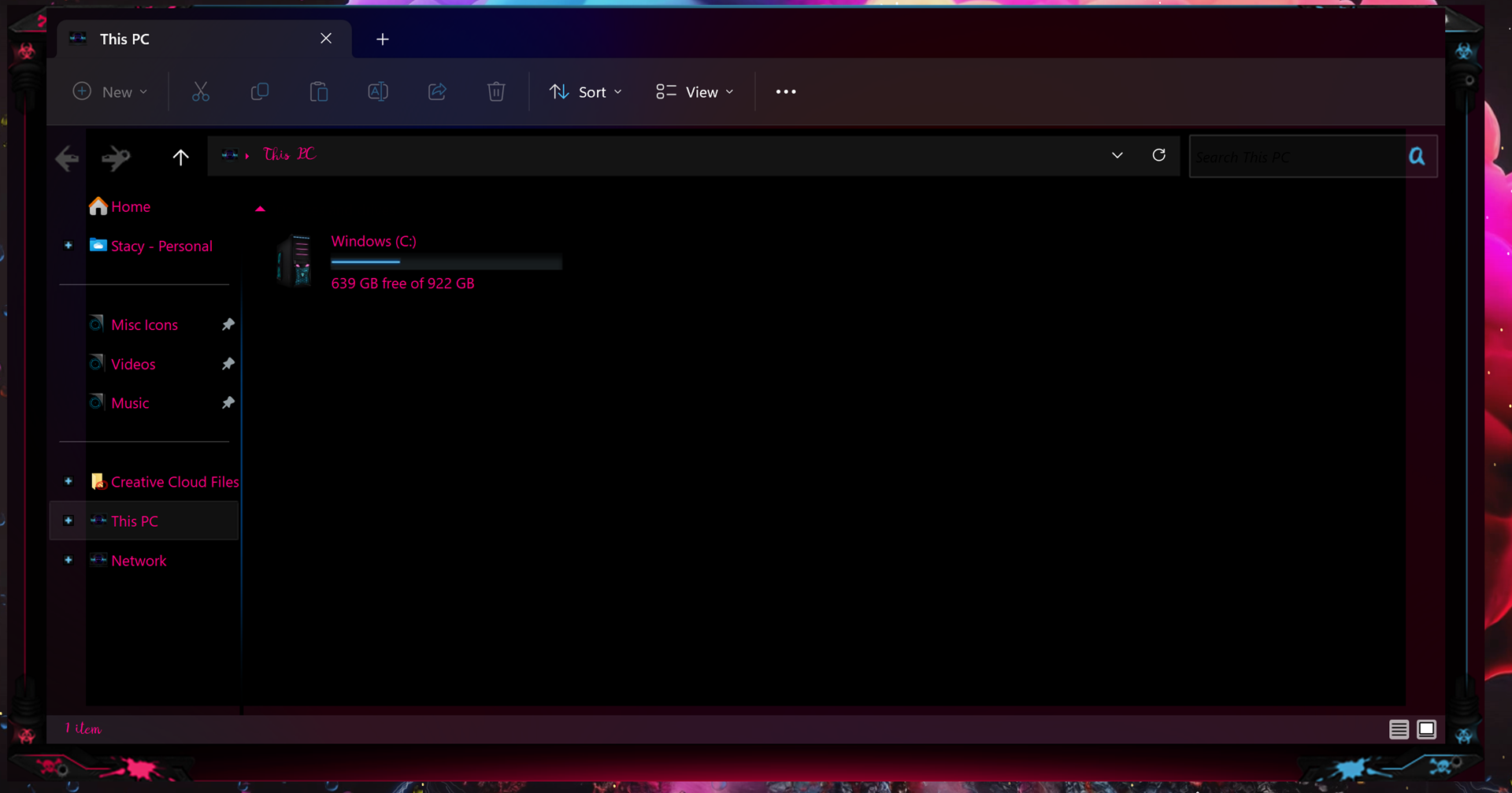
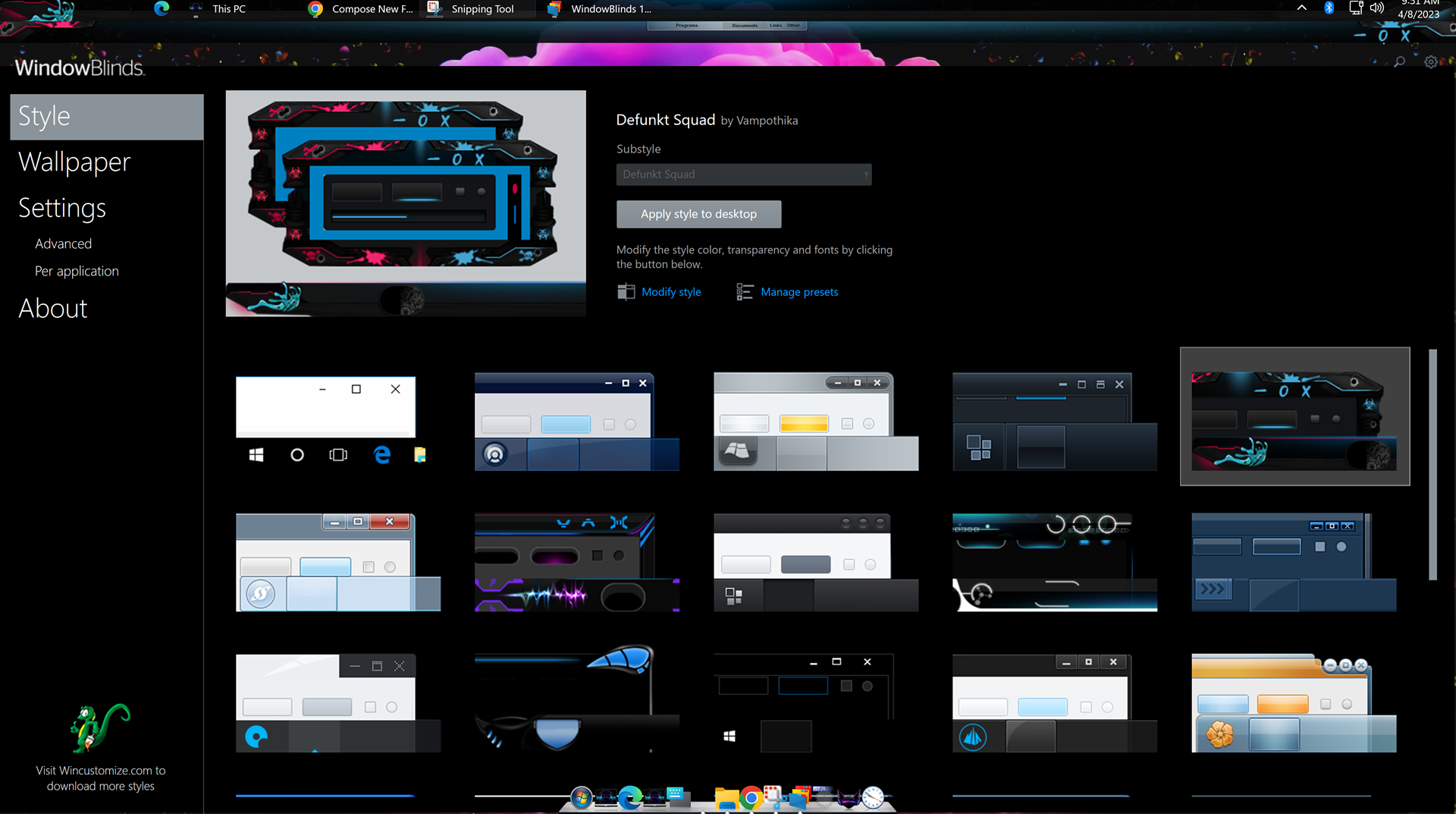
my issue is every single skin i apply from stock ones or ones i have purchased do not theme correctly. here is a pic of how a folder comes up it is all messed up at top i have no minimize button no close off button no expansion button because of how the skin has set in the folder and i have also included a pic of the program now look at the top there is a missing bar of some sorts it just leaves this invisible empty space. it does not matter what skin i place down they all do the same thing.
Reply #2 Saturday, April 8, 2023 4:12 PM
Device name SnowTyger
Processor Intel(R) Core(TM) i3-10100F CPU @ 3.60GHz 3.60 GHz
Installed RAM 16.0 GB
Device ID 89E20CC1-4446-4869-A950-BE689F1C1F74
Product ID 00330-53525-40142-AAOEM
System type 64-bit operating system, x64-based processor
Pen and touch No pen or touch input is available for this display
Edition Windows 11 Pro
Version 22H2
Installed on 4/7/2023
OS build 22621.1485
Experience Windows Feature Experience Pack 1000.22639.1000.0
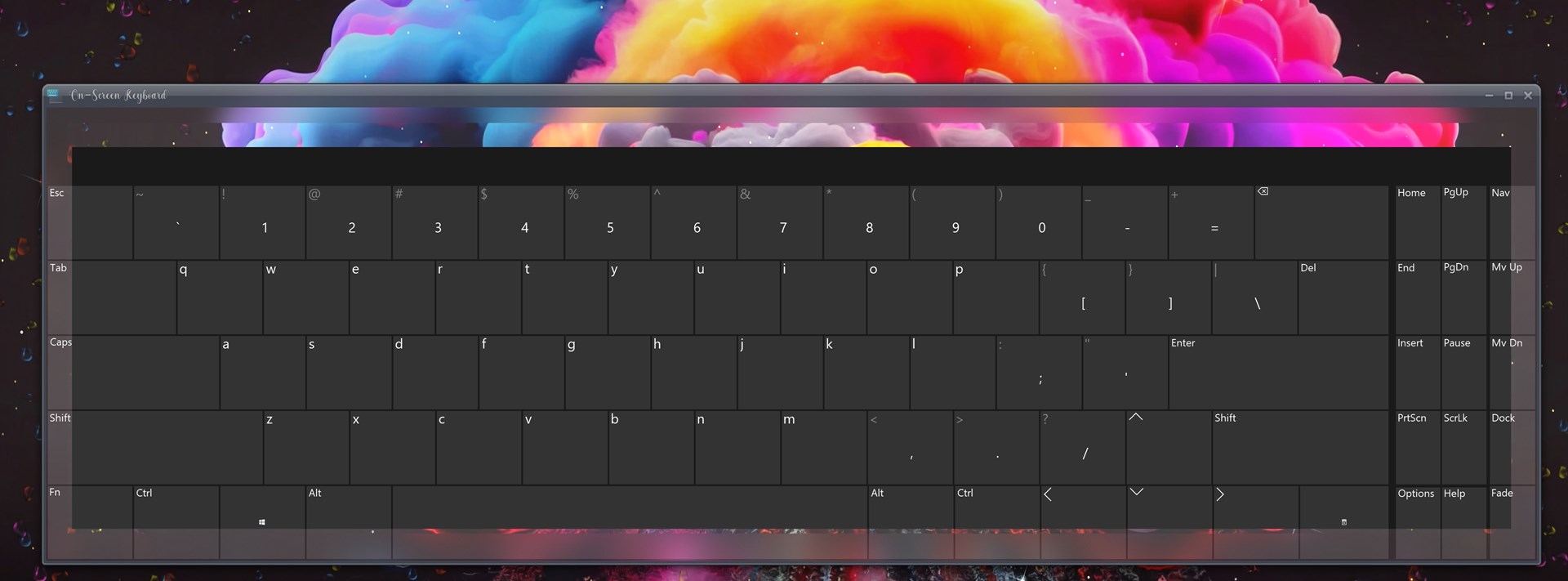
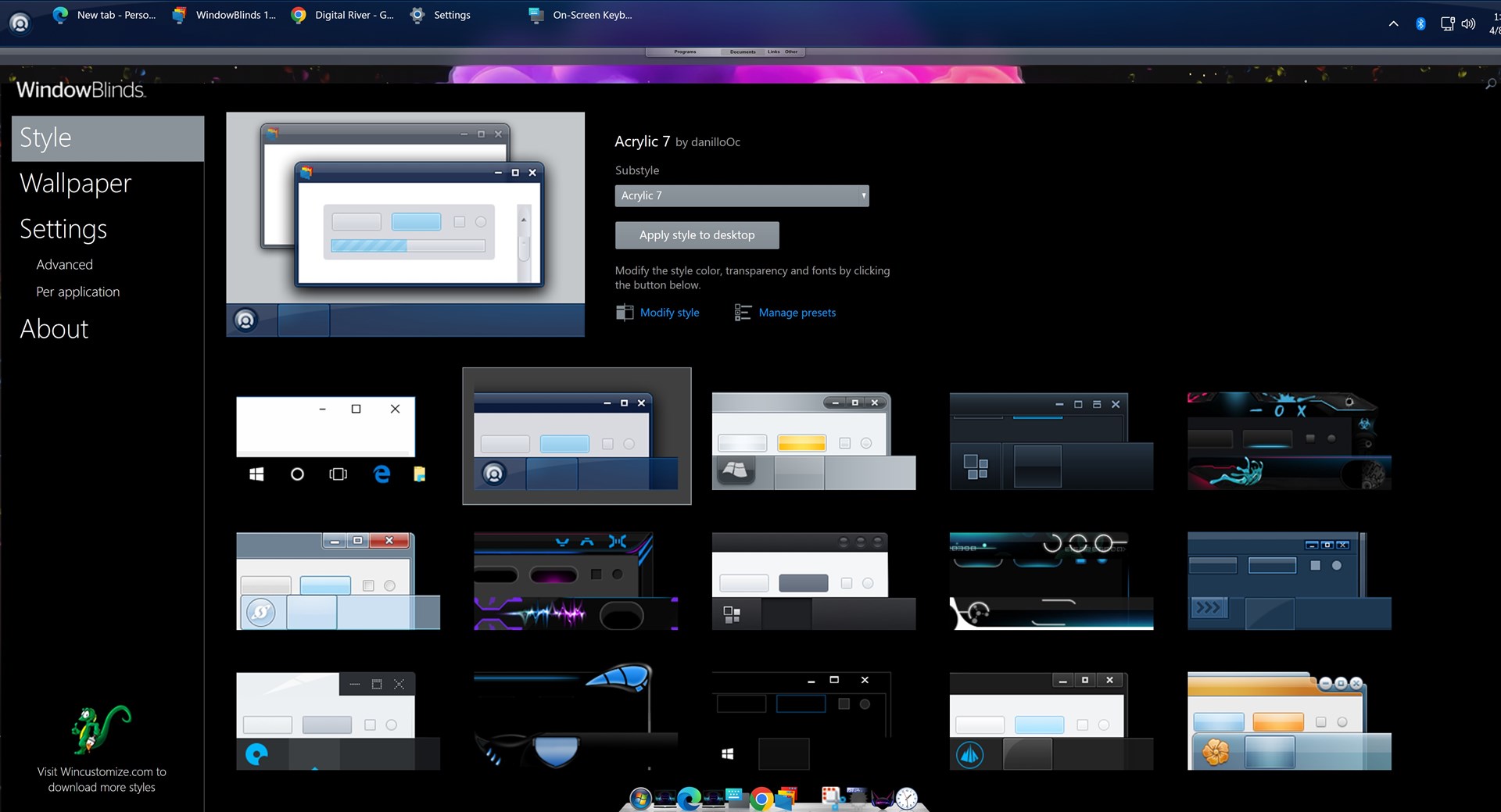
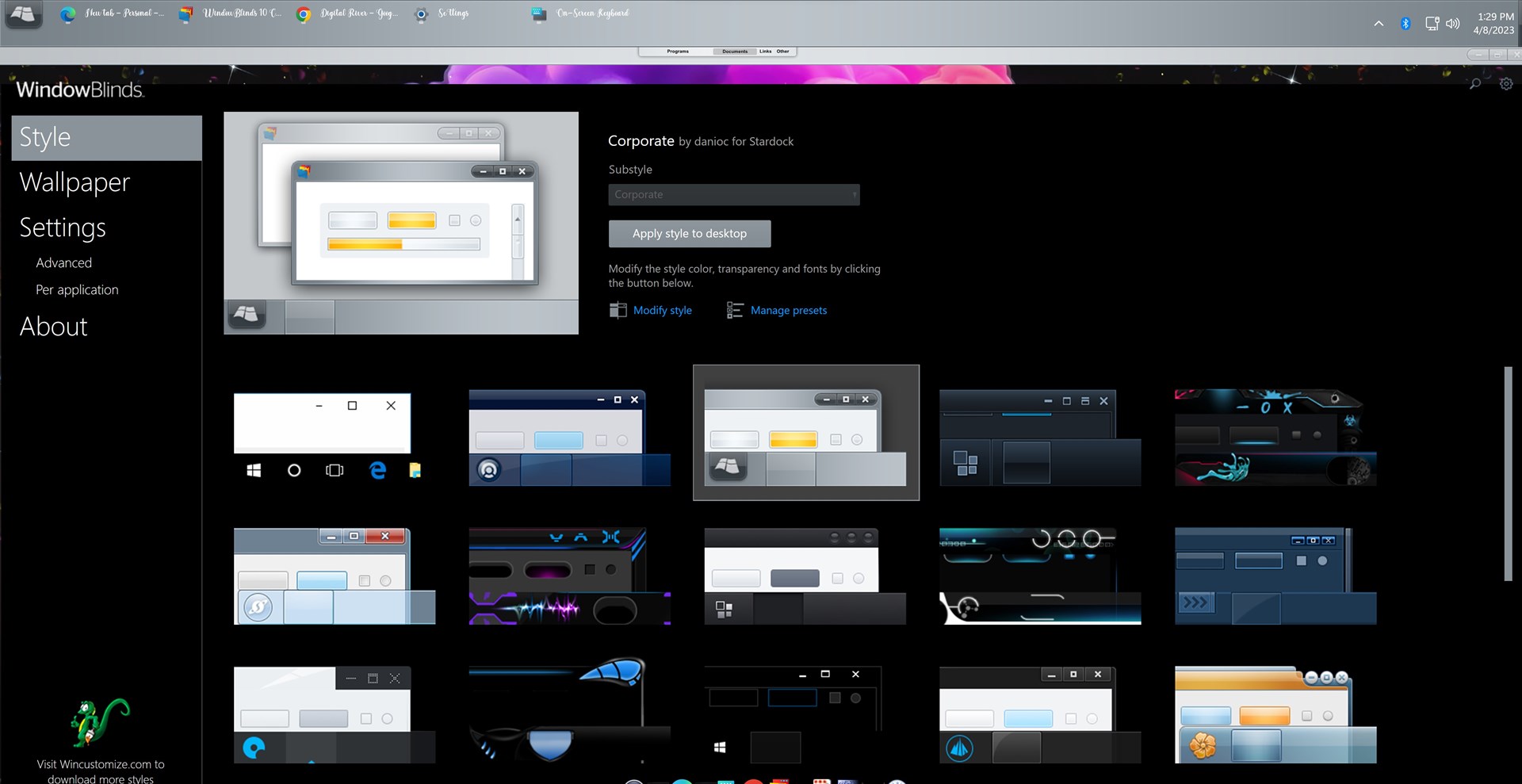
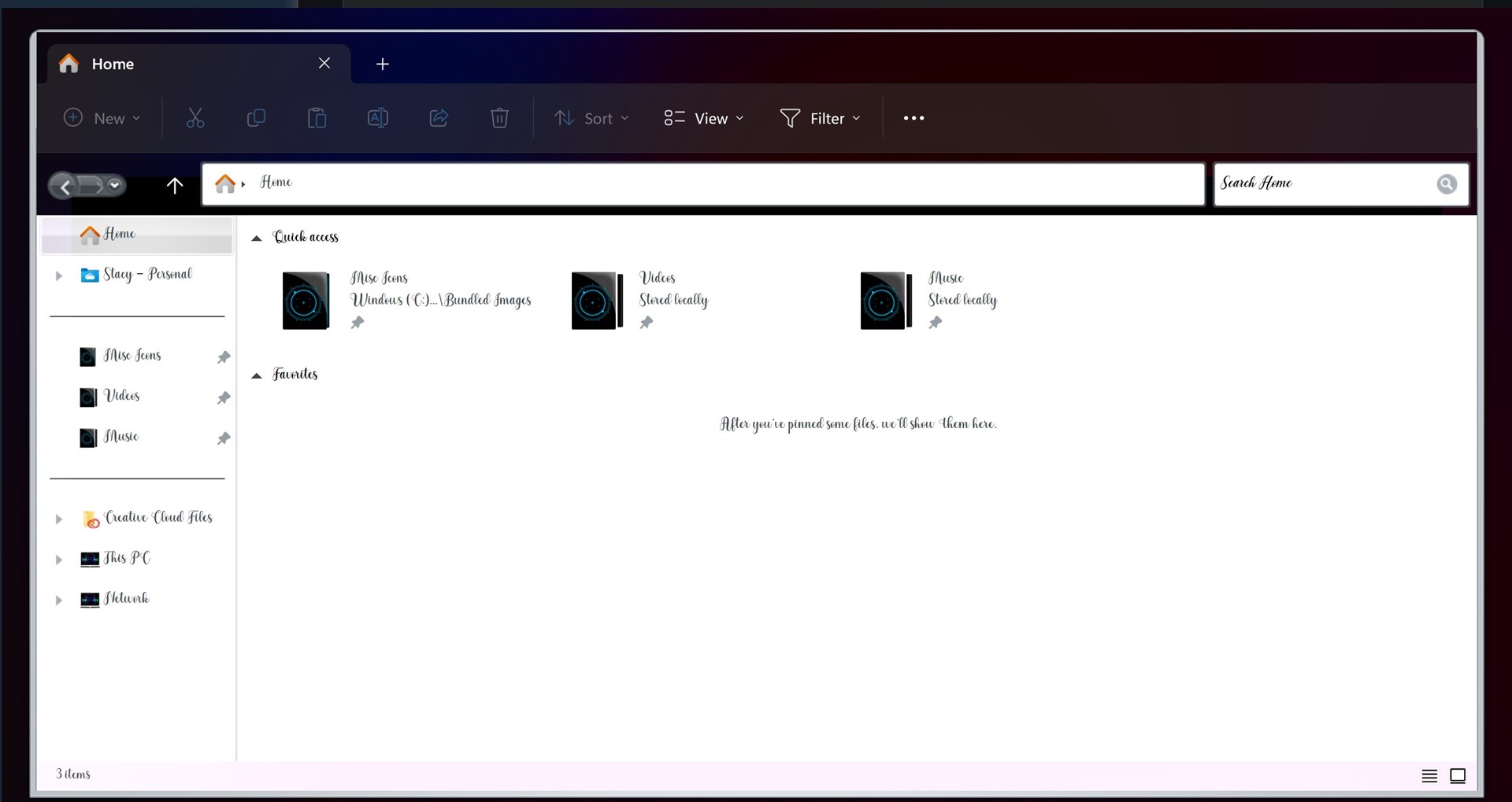
as you can see even with changing to them i still have the same issue and on the last pic i still have no icon to minmize, expand or close off on the far right top its like that on any skin i change to.

Reply #3 Saturday, April 8, 2023 8:12 PM
Look like you're trying to use Windowblinds 10 on Windows 11. Which is not compatible. If that is true, please upgrade to Windows 11.
Thank you,
Basj,
Stardock Community Assistant
Reply #4 Saturday, April 8, 2023 8:22 PM
ok i am downloading the app straight from stardock and it says 11 but when i install it comes up as 10
Reply #5 Saturday, April 8, 2023 8:23 PM
Please try purge and reinstall steps as mention here : [Link]. Just make sure to redownload the latest version from your account page. Reboot after the purge. Reinstall and reboot again after the installation. Retest and report back here.
Thank you,
Basj,
Stardock Community Assistant.
Reply #6 Saturday, April 8, 2023 9:57 PM
For some reason the 10 ver and 11 ver were in my programs so i got rid of both rebooted reinstalled ver 11 and rebooted again and now everything perfect thank you so very much for another pair of eyes.
Reply #7 Saturday, April 8, 2023 11:10 PM
Great, glad to hear that.
Thank you,
Basj,
Stardock Community Assistant
Please login to comment and/or vote for this skin.
Welcome Guest! Please take the time to register with us.
There are many great features available to you once you register, including:
- Richer content, access to many features that are disabled for guests like commenting on the forums and downloading skins.
- Access to a great community, with a massive database of many, many areas of interest.
- Access to contests & subscription offers like exclusive emails.
- It's simple, and FREE!
Reply #1 Saturday, April 8, 2023 11:21 AM
Hello,
Sorry to hear you are having issues. Need more information on your system. Please refer here: https://support.stardock.com/space/SHC/1387134987/Contacting+Stardock+About+WindowBlinds+Issues. Also take screenshots on Skin that come along with Windowblinds ie. Skin such as Acrylic 7 or Corporate etc.
Thanks
Basj,
Stardock Community Assistant.