







































Black boxes instead of buttons on scroll bars?
Monday, October 11, 2021 by thepurpleone | Discussion: WindowBlinds
Hello everyone! I've been using this WindowBlinds skin call The Windows Classic Theme by SemoB for quite a while and I really like it: https://www.wincustomize.com/explore/windowblinds/9233/
But I see a problem is that some of my software like SpeedCrunch or Calibre (and a lot more) have this issue that there are black boxes like these:
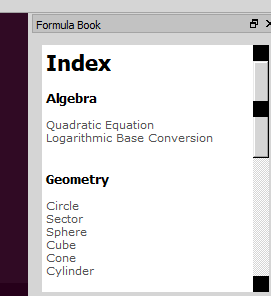
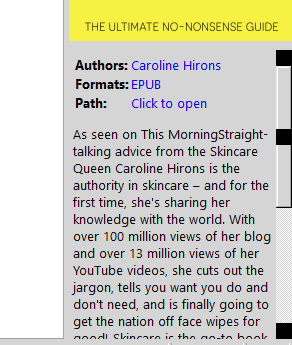
instead of regular scroll bar buttons like these:
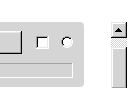
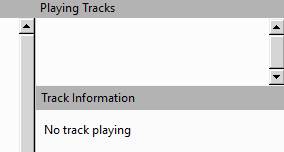
I noticed that some software has this problem and some doesn't. Could you guys tell me why this happens and how to fix this issue? Thank you!
Reply #2 Tuesday, October 12, 2021 11:21 AM
Hi! Thanks for your response!
It looks like the author of the skin hasn't updated or commented for a while so I decided to fix it myself.
However, I don't know how to change it to bmp like how you did and when I do (I use Make copy of file to make a .bmp, later on I saved a new BMP file in photoshop), it shows a arrows_glyph.bmp file that is surrounded by black background like this and applying this file made all the scrollbar button black also.
I still couldn't fix the problem, please help. Thanks!


Reply #3 Tuesday, October 12, 2021 9:21 PM
Hello,
You will need to use program like Adobe Fireworks or Adobe Photoshop or something similar. Here steps you need to do.
- Open that "arrows_glaph.tga.tga" in any capable graphics program. (need layers capable)
- Creat a rectangle pink "255.0.255" as big as the picture.
- Send that layer to the back most layer.
- Save it under different name and under bmp format.
- Import that file into skinstudio.
- Save and apply.
If done correctly. It should be something like below.

Thank you,
Basj,
Stardock Community Assistant

Reply #4 Tuesday, October 12, 2021 10:28 PM
hi basj, was wondering what would happen if keep the original tga and just change the transparency mode to "use per pixel alpha blending"?
Reply #5 Tuesday, October 12, 2021 10:33 PM
hi basj, was wondering what would happen if keep the original tga and just change the transparency mode to "use per pixel alpha blending"?
Apparently some application prefer the magic pink version. That is why the OP has this issue in the first place. I think.
Thank you,
Basj,
Stardock Community Assistant
Reply #7 Wednesday, October 13, 2021 2:46 AM
Awesome, glad you make it work.
Thank you,
Basj,
Stardock Community Assistant
Please login to comment and/or vote for this skin.
Welcome Guest! Please take the time to register with us.
There are many great features available to you once you register, including:
- Richer content, access to many features that are disabled for guests like commenting on the forums and downloading skins.
- Access to a great community, with a massive database of many, many areas of interest.
- Access to contests & subscription offers like exclusive emails.
- It's simple, and FREE!
Reply #1 Tuesday, October 12, 2021 12:55 AM
Hello,
Sorry to hear you are having issues. There is a mistake in that skin. So, you might need to contact the skin author to repair it. Or you can do it yourself if you know how to do it. Via Skinstudios. Change the tga file to bmp with magic pink background.
Thanks
Basj,
Stardock Community Assistant.