
























copperdeck II sysmetrix question...
Thursday, October 31, 2002 by Breakpoint138 | Discussion: WinCustomize Talk
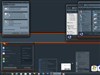
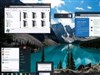
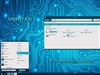
I've noticed on the screenshots, some users have the sysmetrix copperdeck II bar going across the desktop to the other side ... how can I get mine to do that? ... Thanks
btw: hats off to treetog!
btw: hats off to treetog!
treetog
Reply #2 Thursday, October 31, 2002 9:57 PM
Reply #2 Thursday, October 31, 2002 9:57 PM
the screenshots you must saw have different shapes because some users edit and change things, transforming the sysmetrix graphics into other programs.
btw: thanks
btw: thanks

HG_Eliminator
Reply #3 Friday, November 1, 2002 7:27 PM

Reply #3 Friday, November 1, 2002 7:27 PM
im one of the guys that redited the sysmeter and added a right side with a bar across the top.. i cut the orig pic in ta pieces then copy an pasted them til i got the look i wanted. when i had the bar set the way i wanted i went in to the sysmeter config utility an edited the bars,histograms and the texts til i got the functions i wanted added and where on the sysmeter i wanted them. u can ad more functions to any of the sysmeters or change them to suit ur needs. but the bitmaps must be manually altered theres no setting in sysmeter to do so  an to the master Treetog.. ur my inspiration ta give this .. (my first attemt at skin editing).. a try ,i hope im not wastin my time....
 an to the master Treetog.. ur my inspiration ta give this .. (my first attemt at skin editing).. a try ,i hope im not wastin my time....
Please login to comment and/or vote for this skin.
Welcome Guest! Please take the time to register with us.
There are many great features available to you once you register, including:
- Richer content, access to many features that are disabled for guests like commenting on the forums and downloading skins.
- Access to a great community, with a massive database of many, many areas of interest.
- Access to contests & subscription offers like exclusive emails.
- It's simple, and FREE!
Reply #1 Thursday, October 31, 2002 8:40 PM