







































Sysmetrix misbehaving - Fixed.
Weather on top? Uh ... no!
Wednesday, January 25, 2012 by Uvah | Discussion: Personal Computing
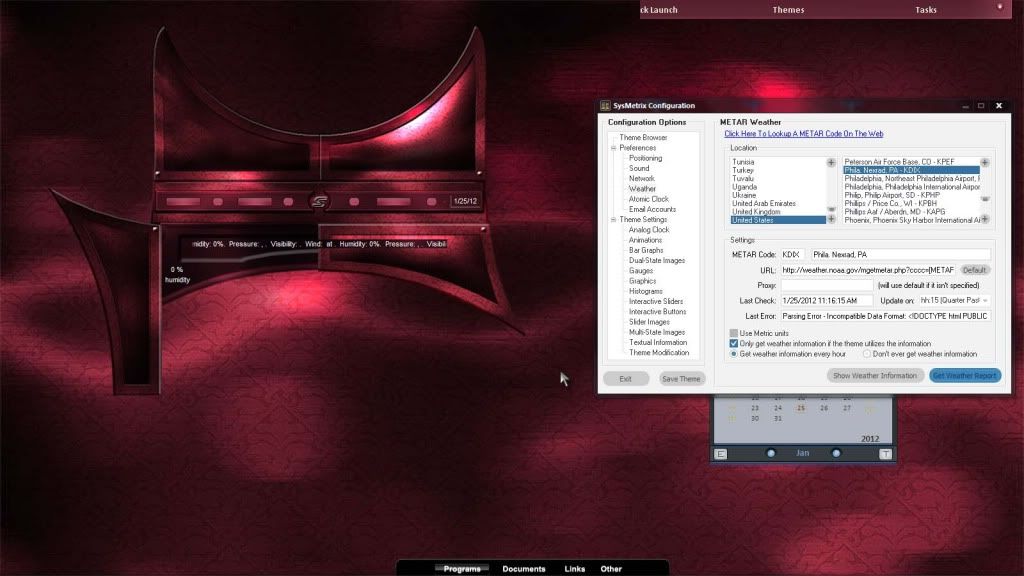
Just started a few minutes ago. Rotating info for the weather usually stays where I put it. Not this time however. I've tried every setting I can think of and I still can't get the weather to stay under the graphics. All the other info for the weather stays put except the rotating info. Screenshot shows Sakura being worked on. Notice the two doors on the bottom, one closed the other open. Help please.
After a lot of messing around in smx I realized the rotating info for the weather is like any other animation, it remains always on top! Except of course when the module is turned off. In this case the rotating info doesn't work.

Reply #2 Wednesday, January 25, 2012 12:22 PM
Nope, didn't run any cleaner until after uninstalling Sysmetrix thinking that would cure it on the re-install, same problem. I thought perhaps it was the graphics settings, before or after everything else, or the order in which they were installed. Neither one seems to work. To say I'm stumped is putting it mildly. I thought I knew all there is about this proggy. Apparently not. Boogers! Any suggestions would be most welcome.
Changed it over to rotating info, that seems to work. But I never had this problem before. Didn't do this on any other skin.
Please login to comment and/or vote for this skin.
Welcome Guest! Please take the time to register with us.
There are many great features available to you once you register, including:
- Richer content, access to many features that are disabled for guests like commenting on the forums and downloading skins.
- Access to a great community, with a massive database of many, many areas of interest.
- Access to contests & subscription offers like exclusive emails.
- It's simple, and FREE!
Reply #1 Wednesday, January 25, 2012 11:38 AM
Just a thought. Did you run one of those reg cleaners lately? It may have borked something.
Is this the only program acting odd?