










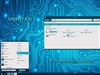












Windows Blinds 4.2
Monday, December 22, 2003 by ~Adam2501 | Discussion: Stardock Software
Every time I go to my computer my explorer crashes and it does the same thing on Windows 2000
Im running Windows xp pro 512 ram 1.4 gigs of cpu power i got all of the lates windows updates...
Any ideas on fixen this ....
thaknks

Im running Windows xp pro 512 ram 1.4 gigs of cpu power i got all of the lates windows updates...
Any ideas on fixen this ....
thaknks

 |
|
Page 1 of 2 | |
|
|---|

~Adam2501
Reply #3 Monday, December 22, 2003 9:28 PM
Reply #3 Monday, December 22, 2003 9:28 PM
im running zonealarm and i got a pop up washer for blocking pop up windows.... my cpu is runing at 1.4 and on my laptop its 1.13 but i get the same error with windows blinds 4.2 on my windows 2000 i get the same error but when i install the old version of windows blind 3.5 it works fine...
Thanks
Thanks

~Adam2501
Reply #5 Monday, December 22, 2003 9:35 PM
Reply #5 Monday, December 22, 2003 9:35 PM
ZA pro 4.5 the lastes version.... but its dosnt matter what version it does the same thing on my win xp pro
yrag
Reply #6 Monday, December 22, 2003 9:39 PM
Reply #6 Monday, December 22, 2003 9:39 PM
Is 4.5.530 (make sure that's the version you're using,) on both systems or just the one? Also, did you install the latest IE Cumulative Patch on both?
~Adam2501
Reply #7 Monday, December 22, 2003 9:44 PM
Reply #7 Monday, December 22, 2003 9:44 PM
ZA Pro is 4.5.538.000 is on both of my pc and i got all of the lastes windows updates i check windows updates weekly....
yrag
Reply #8 Monday, December 22, 2003 9:49 PM
Reply #8 Monday, December 22, 2003 9:49 PM
The 824145 IE patch could be the problem, but my guess is it's ZA. How exactly did you uninstall and install when you upgraded?
yrag
Reply #10 Monday, December 22, 2003 9:59 PM
Reply #10 Monday, December 22, 2003 9:59 PM
That tells me nothing....did you uninstall (and how) the old version? Did you shut ZA off with a reboot before clean install? That's the kind of info I need to know before we can rule it in or out.
yrag
Reply #12 Monday, December 22, 2003 10:07 PM
Reply #12 Monday, December 22, 2003 10:07 PM
Adam...Ok, let's take one question at a time. Please read your answer before you post and make sure you're answering the questions that I ask. Your answers are so vague I haven't a clue what you did. Go back to #10 and answer both questions as to uninstall and rebooting before install in detail.
~Adam2501
Reply #13 Monday, December 22, 2003 10:08 PM
Reply #13 Monday, December 22, 2003 10:08 PM
when i upgrade my ZA it ask me to turn off ZA i say yes and then let it upgrade install and i reboot....
if this helps
if this helps
yrag
Reply #14 Monday, December 22, 2003 10:10 PM
Reply #14 Monday, December 22, 2003 10:10 PM
OK...#13 is what I needed....don't type anything and give me a minute...
yrag
Reply #15 Monday, December 22, 2003 10:17 PM
Reply #15 Monday, December 22, 2003 10:17 PM
Let's try one system and see if this works....try it on the PC 1st. Make sure the 4.5.538 install file is available somewhere on your hard drive (if not, re-download a copy). Re-boot into safe mode and un-install ZA. Restart your computer and install a clean version of your saved install file. Re-boot and let me know if IE now works.
~Adam2501
Reply #16 Monday, December 22, 2003 10:19 PM
Reply #16 Monday, December 22, 2003 10:19 PM
ok ill give it a try... sorry about earily is this my 1st time on this board...

~Adam2501
Reply #18 Monday, December 22, 2003 11:34 PM
Reply #18 Monday, December 22, 2003 11:34 PM
It turn out that its wants my ZA... i got a program called PopIp Washer its a popup blocker and i use a app called Stardock SmartException Logging Information and it was one of popup washer PopUpWasher21.dll was the file name and it came up serverl time in the debug log.... so i uninstall the app and its working fine now
thanks for the help.... hey yrag where did u get your theme from .... Later
thanks for the help.... hey yrag where did u get your theme from .... Later
yrag
Reply #19 Monday, December 22, 2003 11:41 PM
Reply #19 Monday, December 22, 2003 11:41 PM
Glad it was corrected ....everything in my theme is from proggies here, except wallpaper. That's from 'ScreenThemes'.
....everything in my theme is from proggies here, except wallpaper. That's from 'ScreenThemes'.
~Adam2501
Reply #20 Monday, December 22, 2003 11:46 PM
Reply #20 Monday, December 22, 2003 11:46 PM
i meant it was not my firewall it was another app that i had install...
Please login to comment and/or vote for this skin.
Welcome Guest! Please take the time to register with us.
There are many great features available to you once you register, including:
- Richer content, access to many features that are disabled for guests like commenting on the forums and downloading skins.
- Access to a great community, with a massive database of many, many areas of interest.
- Access to contests & subscription offers like exclusive emails.
- It's simple, and FREE!
|
|
Page 1 of 2 | |
|
|---|
Reply #1 Monday, December 22, 2003 4:02 PM
Check CPU fan and, if your BIOS supports it, look in the BIOS to see what temp the CPU is running at.
Alternately, from a software side, do a system restore to repair if something has been buggered by a driver change or software addition.