


































Editing XP/Vista skins in SKS for W7
Wednesday, August 11, 2010 by PianoArt | Discussion: Skinning
Hi Everybody!
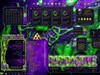
I have here master skin "Naked Noir" by one of my fav. skinners Mr. VStyler on my Desktop, it is made it for Xp/Vista.
I have Windows 7 and i will like to edit this that works also on W7.
As shown in a SS, you can see that on the right side is my personal folder halved.
My question is : is it possible to edit this in SKS, i have tried, but didn´t find the solution or is it not possible.
Thank you very much in advance.
PianoArt


Reply #2 Thursday, August 12, 2010 10:19 AM
I've had this same problem a few times, and I can't seem to figure it out either. Maybe it's worth messing with the margins for the start menu - right side. I haven't really played with it much. I'll let you know if I figure anything out. 

Reply #3 Thursday, August 12, 2010 1:46 PM
great, thank you, that would be cool.
anybody else?

Reply #4 Thursday, August 12, 2010 2:05 PM
I have had this problem before too. It has to do with the USER ICON, even though you don't have it showing you need to leave room for it. I fixed it by adding some transparent space to the top of the start panel. That fixed the problem for me perfectly.

Reply #6 Thursday, August 12, 2010 2:35 PM
Start menu-->right hand side-->places list-->text-->top--> change the number 0 to something like 16.
That should fix it for you.

Reply #7 Thursday, August 12, 2010 2:45 PM
You have 2 options.
1. Do like xinh2 says and add some empty canvas to the image for the top part of the startpanel (remember to adjust the painting margins and also the height settings in the extra settings tab to compensate)
or
2. adjust the top text margins for the right side of the startpanel. You may have to go as high as +30 before the item selector doesn't get chopped off.
xinh2 is also right about the usericon. It's like that area is reserved for the icon even if it's not visible.
Reply #8 Thursday, August 12, 2010 8:16 PM
Great....thx k10w3 and 2of3....thanx a lot , i will try that....
Reply #9 Thursday, August 12, 2010 8:27 PM
it works like k10w3 said, great.
I will tra also option like 2of3 said.
TY
Reply #10 Thursday, August 12, 2010 9:26 PM
The reason I did it by adding the transparent area to the top of the graphic is that you can get the first line of text for both the Programs list and places list to start at the same place without a lot of "dead space" at the top of the start panel.
The way to do this is to use your favorite graphics program to edit the graphic for the start panel top. You add some empty (transparent) area above the image and then change the image size in Skin Studio. It isn't that hard, but exactly how you would do that depends on the program you use to edit the graphic file.
Anyway, glad you got a method you are happy with! 
Reply #11 Thursday, August 12, 2010 11:01 PM
thx xinh2, i will try to do this option in PS also...thx for the effort.
Reply #12 Friday, August 13, 2010 1:10 AM
The reason I don't usually do that is because adding canvas to the top will give you a larger gap between the start menu and taskbar when positioned on the top of the screen. Now I don't personally care because I use a bottom taskbar but I need to think about others as well when building my skins if I intend to sell them.
Reply #13 Friday, August 13, 2010 2:04 PM
That is a good point also 2of3. Like many things it is a trade-off, line up the text and have a gap on top menus or remove the gap and not have the text line up. Pick your poison. 

Reply #14 Wednesday, September 8, 2010 8:43 AM
Hello,
Since you guys are talking about start menu margins, here goes two tips:
* For Vista and Windows 7 start menu (do not use it on XP):
Set the Start menu right side bottom margins to -40 (minus 40), this will place the items on bottom
on the default OS position.
* For Windows 7 (only): set the start menu right side top margin to 40, this will prevent the selection
graphic from being cut, the OS (Windows 7) reserves this 40 pixels on top for the user icon and places icons.
* Important: do not use these tips above on XP, will not work.
Regards.
Reply #15 Wednesday, September 8, 2010 10:20 AM
graphic from being cut, the OS (Windows 7) reserves this 40 pixels on top for the user icon and places icons.
Very true.
One thing to note, though: If the graphics on the top part of the startpanel is already high (say 30/40 pixels), you won't have to move the top margin down as much as 40 px. The distance from the top of your startpanel to where the first item (the item mouseover) on the right side is needs to be about 40 px combined.
Please login to comment and/or vote for this skin.
Welcome Guest! Please take the time to register with us.
There are many great features available to you once you register, including:
- Richer content, access to many features that are disabled for guests like commenting on the forums and downloading skins.
- Access to a great community, with a massive database of many, many areas of interest.
- Access to contests & subscription offers like exclusive emails.
- It's simple, and FREE!
Reply #1 Thursday, August 12, 2010 9:31 AM
anybody here ?