































Something strange with task bar!
Thursday, January 8, 2009 by tippytoenail | Discussion: Skinning
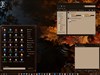
My comp is trying to jig things up on me ! The clock shows the date at the top no matter what size it is. The icons in the tray look fuzzy. The background on the bar looks like it has grown a couple of pixels and is tiling at the bottom when I never told it to tile within the WB that I'm working on. It dose this without any Stardock software running also. It makes it a little hard to make a blind and apply it to check it out. IT'S KILLING MY GLOW BUTTON ! Any ideas please give a shout back!

Reply #2 Thursday, January 8, 2009 3:52 PM
I don't think it is the theme as I have looked at it several times but who knows ! I have been up at night and days working with the blind but can't find anything. But I may just be to tired to catch it. It dose it even when I am not running WB. I wonder if i have a DLL messed up as my Nividia driver has trouble shutting down sometimes.

Reply #4 Thursday, January 8, 2009 4:44 PM
I will post one when it happens again ! I used WB manager and applied the MS XP Blue and it quit. Then I went to applying WB randomly and so far it hasn't happened again! But it will before the night is over! You just made me think that I have not noticed what I was doing at the time that it happens. I will watch tonight and see what brings it on while I'm working. Do you run XP or Vista ? And would you try my skin on WBlinds to see what you think if it might be somthing there!
Reply #5 Thursday, January 8, 2009 4:50 PM
I think I know what is happening now. If it happens again. Open display properties, select extra large text, apply, then reselct normal text, and apply. It's a wierd bug with some systems.
Reply #6 Thursday, January 8, 2009 5:10 PM
OK give me one sec and I will hit that just out of curiosity !!! OK I got an error report when I tried to change the text size. It will not change anything. Could it be that I have the wrong driver update. I was never sure about that.
Reply #7 Thursday, January 8, 2009 5:15 PM
Have you installed any other skinning software? MS styles, Vista transformation pack, etc?
Post your system information from wb configuration.
Reply #8 Thursday, January 8, 2009 5:19 PM
I'm gonna get back to work on my blind after I post 3 of my walls that match it and I bet It will happen again and I will have a screen shot! And by the way your tutorial was the the most help to me and I want to THANK YOU , Night Train I hope to figure this out but I did try the Icon part and to no avail at the time. But the text thing is funny also. When it happens again I will post it !
Reply #9 Thursday, January 8, 2009 7:43 PM
I did try MS styles at one point several years ago but I have reinstalled windows XP 2 times since then, But now that you asked that I did install a Vista start menue at one time and chose to delete it or uninstall it. I can't remember the name off hand. And the Vista transformation pack I don't even know what that is! So far it is behaving at this point.
WindowBlinds version : WindowBlinds 6.3 (build 69 x86)
WindowBlinds is installed correctly on this PC
WindowBlinds appears to be activated on this PC
Your machine supports per pixel borders on WindowBlinds skins.
(Plug and Play Monitor) 1 is attached to NVIDIA GeForce2 MX/MX 400
Wblind.dll 2008/10/31 14:23:20
Wbsrv.dll 2008/09/22 16:59:42
Wbconfig.exe 2008/11/18 15:02:54
Wbload.exe 2008/04/28 10:35:14
Wbhelp.dll 2008/04/28 10:35:07
Wbui.dll 2008/04/28 10:35:05
Tray.dll 2008/04/28 10:35:21
Screen.exe 2008/07/22 09:10:09
Reply #10 Friday, January 9, 2009 8:33 AM
It happened again this morning after a reboot. I took a screen shot but it doesn't show it to well. So I adjusted the text and it cleared it up. Thanks for the help and now I can go back to work without worry.
Please login to comment and/or vote for this skin.
Welcome Guest! Please take the time to register with us.
There are many great features available to you once you register, including:
- Richer content, access to many features that are disabled for guests like commenting on the forums and downloading skins.
- Access to a great community, with a massive database of many, many areas of interest.
- Access to contests & subscription offers like exclusive emails.
- It's simple, and FREE!
Reply #1 Thursday, January 8, 2009 1:02 PM
If its just your theme I would check your content margins for all taskbar related areas.