







































How to create network meters with graphics and text value
Friday, January 2, 2009 by philmar83 | Discussion: DesktopX Tutorials
Hi All! man y people ask me how to modify DX meters in order to work. with this tutorial you will learn how changing the data source of the performance meters 2 to match with your network conection ( wireles or not ). Apologizes if translation is not perfect and for the pictures made with a french sytem. hope this will be helpfull for many.
By the way : if somebody want to change the pictures and text for ameliorate it ( english system i.e ) he is most than welcome. I'll send it the psd file
Phil
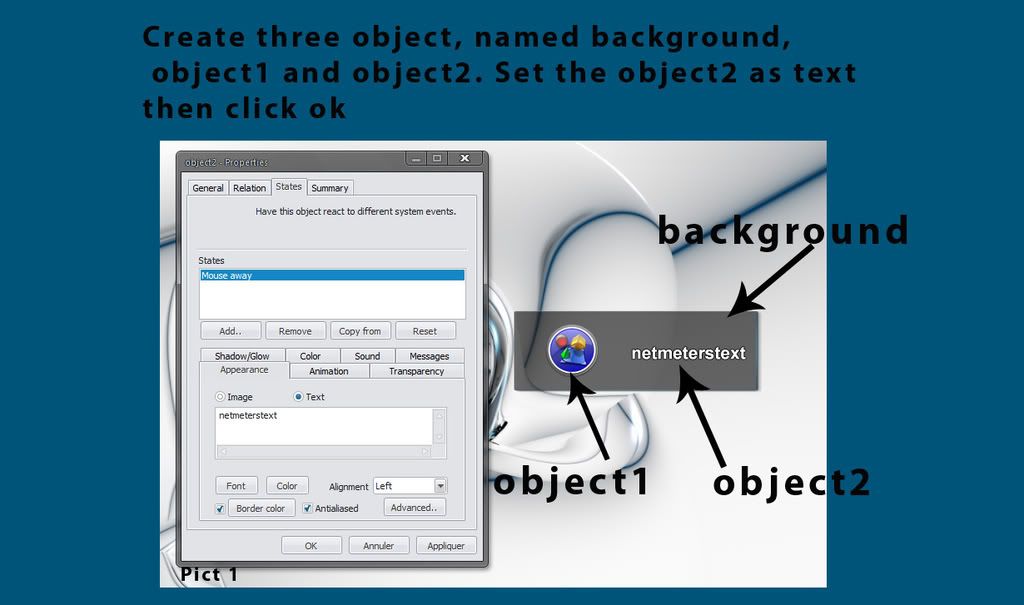
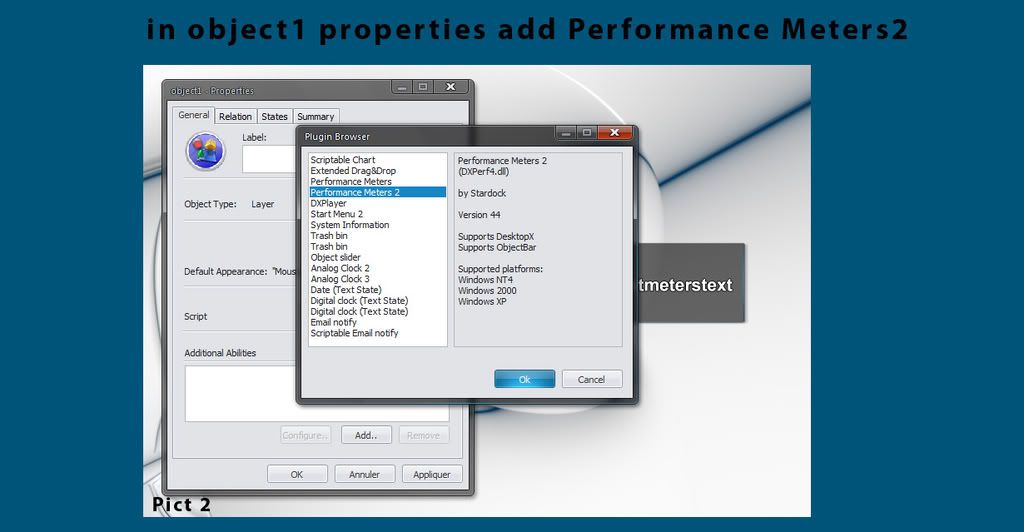
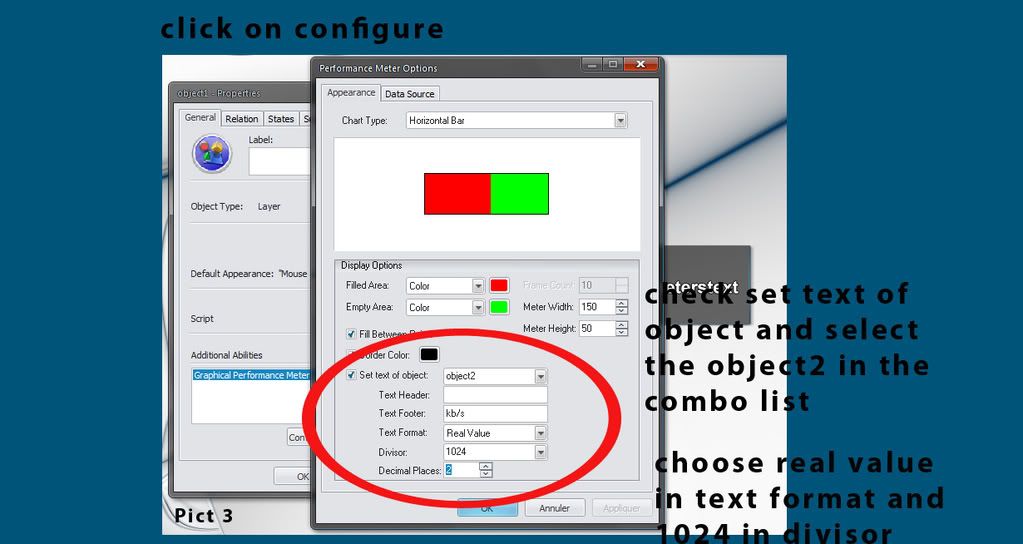
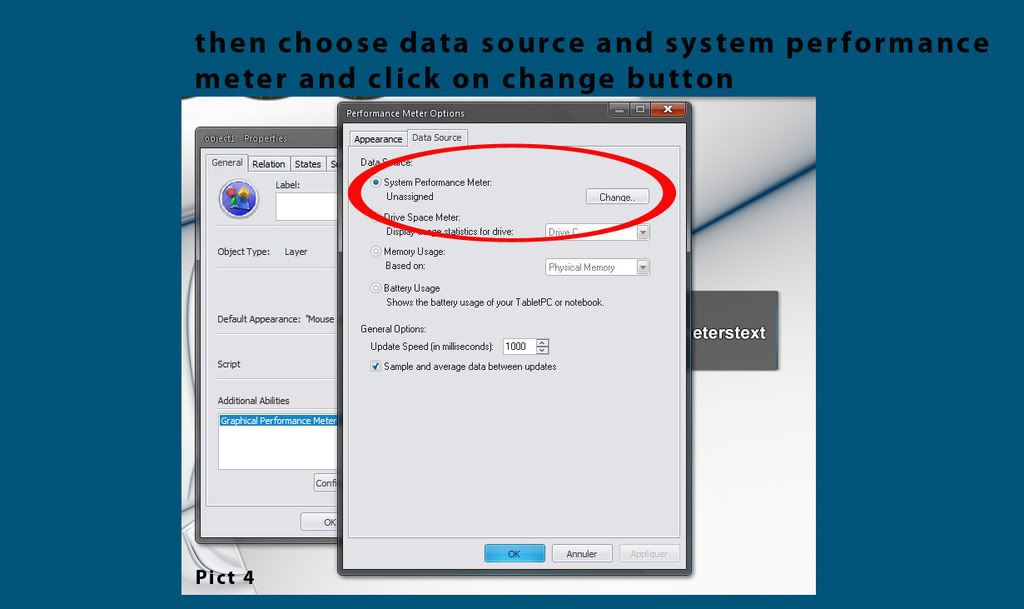
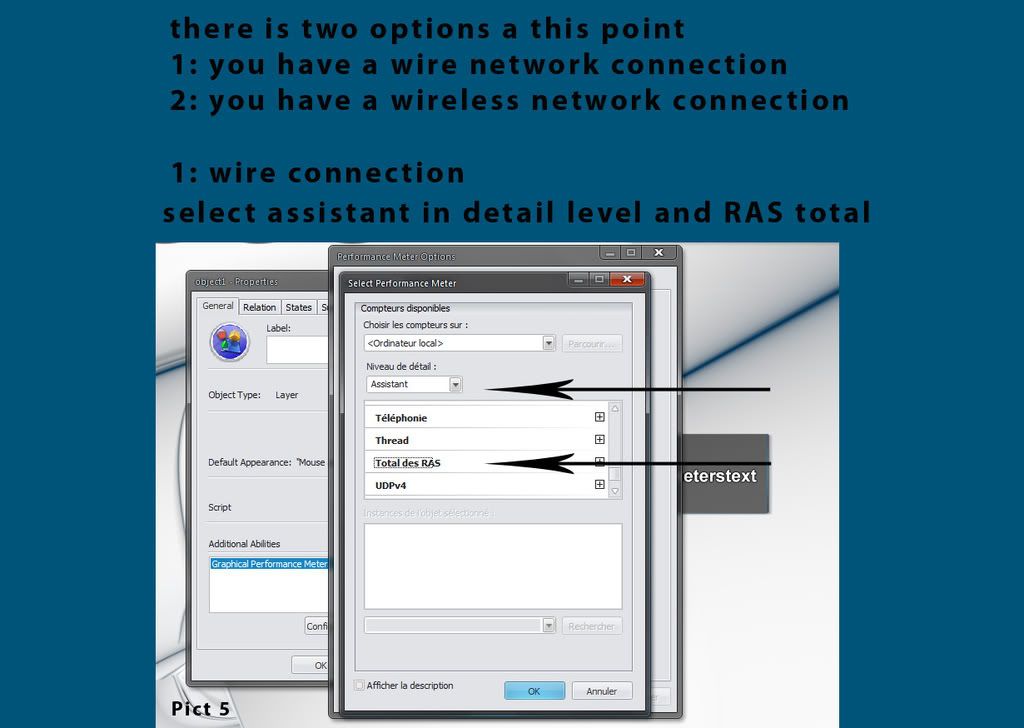
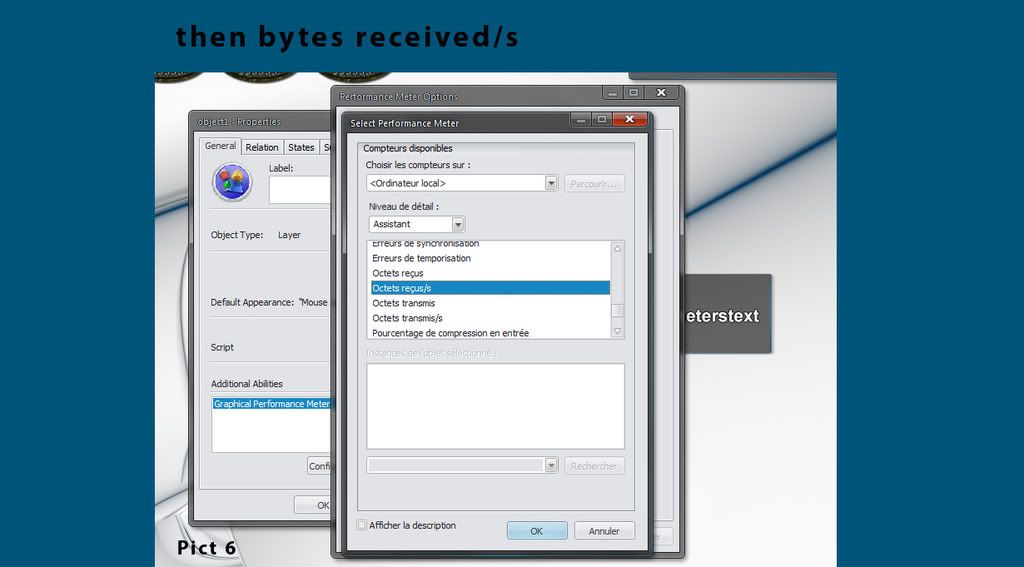
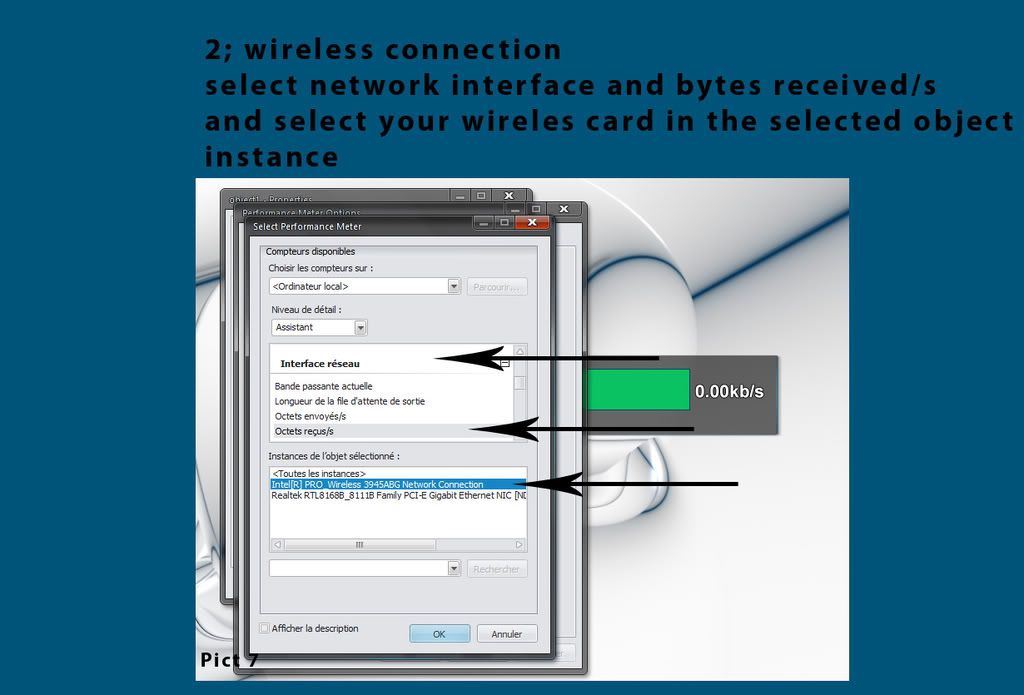
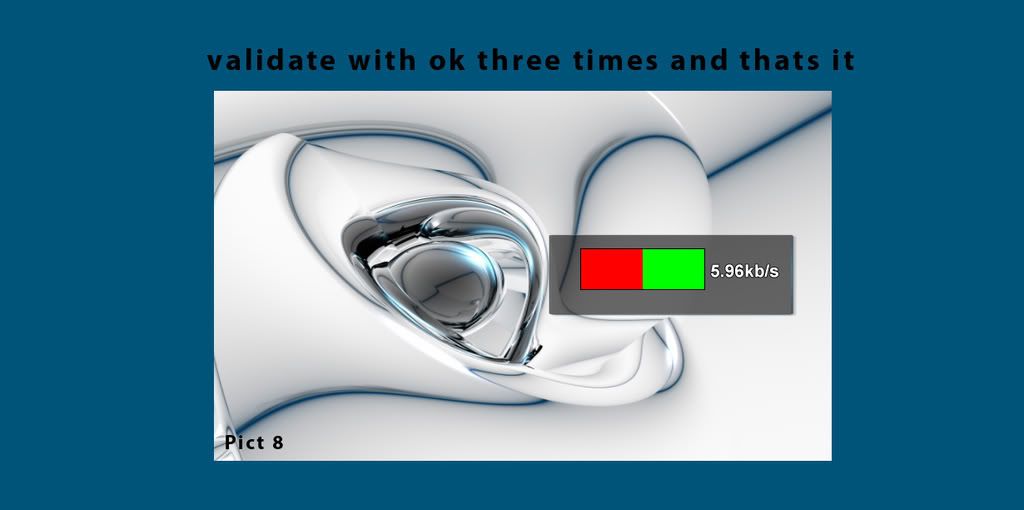



 Excellent.



Reply #7 Friday, January 2, 2009 6:48 PM
Thanks phil, you know I've had probs with this is the past, so this is great!!



Reply #10 Wednesday, January 7, 2009 6:36 PM
phil, my dear, I give up on the meters, grouping stops the individual meters working, and even if I don't group them, nobody but me can see it actually works.. could someone point me in the direction of a simple script, that will just show the Drive space, memory, and CPU in a TEXT STATE ONLY thanks again phil, I know you got my widget working for you, but you and I were the only ones that could see it work
Edit.. You know the irony of graphical meters, the CPU meter shows me it's the meters that are eating my CPU
Reply #11 Thursday, January 8, 2009 12:38 PM
you can use the script of my digital meters Diane. for cpu and drive space I use performance meters and don't know how to do. will do a quick search on google 


Reply #12 Thursday, January 8, 2009 12:58 PM
Why not add this to the WinWiki, Phil? It's done very well! 

Reply #13 Thursday, January 8, 2009 4:29 PM
Thanks doc. I didn't know it can be. How do I process?

Reply #14 Wednesday, January 14, 2009 7:17 AM
Nice touch phil 
Don't forget to group objects, or parent/child relations. 

Reply #15 Saturday, November 14, 2009 7:42 AM
I got this, But how do you make an analog Clock type meter???
Please login to comment and/or vote for this skin.
Welcome Guest! Please take the time to register with us.
There are many great features available to you once you register, including:
- Richer content, access to many features that are disabled for guests like commenting on the forums and downloading skins.
- Access to a great community, with a massive database of many, many areas of interest.
- Access to contests & subscription offers like exclusive emails.
- It's simple, and FREE!
Reply #1 Friday, January 2, 2009 6:30 AM
I changed the picture they are bigger now