





































Shell style images
Saturday, April 26, 2008 by theAVMAN | Discussion: WindowBlinds
Ok this is first time I have had this happen so I am looking for some help please.
The default image imported will show my new image wont!
I have tried a total of 20 images some were imorted from other WB's(that are working) only the default image will show!
Additionally I have carefully checked image addressing and it matched the ShellStyle.xps
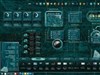
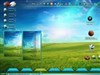
I post the image below because I have checked all properties!I don't where else to look!

Any help would be greatly appreciated!
Thank you A/V
The default image imported will show my new image wont!
I have tried a total of 20 images some were imorted from other WB's(that are working) only the default image will show!
Additionally I have carefully checked image addressing and it matched the ShellStyle.xps
I post the image below because I have checked all properties!I don't where else to look!

Any help would be greatly appreciated!
Thank you A/V
Xiandi
Reply #2 Saturday, April 26, 2008 3:32 PM

Reply #2 Saturday, April 26, 2008 3:32 PM
I can't help you but I figured you'd like to know you are not the only one. I'm having the same thing happen to me. The large image will not show, the small one and the icon will.
theAVMAN
Reply #3 Saturday, April 26, 2008 4:46 PM
Thank you Xiandi
Then it is not just me?

Reply #3 Saturday, April 26, 2008 4:46 PM
The large image will not show, the small one and the icon will.
Thank you Xiandi
Then it is not just me?
ShelbyGT_The_Car
Reply #4 Saturday, April 26, 2008 6:51 PM
Reply #4 Saturday, April 26, 2008 6:51 PM

Xiandi
Reply #5 Saturday, April 26, 2008 7:07 PM
Let me know if you find out anything!
Reply #5 Saturday, April 26, 2008 7:07 PM
AvMan send those images and I'll take a look at them...
Let me know if you find out anything!
Vampothika
Reply #6 Saturday, April 26, 2008 7:56 PM
Reply #6 Saturday, April 26, 2008 7:56 PM
Harley........check yr top left pixel, MUST be the same colour as the background, otherwise it wont show............
Vampothika
Reply #7 Saturday, April 26, 2008 7:57 PM
Reply #7 Saturday, April 26, 2008 7:57 PM
ps, is that yr new wb????? lookin insanely wikked if it is!!!!!!!
Vampothika
Reply #8 Saturday, April 26, 2008 7:58 PM
Reply #8 Saturday, April 26, 2008 7:58 PM
oh ps, if that fails.....why not delete the default image?......sometimes that helps too 

theAVMAN
Reply #9 Saturday, April 26, 2008 8:17 PM
Shelbygt_the_Car~! Thank you I will
Xiandi I will
Kitty I thought it was but I will double check .I did not know that would stop it from showing.Thank you !
Thats it !Thank you !!
These images and the sub style startmenu is all that's left (I think?)
I did I had to import from a dummy .wba to get them back
Thanks everyone !
!
Reply #9 Saturday, April 26, 2008 8:17 PM
AvMan send those images and I'll take a look at them...
Shelbygt_the_Car~! Thank you I will
Let me know if you find out anything!
Xiandi I will
check yr top left pixel, MUST be the same colour as the background, otherwise it wont show............
Kitty I thought it was but I will double check .I did not know that would stop it from showing.Thank you !
ps, is that yr new wb????? lookin insanely wikked if it is!!!!!!!
Thats it !Thank you !!
These images and the sub style startmenu is all that's left (I think?)
oh ps, if that fails.....why not delete the default image?......sometimes that helps too
I did I had to import from a dummy .wba to get them back
Thanks everyone
 !
!
SKoriginals
Reply #10 Saturday, April 26, 2008 11:17 PM

Reply #10 Saturday, April 26, 2008 11:17 PM
What SKS verson are you using? 5 or 6 (though I've used both to replace ShellStyles without problem)
theAVMAN
Reply #11 Sunday, April 27, 2008 12:16 AM
SKS 6
Thank you!
Reply #11 Sunday, April 27, 2008 12:16 AM
What SKS verson are you using? 5 or 6 (though I've used both to replace ShellStyles without problem)
SKS 6
Thank you!
theAVMAN
Reply #13 Saturday, May 3, 2008 10:23 AM
That was it !!!!!!Thank you
Reply #13 Saturday, May 3, 2008 10:23 AM
Harley........check yr top left pixel, MUST be the same colour as the background, otherwise it wont show............
That was it !!!!!!Thank you
Please login to comment and/or vote for this skin.
Welcome Guest! Please take the time to register with us.
There are many great features available to you once you register, including:
- Richer content, access to many features that are disabled for guests like commenting on the forums and downloading skins.
- Access to a great community, with a massive database of many, many areas of interest.
- Access to contests & subscription offers like exclusive emails.
- It's simple, and FREE!
Reply #1 Saturday, April 26, 2008 1:52 PM