






































problem with please wait image
Wednesday, October 17, 2007 by desii3D | Discussion: Skinning
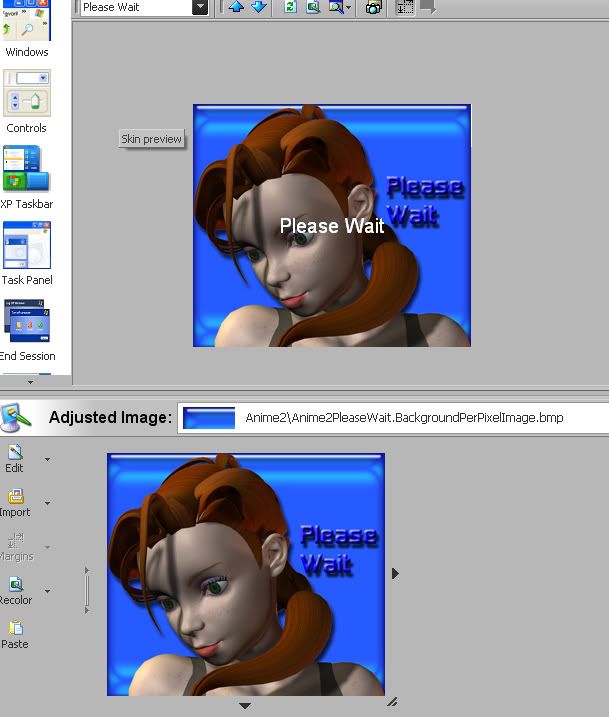
How do I stop windows from printing "Please Wait" on my image? have looked all over and can't seem to find where to turn it off.
Dave
Dave
unclerob
Reply #2 Wednesday, October 17, 2007 3:05 PM

Reply #2 Wednesday, October 17, 2007 3:05 PM
Yup, I do the same thing, I type in something a little outrageous, -2000 or -3000, this sends it far enough off the screen that you don't see it at all when the please wait dialog appears on the screen.
- nice screenshot, can't wait to see the finished project - what's the name of your wb skin?
- nice screenshot, can't wait to see the finished project - what's the name of your wb skin?
desii3D
Reply #3 Wednesday, October 17, 2007 3:09 PM
Thanks y'all.
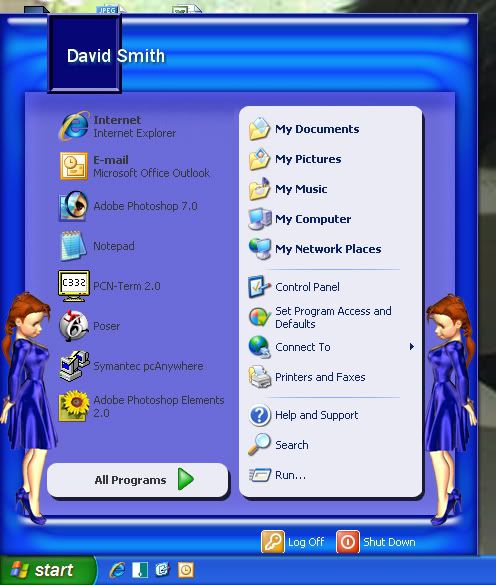
Unclerob, no "official" name yet, working title is KylieWB1. Kylie being the name of the character.
preview of start menu:
Dave

Reply #3 Wednesday, October 17, 2007 3:09 PM
Yup, I do the same thing, I type in something a little outrageous, -2000 or -3000, this sends it far enough off the screen that you don't see it at all when the please wait dialog appears on the screen.
- nice screenshot, can't wait to see the finished project - what's the name of your wb skin?
- nice screenshot, can't wait to see the finished project - what's the name of your wb skin?
Thanks y'all.
Unclerob, no "official" name yet, working title is KylieWB1. Kylie being the name of the character.
preview of start menu:
Dave
Please login to comment and/or vote for this skin.
Welcome Guest! Please take the time to register with us.
There are many great features available to you once you register, including:
- Richer content, access to many features that are disabled for guests like commenting on the forums and downloading skins.
- Access to a great community, with a massive database of many, many areas of interest.
- Access to contests & subscription offers like exclusive emails.
- It's simple, and FREE!
Reply #1 Wednesday, October 17, 2007 2:47 PM