
















Windows taskbar disappeared
Saturday, January 27, 2007 by aman2812 | Discussion: Object Desktop
Hi,
although I didn't check that option it just won't appear anymore, I do need to switch though, because there are a few icons that won't appear in the dock, and that is my next issue:
how can I make programs like AntiVir or Outpost Firewall or Trillian appear on the dock when they are started? I hope you know what I mean: these icons are in the windows taskbar where they can't be moved, next to the system clock.
Any help appreciated!
Thx
although I didn't check that option it just won't appear anymore, I do need to switch though, because there are a few icons that won't appear in the dock, and that is my next issue:
how can I make programs like AntiVir or Outpost Firewall or Trillian appear on the dock when they are started? I hope you know what I mean: these icons are in the windows taskbar where they can't be moved, next to the system clock.
Any help appreciated!
Thx
Bichur
Reply #3 Monday, January 29, 2007 11:31 AM
Reply #3 Monday, January 29, 2007 11:31 AM
I haven't seen it hang using OD free.
Are you also runnig any of the other apps that might hide the bar?
Object Bar
DesktopX
Are you also runnig any of the other apps that might hide the bar?
Object Bar
DesktopX
aman2812
Reply #4 Tuesday, January 30, 2007 8:54 AM
Reply #4 Tuesday, January 30, 2007 8:54 AM
it's working again, I don't use DesktopX or Object Bar, but please have a look at this:
https://www.wincustomize.com/zoom.aspx?skinid=11567&libid=29
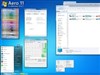
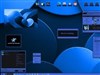
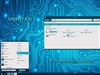
how can I split the dock? And especially in the right lower corner, this looks like the windows taskbar, where some icons appear when certain programs are running or minimized (for me that would be: AntiVir, Outpost Firewall, Trillian without a chat window open etc)
If I could configure this, I could get rid of that windows taskbar, now I still seem to need it, otherwise I can't access those mentioned programs.
That would be a great help!
Thx
https://www.wincustomize.com/zoom.aspx?skinid=11567&libid=29
how can I split the dock? And especially in the right lower corner, this looks like the windows taskbar, where some icons appear when certain programs are running or minimized (for me that would be: AntiVir, Outpost Firewall, Trillian without a chat window open etc)
If I could configure this, I could get rid of that windows taskbar, now I still seem to need it, otherwise I can't access those mentioned programs.
That would be a great help!
Thx
Please login to comment and/or vote for this skin.
Welcome Guest! Please take the time to register with us.
There are many great features available to you once you register, including:
- Richer content, access to many features that are disabled for guests like commenting on the forums and downloading skins.
- Access to a great community, with a massive database of many, many areas of interest.
- Access to contests & subscription offers like exclusive emails.
- It's simple, and FREE!
Reply #1 Saturday, January 27, 2007 7:53 AM