









































Changing Menu Background Color, And Main Windows Color?
Monday, June 19, 2006 by Keikonium | Discussion: WindowBlinds
I have 2 questions. Right now I am only tweaking pre existing skins, so bare with me if I call things by the incorrect name  .
.
First of all, I was editing Kol's Vista. It had white menu backgrounds, but I perfer things to be a little darker. I changed it to grey, only to come across some ugly things in some programs I use (mainly ones with explorer trees, images in explorer trees, stuff like that). Now, I can't seem to figure out how to change it back !
!
Here is an image showing what I am talking about. It is the grey boxes:
Link
Now, the other thing I have not been able to figure out for the life of me is how to change the main window color @_@. In the regular blue XP, it is sort of a yellow color. In Kol's Vista it is sort of a pale white color. Mike B's stelth OS is grey. How do I change this?
Thanks
 .
.First of all, I was editing Kol's Vista. It had white menu backgrounds, but I perfer things to be a little darker. I changed it to grey, only to come across some ugly things in some programs I use (mainly ones with explorer trees, images in explorer trees, stuff like that). Now, I can't seem to figure out how to change it back
 !
!Here is an image showing what I am talking about. It is the grey boxes:
Link
Now, the other thing I have not been able to figure out for the life of me is how to change the main window color @_@. In the regular blue XP, it is sort of a yellow color. In Kol's Vista it is sort of a pale white color. Mike B's stelth OS is grey. How do I change this?
Thanks

Keikonium
Reply #2 Tuesday, June 20, 2006 1:54 AM

Reply #2 Tuesday, June 20, 2006 1:54 AM
That first one worked, thanks  ! I shoudl pay more attention to what I am doing lol
  .
.
As for the second one, here is what I am talking about:


The color between the red arrows . I can't seem to find that either. I have a feeling it is also in the classic colors somewhere, so I'll go take a look
  . (Never thought to look in there for this sorta stuff
  )
)
 ! I shoudl pay more attention to what I am doing lol
  .
.As for the second one, here is what I am talking about:


The color between the red arrows
 . I can't seem to find that either. I have a feeling it is also in the classic colors somewhere, so I'll go take a look
  . (Never thought to look in there for this sorta stuff
  )
)
Daiwa
Reply #3 Tuesday, June 20, 2006 4:36 PM

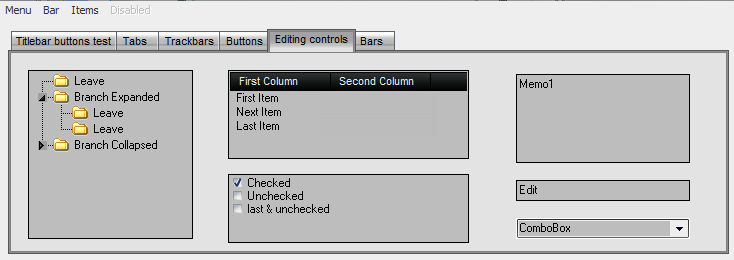
Reply #3 Tuesday, June 20, 2006 4:36 PM
That should be the Button Face color, also in the Classic Colors section (3D Controls/Button - Face). Be aware that that is the color that will most affect unskinned apps as it will be the menubar color, menu color and the button color.
Please login to comment and/or vote for this skin.
Welcome Guest! Please take the time to register with us.
There are many great features available to you once you register, including:
- Richer content, access to many features that are disabled for guests like commenting on the forums and downloading skins.
- Access to a great community, with a massive database of many, many areas of interest.
- Access to contests & subscription offers like exclusive emails.
- It's simple, and FREE!
Reply #1 Tuesday, June 20, 2006 1:31 AM
Open the skin in SkinStudio, go to the Classic Colors section, click on the window area of the Inactive Window in the Preview pic - change that color to what you want. Save the skin & reload it. Should fix it. Don't ask me why, but Stardock chose to use different terminology than Microsoft for many of the colors.
The main "window" color is actually set by the same entry (for some reason, SkinStudio shows this counterintuitively with the Application Background color in the Active Window Preview & the active window color [e.g., the "document" color in Word] in the Inactive Window Preview). I'm not sure that's exactly what you are asking about, however. Could you also post a shot of a window showing the color in question?