































OD Startup Problem
Monday, June 5, 2006 by siouxtupa | Discussion: ObjectDock
Hello, I'm hoping somebody can help me out with this. It has happened with both OD Free and OD Plus. Recently, I uninstalled and reinstalled OD Plus, but this made no difference.
When starting up, Object Dock will start normally. However, I get an error before anything loads that says...
"Object Dock has recovered settings from previous to a recent crash. Please ensure that all of your docks show correctly."
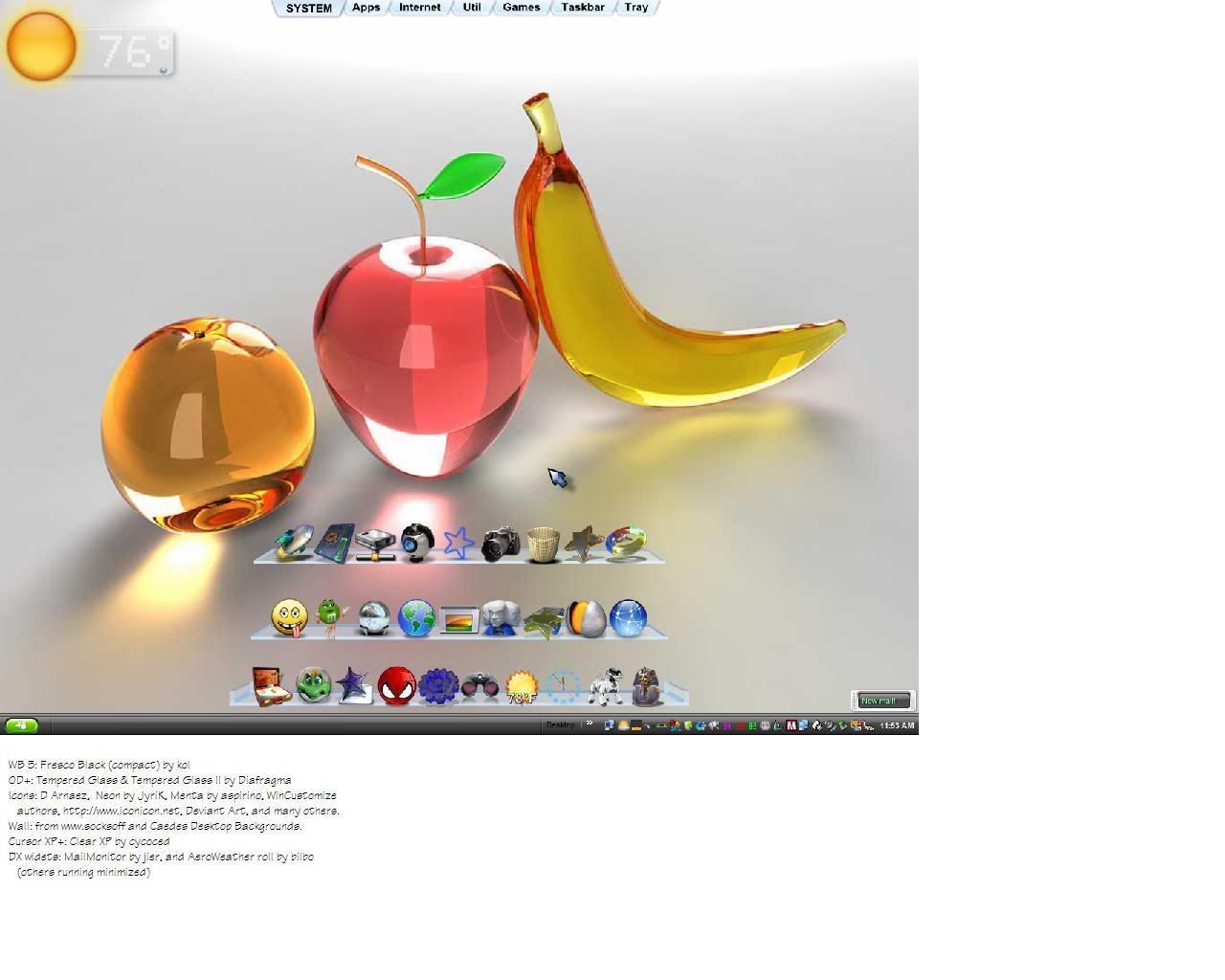
The first sentence is verbatim, but the second is a paraphrase. That is basically the error. All of my docks and docklets load properly. I have one tabbed dock with six tabs, including a systray tab and a taskbar tab. I also have a side dock with informational docklets (weather, clock, battery, cpu/ram, date, recycle).
Here is some background info:
Windows XP Pro SP2
1.86ghz P-M
1024mb DDR2 RAM
128mb nVidia graphics
Object Dock Plus
Sysstats 2.5.11 running two docklets.
Any help is appreciated!
When starting up, Object Dock will start normally. However, I get an error before anything loads that says...
"Object Dock has recovered settings from previous to a recent crash. Please ensure that all of your docks show correctly."
The first sentence is verbatim, but the second is a paraphrase. That is basically the error. All of my docks and docklets load properly. I have one tabbed dock with six tabs, including a systray tab and a taskbar tab. I also have a side dock with informational docklets (weather, clock, battery, cpu/ram, date, recycle).
Here is some background info:
Windows XP Pro SP2
1.86ghz P-M
1024mb DDR2 RAM
128mb nVidia graphics
Object Dock Plus
Sysstats 2.5.11 running two docklets.
Any help is appreciated!

seldomseen
Reply #2 Wednesday, June 7, 2006 2:05 AM

Reply #2 Wednesday, June 7, 2006 2:05 AM
Yeah, me too! Just started getting this weird error message, on startup, OD+ runs fine otherwise....somewhat alarming, as any error can be...but as long as there's nothing fragmenting or worse where I can't see, it's gotta be o.k. for now...would like it to go away soon, tho. Thanks for posting this, siouxtupa. I only found this post by accident as I didn't even know of the existence of Stardock forums, just WinCustomize forums !?!


siouxtupa
Reply #3 Wednesday, June 7, 2006 1:31 PM
Reply #3 Wednesday, June 7, 2006 1:31 PM
I agree, I've checked everywhere for a problem. Sometimes the error doesn't show, but almost every startup it does. That begs the question: what am I doing differently when it doesn't show up? I don't think I'm doing anything.
seldomseen
Reply #4 Wednesday, June 7, 2006 1:48 PM
Reply #4 Wednesday, June 7, 2006 1:48 PM
So far so good today...hopefully, it's like the weather...dustdevils...Link
JGSaxon
Reply #5 Thursday, July 20, 2006 3:07 PM
Reply #5 Thursday, July 20, 2006 3:07 PM
I have been having the same problem, but mine was a little more severe in that my computer won't shutdown, it gets to the final shutdown screen and just sits there. After much trouble shooting and with the knowledge of the ObjectDock error on startup I have concluded that the problem is being caused by ObjectDock not shutting down properly and saving the .ini files. If I unload OD prior to shutdown, my computer shuts down, but if I leave it loaded and try to shutdown it sits at the final screen until I power-off.


Bichur
Reply #6 Thursday, July 20, 2006 4:10 PM

Reply #6 Thursday, July 20, 2006 4:10 PM
Instead of unloading - what happens if you disable the docklets instead, then shut down as normal?
FiascoAtLarge
Reply #7 Thursday, August 17, 2006 7:02 PM
Reply #7 Thursday, August 17, 2006 7:02 PM
Been getting "Object Dock has recovered settings from previous to a recent crash. Please ensure that all of your docks show correctly." also but only if I use a tabbed dock. I've added a dozen docks loaded with stuff and have no problem, but a tabbed dock alone with no other docks will start giving the error after 5 tabs and 5 or 6 dock entries per tab.


seldomseen
Reply #8 Wednesday, August 23, 2006 6:36 PM
Reply #8 Wednesday, August 23, 2006 6:36 PM
Seems to be running fine now...my PC is a product of two or three years runtime, plus various tweaks and mods, new sound and vid cards, random hard boots and impatient smackings, defrags, reg-cleaners, AdAware and McAfee, etc, etc...it's a wonder it runs at all. The wrinkle is, I'm sure, due to the environment I've provided for Object Dock Plus to live in, and not the fault of the program or docks... (knock on wood...day's not over yet...). I'm running a tabbed dock at the top, and one each on the right, left, and bottom. The sides and tabbed top set to autohide. Background is "Clear Glass(Tabs), set to 100% transparent so the icons "float".
seldomseen
Reply #9 Wednesday, August 23, 2006 10:19 PM
Reply #9 Wednesday, August 23, 2006 10:19 PM
Well, *@#!!*^%?+~ !! Was running fine for ages, and just updated WB5 via Stardock Central...restarted PC and got error message "Obj Dock not started correctly" or "not loaded correctly" or some such, two ObjDock icons in systray, and all docks working fine, present and accounted for...(?!). Rightclicked one of the systray icons, "Unload...", extra icon winked out in systray, otherwise no change, no prob. Seems like two instances of ObjDock loading at bootup. I seem to remember this happening a year or two ago, and wizop said reinstall Obj Dock Plus. I did and it solved it. Gotta remember to save the backgrounds and images, etc. I've collected in a separate folder somewhere...grrrrawrrh!!



[mm...that's better...]

[mm...that's better...]
seldomseen
Reply #10 Thursday, August 24, 2006 10:40 AM
Reply #10 Thursday, August 24, 2006 10:40 AM
Again, on boot this a.m. so to: Start>Run>msconfig>startup...and uncheck one, of two, versions of OD (not the "Plus" version),restart, and voila. All better. I know, that's the lazy way, not deleting the original, non-plus version, but for a quick fix it worked...now to go do it right... 

Please login to comment and/or vote for this skin.
Welcome Guest! Please take the time to register with us.
There are many great features available to you once you register, including:
- Richer content, access to many features that are disabled for guests like commenting on the forums and downloading skins.
- Access to a great community, with a massive database of many, many areas of interest.
- Access to contests & subscription offers like exclusive emails.
- It's simple, and FREE!
Reply #1 Monday, June 5, 2006 6:17 PM