



















DesktopX theme help/editing
Wednesday, May 17, 2006 by KANJIBANKERS | Discussion: OS Customization
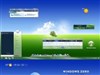
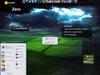
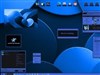
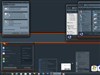
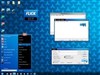
I downloaded this desktopx theme
https://www.wincustomize.com/Preview.aspx?Source=Chadamus/dx/3206.jpg
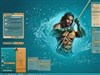
Does anybody know how I can go intot the theme and edit it so the "digital revenge" banner doesnt come up in the middle of the wallpaper?
https://www.wincustomize.com/Preview.aspx?Source=Chadamus/dx/3206.jpg
Does anybody know how I can go intot the theme and edit it so the "digital revenge" banner doesnt come up in the middle of the wallpaper?
BoXXi
Reply #2 Wednesday, May 17, 2006 6:44 PM
Reply #2 Wednesday, May 17, 2006 6:44 PM
If I remember correctly, the image you are seeing IS the wallpaper.just go into DX config and put any wall you want there. 

Tominated
Reply #3 Thursday, May 18, 2006 12:06 AM

Reply #3 Thursday, May 18, 2006 12:06 AM
i remember that theme, it is actually an object the banner.
Please login to comment and/or vote for this skin.
Welcome Guest! Please take the time to register with us.
There are many great features available to you once you register, including:
- Richer content, access to many features that are disabled for guests like commenting on the forums and downloading skins.
- Access to a great community, with a massive database of many, many areas of interest.
- Access to contests & subscription offers like exclusive emails.
- It's simple, and FREE!
Reply #1 Wednesday, May 17, 2006 2:42 PM
But if you fire it up in DX builder and then open the Object navigator you should be able to find it and delete it, or hide it, or whatever.