


































Disabling Startup Programs
Sunday, February 12, 2006 by aimzzz | Discussion: Personal Computing
Argh!
Sad but true-- I can't remember where to access the startup program list & disable the unneeded ones.

Sad but true-- I can't remember where to access the startup program list & disable the unneeded ones.


Double Zero
Reply #3 Sunday, February 12, 2006 9:45 PM

Reply #3 Sunday, February 12, 2006 9:45 PM
If they are services your better off typing in the run box "services.msc" and disabling them there, turning them off through msconfig is practically useless..
ZubaZ
Reply #4 Sunday, February 12, 2006 9:48 PM

Reply #4 Sunday, February 12, 2006 9:48 PM
Or . . subscribe to the Stardock ThinkDesk suite https://www.stardock.com/products/thinkdesk/ and use the SecureProcess Startup manager.*
[*Blatant plug for the suite. More subsribers = more dev time = better products released sooner.]

[*Blatant plug for the suite. More subsribers = more dev time = better products released sooner.]


aimzzz
Reply #5 Sunday, February 12, 2006 9:48 PM

Reply #5 Sunday, February 12, 2006 9:48 PM
They're proggies-- I remember how to do Services. Thanks all!




Bichur
Reply #7 Sunday, February 12, 2006 10:36 PM

Reply #7 Sunday, February 12, 2006 10:36 PM
Haven't tried the one with CCleaner. The 'delete entry' throws me. Does it just stop it from running on startup if you 'delete'?
Been using Ace Utilities for that since I got it a couple of years ago.
Been using Ace Utilities for that since I got it a couple of years ago.
Cavan1
Reply #8 Sunday, February 12, 2006 10:48 PM
It deletes the startup entry only. Just tested on DX fishy, after delete in CCleaner open properties for fishy, run at startup was now unchecked but fishy still working fine.

Reply #8 Sunday, February 12, 2006 10:48 PM
| Haven't tried the one with CCleaner. The 'delete entry' throws me. Does it just stop it from running on startup if you 'delete'? |
It deletes the startup entry only. Just tested on DX fishy, after delete in CCleaner open properties for fishy, run at startup was now unchecked but fishy still working fine.
Double Zero
Reply #9 Sunday, February 12, 2006 11:10 PM
Ok, cool, I thought "just in case"... LoL
I use the one in Ccleaner quite often and it works great..and you dont have to reboot after you make the changes like msconfig make ya...
Reply #9 Sunday, February 12, 2006 11:10 PM
| They're proggies-- I remember how to do Services. |
Ok, cool, I thought "just in case"... LoL
| Does it just stop it from running on startup if you 'delete'? |
I use the one in Ccleaner quite often and it works great..and you dont have to reboot after you make the changes like msconfig make ya...

Cavan1
Reply #12 Monday, February 13, 2006 5:27 AM
Reply #12 Monday, February 13, 2006 5:27 AM
WinPatrol also does a good job and like CCleaner no need to reboot.
gef
Reply #13 Monday, February 13, 2006 7:17 AM

Reply #13 Monday, February 13, 2006 7:17 AM
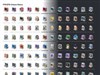
This proggy is worth checking out - Simple to use and plenty of skins to change the appearance with:


thomassen
Reply #15 Monday, February 13, 2006 7:41 AM

Reply #15 Monday, February 13, 2006 7:41 AM
Put FreshUI http://www.freshdevices.com/freshui.html on the list as well
aimzzz
Reply #16 Monday, February 13, 2006 9:49 AM
Reply #16 Monday, February 13, 2006 9:49 AM
Maybe I should have asked if there is a proggie without this feature... 

Double Zero
Reply #17 Monday, February 13, 2006 10:10 AM
Well, are you sitting down? Firefox cant do it... *Gasp*
Reply #17 Monday, February 13, 2006 10:10 AM
| Maybe I should have asked if there is a proggie without this feature... |
Well, are you sitting down? Firefox cant do it... *Gasp*
Please login to comment and/or vote for this skin.
Welcome Guest! Please take the time to register with us.
There are many great features available to you once you register, including:
- Richer content, access to many features that are disabled for guests like commenting on the forums and downloading skins.
- Access to a great community, with a massive database of many, many areas of interest.
- Access to contests & subscription offers like exclusive emails.
- It's simple, and FREE!
Reply #1 Sunday, February 12, 2006 9:26 PM
Start > Run > type: msconfig > Startup tab.