






































|
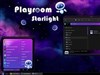
ElectroSexualUpdated May 24, 2012 by Vampothika |
||||||||
 |
|
Page 5 of 9 | |
|
|---|
Comment #82 Saturday, July 28, 2012 6:23 PM
thankyou.

Comment #84 Wednesday, August 8, 2012 5:10 PM
guys plz help me when i apply thhis theme my appeeeeance changeed into windows classic style....how can i change to other style as shown in figurrr.......... 
Comment #85 Friday, August 10, 2012 11:59 AM
sir icant install my downloaded skin... please help me use my electrosexual skin... thank you
Comment #86 Friday, August 10, 2012 12:02 PM
i cant use my electrosexual skin please help me

Comment #87 Friday, August 10, 2012 6:04 PM
Awesome Have installed all the links and just want to say thank you for sharing this awesome set of skins. The colours are just brilliant keep on top 

Comment #88 Monday, August 13, 2012 4:03 AM
Nice addition to my windows 7, however it does have downsides.
In word it makes the 'paper' appear as black.. The text is visable but i prefer a white paper.
Also in the start menu, there is no 'wall' between the list of recently used programs and the Computer/Control panel etc. I like this feature but when you mouse over the quick recently used program, they get 'boxed' in.. Which makes the wall kinda visible.. Small detail though.
besides that, very beautiful work 

Comment #89 Tuesday, August 14, 2012 12:40 PM
vamp,this is just too good.its out of this world my girl.love u for this. 



Comment #91 Wednesday, August 22, 2012 1:35 AM

Comment #93 Friday, September 7, 2012 4:28 AM
hi cosmic love, thanks so much for the comments!
try this: If you have Skinstudio, just swap Selected Item and Selected Text colours.
hope this helps....

Comment #95 Monday, September 10, 2012 2:11 AM
Thanks for the reply, Vampothica. Until now, I had deactivated WB in Chrome through the setting , and it seemed to worked well, but I will try what you're suggesting and let you know.
Cheers,
Comment #96 Wednesday, September 12, 2012 10:30 AM
good to hear cosmic!!
Comment #97 Thursday, September 13, 2012 1:55 AM
how can i doanw load this themes....ask lng..
Comment #98 Thursday, September 13, 2012 2:41 PM
hey plz tell na me how 2 install........

Comment #99 Saturday, September 15, 2012 5:05 AM
Wowie ! Gorgeous - EXTREMELY well done. This is exactly what I was looking for when I delved into this Stardock / Customize Universe.
I've tried many darker themes but none have really grabbed me enough to keep them for very long.
I love it so much that I feel compelled to ask for help with a few particular issues that have not been addressed here.
What's the best way to proceed please? (I'd rather not come across as a whiner)
Comment #100 Saturday, September 15, 2012 8:44 AM
i forgot to mention in my pm to you.... this skin is only for windows 7.
Please login to comment and/or vote for this skin.
Welcome Guest! Please take the time to register with us.
There are many great features available to you once you register, including:
- Richer content, access to many features that are disabled for guests like commenting on the forums and downloading files.
- Access to a great community, with a massive database of many, many areas of interest.
- Access to contests & subscription offers like exclusive emails.
- It's simple, and FREE!
|
|
Page 5 of 9 | |
|
|---|






Comment #81 Saturday, July 28, 2012 6:23 PM
you will need skinstudio to change the text colours.