





































 |
|
Page 1 of 4 | |
|
|---|
Randomator
Comment #2 Friday, May 2, 2008 5:50 PM
Comment #2 Friday, May 2, 2008 5:50 PM
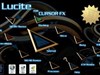
great skin, really like the windowframes, and the start menu animation


 cool start menu
dxm765
Comment #6 Friday, May 2, 2008 7:07 PM

Comment #6 Friday, May 2, 2008 7:07 PM
WOW, i havent been this impressed since the Stealth OS WB for vista

snake108
Comment #8 Friday, May 2, 2008 7:23 PM
Comment #8 Friday, May 2, 2008 7:23 PM
What an amazing W/B this is. Takes skinning to another level, and it is free.!!!! Many thanks for allowing us to download and use this super blind.  from the snake.
 from the snake.
Hapkido
Comment #9 Friday, May 2, 2008 7:45 PM

Comment #9 Friday, May 2, 2008 7:45 PM
Incredible animation on the Start Menu!! Overall, a great skin although I find the text on the Taskbar application buttons and on the Titlebar difficult to read. Thanks for sharing. Obviously, a lot of work went into this one. ��
�
speedy5662
Comment #10 Friday, May 2, 2008 8:02 PM

Comment #10 Friday, May 2, 2008 8:02 PM
I am so awesomely impressed...You did the most excellent job on this skin, that I am surprised it's not a master skin...I would pay for this one...It's the best!!!! T.Y.
nuttygardener
Comment #11 Friday, May 2, 2008 8:38 PM

Comment #11 Friday, May 2, 2008 8:38 PM
Gotta agree ..... this is a thing of beauty ..... 


nuttygardener
Comment #13 Friday, May 2, 2008 9:26 PM
Comment #13 Friday, May 2, 2008 9:26 PM
I did find one minor problem. You know how you type into a text box and a window popsup with suggestions as you type? The options are unreadable unless you scroll over them. Let me show you what I mean:  The gray is where I scrolled, the rest are unreadable.
 The gray is where I scrolled, the rest are unreadable.
dxm765
Comment #14 Friday, May 2, 2008 9:32 PM
Comment #14 Friday, May 2, 2008 9:32 PM
Yea, i found that as well, but it doesnt bother me, same on the arrows to move on from documents to video's on the drop down boxes
Alan Crandall
Comment #15 Friday, May 2, 2008 9:55 PM
Comment #15 Friday, May 2, 2008 9:55 PM
[quote][/quote] I use XP Pro and can not see the "extras" Is there an option I have to turn on using wbconfig ? You see I only like skins that have a blind and it look like the "extra" had that Other than that g8

lonewolf1696
Comment #18 Friday, May 2, 2008 10:35 PM

Comment #18 Friday, May 2, 2008 10:35 PM
I love it. Fantastic piece of work...5 Stars from me. �������
������
Kinger
Comment #20 Friday, May 2, 2008 11:20 PM

Comment #20 Friday, May 2, 2008 11:20 PM
Great start panels. All around fantastic skins. Thanks AvMan��� �
�
�� �
�Please login to comment and/or vote for this skin.
Welcome Guest! Please take the time to register with us.
There are many great features available to you once you register, including:
- Richer content, access to many features that are disabled for guests like commenting on the forums and downloading files.
- Access to a great community, with a massive database of many, many areas of interest.
- Access to contests & subscription offers like exclusive emails.
- It's simple, and FREE!
|
|
Page 1 of 4 | |
|
|---|





Comment #1 Friday, May 2, 2008 1:29 PM