






































 |
|
Page 1 of 2 | |
|
|---|
OldMsgt
Comment #2 Wednesday, February 14, 2007 12:24 PM

Comment #2 Wednesday, February 14, 2007 12:24 PM
Looks good
It did however disable my use of AREO in Vista when I ran it. So I went to a different skin so I could use Areo
This may also have been cauused by latest BETA of WB as a couple of other skins that I have used did this also
It did however disable my use of AREO in Vista when I ran it. So I went to a different skin so I could use Areo
This may also have been cauused by latest BETA of WB as a couple of other skins that I have used did this also
boopish
Comment #3 Wednesday, February 14, 2007 6:18 PM
Comment #3 Wednesday, February 14, 2007 6:18 PM
beautiful colors. MJ! One thing...you can get rid of those pesky default icons on the taskpane pulldown menus (XP Shell, Special Title Bar, Titlebar icons)...make a.png image of about 20 x 20 px...put one pixel of color in the upper left corner..then import that image another way to do this is : XP Shell, Special Title Bar, Titlebar icons. Expand titlebar Icons, right click on each item and choose remove section. Then look over to the parameters section (far right hand of the page)..Look for No image Defined...enable this for each item under the titlebar icon section. save and rapply to skin to be sure it worked!
Ladygrizz
Comment #4 Wednesday, February 14, 2007 7:25 PM
Comment #4 Wednesday, February 14, 2007 7:25 PM
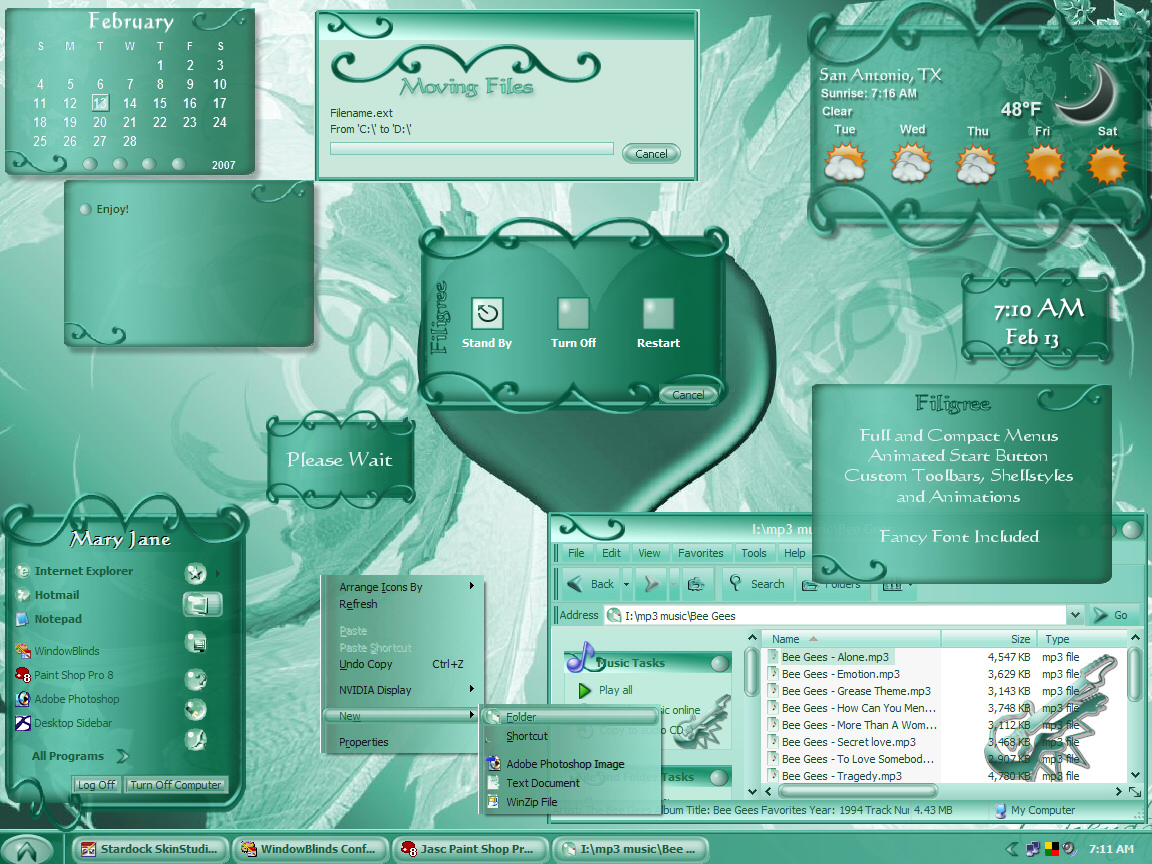
Have never commented before but Filigree is absolutely beautiful, thank you so very much

jazzymjr
Comment #6 Wednesday, February 14, 2007 10:15 PM
Thank you, Betty, for your support! And thanks for the tip about those dumb things up there....I thought I would have to make even smaller sizes of my shellstyles for there...I really appreciate it! I wish I had known about that sooner.� �
�

Comment #6 Wednesday, February 14, 2007 10:15 PM
you can get rid of those pesky default icons on the taskpane pulldown menus (XP Shell, Special Title Bar, Titlebar icons)...make a.png image of about 20 x 20 px...put one pixel of color in the upper left corner
Thank you, Betty, for your support! And thanks for the tip about those dumb things up there....I thought I would have to make even smaller sizes of my shellstyles for there...I really appreciate it! I wish I had known about that sooner.�
 �
�
jazzymjr
Comment #7 Wednesday, February 14, 2007 10:32 PM
Comment #7 Wednesday, February 14, 2007 10:32 PM
Thank you, Karen. As always, thank you for testing and re-testing. I don't know what I would do without your input.! ��
Dave, I didn't even think about that! I don't have Vista yet, so I can't make blinds for Vista.
Thank you, lady, for your support...
Thank you, Jeff...I really appreciate your support.
�Dave, I didn't even think about that! I don't have Vista yet, so I can't make blinds for Vista.
Thank you, lady, for your support...
Thank you, Jeff...I really appreciate your support.
mandy77
Comment #8 Thursday, February 15, 2007 2:30 AM
Comment #8 Thursday, February 15, 2007 2:30 AM
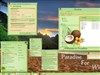
Hello i have just download yr skin its beauitful i love the green nice an clean seeing its summer over here in australia 


jazzymjr
Comment #9 Thursday, February 15, 2007 8:02 AM
Comment #9 Thursday, February 15, 2007 8:02 AM
Thank you, mandy, for your support.�� We will be getting into spring here in the US pretty soon....at least, I hope so! We are having some really bitter cold weather right now.� �
�
� We will be getting into spring here in the US pretty soon....at least, I hope so! We are having some really bitter cold weather right now.� �
�
Vampothika
Comment #10 Thursday, February 15, 2007 3:55 PM
Comment #10 Thursday, February 15, 2007 3:55 PM
very seductive Jazz......��I only have 2 suggestions...I would colour the icon throbber (that annoying little windows flag in the top right hand corner) and or put some cute design there...and I think you should make your push button background png, so you lose the 'squarebackground' that it sits on when you see the shutdowndialogbackground....other than that, this skin is perfect in a sweet mint kinda way.........awsome colour.��
�I only have 2 suggestions...I would colour the icon throbber (that annoying little windows flag in the top right hand corner) and or put some cute design there...and I think you should make your push button background png, so you lose the 'squarebackground' that it sits on when you see the shutdowndialogbackground....other than that, this skin is perfect in a sweet mint kinda way.........awsome colour.��
jazzymjr
Comment #11 Thursday, February 15, 2007 5:46 PM
Thanks, Kitty. I don't have the throbber on my system. I removed it with a program called throboff. If I remember correctly, the throbber is an animated file... As far as the problem with the push buttons, they ARE pngs. The "background" you see is picked up from the wall behind the logoff screens when being used. The problem happens only with transparent logoffs. It is a glitch with windowblinds...there is nothing I can do, except go back to making bmp logoffs...and, I really don't want to do that. I have researched this, and was told by people who know about this, that it is a glitch with windowblinds. It is more noticible on logoffs that are not squared off like the defaults.
Comment #11 Thursday, February 15, 2007 5:46 PM
only have 2 suggestions...I would colour the icon throbber (that annoying little windows flag in the top right hand corner) and or put some cute design there...and I think you should make your push button background png, so you lose the 'squarebackground' that it sits on when you see the shutdowndialogbackground..
Thanks, Kitty. I don't have the throbber on my system. I removed it with a program called throboff. If I remember correctly, the throbber is an animated file... As far as the problem with the push buttons, they ARE pngs. The "background" you see is picked up from the wall behind the logoff screens when being used. The problem happens only with transparent logoffs. It is a glitch with windowblinds...there is nothing I can do, except go back to making bmp logoffs...and, I really don't want to do that. I have researched this, and was told by people who know about this, that it is a glitch with windowblinds. It is more noticible on logoffs that are not squared off like the defaults.
Vampothika
Comment #12 Thursday, February 15, 2007 8:27 PM
Comment #12 Thursday, February 15, 2007 8:27 PM
ohhhhh thats a pity with the glitch! its a gorgeous skin..i love green. i hpe i wasnt out of line� �
�
 �
�
jazzymjr
Comment #13 Thursday, February 15, 2007 10:58 PM
Comment #13 Thursday, February 15, 2007 10:58 PM
No problem, kitty....they were both good ideas. The glitch with the logoffs drives me nuts! As you can see, I like to make weird shapes...and I like to use part of the start panel for the logoffs. But, I guess windowblinds doesn't like bottoms that are not straight across..lol. Glad you like the skin. ��
�
jazzymjr
Comment #16 Friday, February 16, 2007 4:08 PM
Comment #16 Friday, February 16, 2007 4:08 PM
Thank YOU, wqw...��
Thank you, weina, for your support. ��
�Thank you, weina, for your support. �
�
jazzymjr
Comment #18 Wednesday, February 21, 2007 5:06 AM
Comment #18 Wednesday, February 21, 2007 5:06 AM
Bocman, just click on the download button. You have to have Windowblinds software to use the skin, though. If you do have windowblinds, it will self=install. If you don't have it, you can download it from the link at the top of this window.
longdude0
Comment #19 Sunday, February 25, 2007 10:09 PM

Comment #19 Sunday, February 25, 2007 10:09 PM
This is a real nice green jazzymir don't stop here
longdude0� ���
���
longdude0�
 ���
���
jazzymjr
Comment #20 Monday, February 26, 2007 5:56 AM
Comment #20 Monday, February 26, 2007 5:56 AM
Thanks, longdude0! I am addicted to skinning, so I can't stop!��
�Please login to comment and/or vote for this skin.
Welcome Guest! Please take the time to register with us.
There are many great features available to you once you register, including:
- Richer content, access to many features that are disabled for guests like commenting on the forums and downloading files.
- Access to a great community, with a massive database of many, many areas of interest.
- Access to contests & subscription offers like exclusive emails.
- It's simple, and FREE!
|
|
Page 1 of 2 | |
|
|---|




Comment #1 Wednesday, February 14, 2007 6:05 AM