































|
myLonghornUpdated Aug 06, 2005 by The Sphynx |
||||||||
 |
|
Page 3 of 4 | |
|
|---|
orbitalex2000
Comment #42 Tuesday, July 19, 2005 11:07 AM
Comment #42 Tuesday, July 19, 2005 11:07 AM
I don't think this is embarassing to you in any way. It's not like there aren't other skins that cut off the Google Toolbar or anything. I have the same Start Menu problem on the Encoded theme. But anyways, I still like this Longhorn theme, so I'm still using it.
gfcentral002
Comment #43 Wednesday, July 20, 2005 3:16 AM

Comment #43 Wednesday, July 20, 2005 3:16 AM
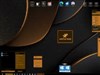
i love this theme - one i use all the time now - it just fits so nicely with everything. here's a screenshot of me using it!


neo tian
Comment #44 Wednesday, July 20, 2005 2:46 PM
Wow it looks awesome!!! May i know where did u get those longhorn icons?
Comment #44 Wednesday, July 20, 2005 2:46 PM
| i love this theme - one i use all the time now - it just fits so nicely with everything. here's a screenshot of me using it! |
Wow it looks awesome!!! May i know where did u get those longhorn icons?
gfcentral002
Comment #46 Wednesday, July 20, 2005 6:19 PM
Comment #46 Wednesday, July 20, 2005 6:19 PM
well, i had downloaded some longhorn transition package *still have it* and applied it to windows, and then got creative and since it changed the systems main icons to the longhorn ones *pretty much wrote a new sys file or whatever* i went into icon packager and saved the current system files *which were the longhorn icons* as a package, then uninstalled the transition pack and was back to plain ole windows xp, then reapplied all my themes and applied the longhorn icon pack i saved  the background is also out of the longhorn transition pack i had, there are a bunch more too, including the infamous grass one so many people have been looking for, and it doesn't say "longhorn" on it either.
 the background is also out of the longhorn transition pack i had, there are a bunch more too, including the infamous grass one so many people have been looking for, and it doesn't say "longhorn" on it either.
starkers
Comment #47 Monday, July 25, 2005 8:25 AM

Comment #47 Monday, July 25, 2005 8:25 AM
WOW...the shape of things to come and you've done a brilliant job on this skin...10 out of 10 or better.
PGSONIC
Comment #49 Monday, August 1, 2005 4:58 PM
Comment #49 Monday, August 1, 2005 4:58 PM
Nice! One problem: my whole Start Menu is dispositioned! See gfcentral002's screenshot? That's what is happening to me. Your screenshot does not have this problem. Why am I?
PGSONIC
Comment #51 Wednesday, August 3, 2005 4:39 PM
Comment #51 Wednesday, August 3, 2005 4:39 PM
Take a look at gfcentral002's screenshot. Do you notice that the start menu is positioned incorrectly and acting inappropiately? That's what is happening to me! Would you fix that? Bring Homestead on!
PGSONIC
Comment #52 Wednesday, August 3, 2005 4:42 PM
Comment #52 Wednesday, August 3, 2005 4:42 PM
Whoops! Sorry for the repost! I did not notice that my second post (the one with the problem) was on the second page. At least I put my request for myLonghorn Homestead!
artweasloh
Comment #53 Thursday, August 4, 2005 3:31 AM
Comment #53 Thursday, August 4, 2005 3:31 AM
PGSONIC, my pal, first thanks for using my skin. if you look closely into gfcentral's screeny, he/she used another program to make the taskbar and the titlebar windows transparent. i believe it does make the start menu transparent too. i was wondering if you are using the same program. because if you are, then that would make the start menu somewhat displaced -- by adding shadows arround the image. if you could provide me with a screenshot, i am sure i will be able to point out if it is a skin problem. i do not see it in mine (and froggy's screenshot too) and i defined that the start menu won't be shadowed. so if you don't mind, send me a screenshot, tell me if you are running only windowblinds or not. email me and i will gladly see to your problem. i will be waiting 
Email
oh and about the myLonghorn Homestead, i have made another beta screenshot and i renamed it myHomestead. i am current looking into possible bugs and as soon as i am satisfied that it won't suffer as much bugs as myLonghorn, i will release it independently. check the screenshots section. and thanks


oh and about the myLonghorn Homestead, i have made another beta screenshot and i renamed it myHomestead. i am current looking into possible bugs and as soon as i am satisfied that it won't suffer as much bugs as myLonghorn, i will release it independently. check the screenshots section. and thanks


PGSONIC
Comment #54 Thursday, August 4, 2005 6:13 PM
Comment #54 Thursday, August 4, 2005 6:13 PM
Great! One problem: I can't take a screenshot of the start menu. I dunno why, but ScreenHunter 4.0 Free is acting weird. I'll try to use another program and send it to use as soon as possible.
artweasloh
Comment #56 Thursday, August 4, 2005 9:08 PM
Comment #56 Thursday, August 4, 2005 9:08 PM
if you're having problem with taking screenshots, just use the PrintScreen on your keyboard. that will do the work. it takes a screen shot even when the start menu is active. 
i just received your email, seen the screenshot and yes i admit it does seem a little displaced. but it isn't a major bug. i fixed that already in the update which i will be uploading some time in two weeks (it would be updated together with the release of myHomestead). i just hope you will be patient. thanks and enjoy!

i just received your email, seen the screenshot and yes i admit it does seem a little displaced. but it isn't a major bug.
i fixed that already in the update which i will be uploading some time in two weeks (it would be updated together with the release of myHomestead). i just hope you will be patient. thanks and enjoy! 
ajtoz
Comment #59 Saturday, August 6, 2005 7:51 PM
Comment #59 Saturday, August 6, 2005 7:51 PM
Hi The Sphynx
Always liked your myLonghorn skin, glad to see the update, as it has made the skin even better. There may be a "better skin" out there - as you say - but yours has the edge (IMHO!)in a number of areas.
Great job
Always liked your myLonghorn skin, glad to see the update, as it has made the skin even better. There may be a "better skin" out there - as you say - but yours has the edge (IMHO!)in a number of areas.
Great job

alpha-prime
Comment #60 Sunday, August 7, 2005 3:08 AM
Comment #60 Sunday, August 7, 2005 3:08 AM
Very nice skin
I have a small problem with it. I use the links toolbar on the taskbar, (right mouse click on taskbar > toolbars > links). This makes my my fav web sites avaialable via a popup menu. However the text "links" on the task bar gets cut off at the bottom.
I hope this is fixable. It is a fairly common problem that stops me using quite a lot of skins.
I have a small problem with it. I use the links toolbar on the taskbar, (right mouse click on taskbar > toolbars > links). This makes my my fav web sites avaialable via a popup menu. However the text "links" on the task bar gets cut off at the bottom.
I hope this is fixable. It is a fairly common problem that stops me using quite a lot of skins.
Please login to comment and/or vote for this skin.
Welcome Guest! Please take the time to register with us.
There are many great features available to you once you register, including:
- Richer content, access to many features that are disabled for guests like commenting on the forums and downloading files.
- Access to a great community, with a massive database of many, many areas of interest.
- Access to contests & subscription offers like exclusive emails.
- It's simple, and FREE!
|
|
Page 3 of 4 | |
|
|---|






Comment #41 Tuesday, July 19, 2005 3:22 AM