





































herman7913
Comment #2 Tuesday, October 18, 2005 6:46 PM

Comment #2 Tuesday, October 18, 2005 6:46 PM
dear mr WebGizmo
you are the objekt Dock background Man
and i seen you make "allmost" any skin in background
But i miss the background for polymer and i vill be thankfull
if you vill and can make it. very very nice job "go on"
Your Background Fan Herman7913
you are the objekt Dock background Man
and i seen you make "allmost" any skin in background
But i miss the background for polymer and i vill be thankfull
if you vill and can make it. very very nice job "go on"

Your Background Fan Herman7913
WebGizmos
Comment #3 Tuesday, October 18, 2005 7:31 PM

Comment #3 Tuesday, October 18, 2005 7:31 PM
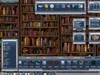
Your welcome hherbzilla...The reason the docks look like that on the side is that I didn't make side docks with this...I made the zoomers for it instead. As far as the buttons, I can see how they do look somewhat different on the sides even though they are the same tabs, but if you notice the the top of the selected tab looks dark and the non-selected looks light. Its more noticable when they are docked on the bottom. Not sure why that occurs.
But watch for an update, I'll put some side docks together for it. Should only be a day or 2.
But watch for an update, I'll put some side docks together for it. Should only be a day or 2.

WebGizmos
Comment #4 Tuesday, October 18, 2005 7:37 PM
Comment #4 Tuesday, October 18, 2005 7:37 PM
Hi Mr herman7913...if you could provide me a link to the skin your referring to I'd be glad to take a look at it, but it all depends on if the author provides permissions to make a dock for that skin. If they do, no problem. And thanks for being a fan!
WebGizmos
Comment #5 Tuesday, October 18, 2005 8:04 PM
Comment #5 Tuesday, October 18, 2005 8:04 PM
hherbzilla...First thing...thankk you very much for your input...I wish more people would do that. Side docks are done and being upoloaded now. As far as the tabs...not much I can do regarding the appearance. I did change them around a bit and hopefully this will make a difference for you. 

hherbzilla
Comment #6 Wednesday, October 19, 2005 6:53 AM

Comment #6 Wednesday, October 19, 2005 6:53 AM
WebGizmos - Wow, that was quick! Thanks for being so responsive. I DO think they look better now. Thanks again!
WebGizmos
Comment #7 Wednesday, October 19, 2005 11:14 AM
Comment #7 Wednesday, October 19, 2005 11:14 AM
No problem hherbzilla...Glad they work better for you now
herman7913
Comment #8 Wednesday, October 19, 2005 11:22 AM
Comment #8 Wednesday, October 19, 2005 11:22 AM
hallo mr. WebGizmos
Thanks for your answer
if you go to Windowsblind in wincustomize and wright "jcg" (Author) klik to All Libraies and press enter
You vill find his vork. it is the best i can do becours my english is't very god. Hope you are being a lot
Wiser. meny thanks for your interess.
Fan Herman7913
Thanks for your answer
if you go to Windowsblind in wincustomize and wright "jcg" (Author) klik to All Libraies and press enter
You vill find his vork. it is the best i can do becours my english is't very god. Hope you are being a lot
Wiser. meny thanks for your interess.
Fan Herman7913
WebGizmos
Comment #9 Wednesday, October 19, 2005 2:01 PM
Comment #9 Wednesday, October 19, 2005 2:01 PM
Ok Herman7913...found the skin your referring to and I will look into it. As long as I receive permission to do a dock for that skin I will have one for you shortly.
herman7913
Comment #10 Wednesday, October 19, 2005 3:24 PM
Comment #10 Wednesday, October 19, 2005 3:24 PM
Thank you for the quick responce
and i looking forword to your nice vork.
i meen that it was skindicate who started the skin some years ago.
Herman7913
and i looking forword to your nice vork.
i meen that it was skindicate who started the skin some years ago.
Herman7913
WebGizmos
Comment #11 Wednesday, October 19, 2005 4:52 PM
Comment #11 Wednesday, October 19, 2005 4:52 PM
herman7913...Dock is done...just need to get permissions...should have them shortly.
WebGizmos
Comment #12 Wednesday, October 19, 2005 6:38 PM
Comment #12 Wednesday, October 19, 2005 6:38 PM
herman7913...Your dock is done and ready to be downloaded in the ObjectDock library.
Tider
Comment #13 Thursday, August 17, 2006 7:28 PM
Comment #13 Thursday, August 17, 2006 7:28 PM
Sorry to be such a noob, but I can't install the Rusty Rooster docks. When I try to install I get a message saying that it can't find the .obtheme file. Any help would be appreciated. Thanks
Larry
Larry
WebGizmos
Comment #14 Thursday, August 17, 2006 7:48 PM
Comment #14 Thursday, August 17, 2006 7:48 PM
No problem Larry...All you need to do is make sure the folder for the dock is in the "backgrounds" folder under Stardock-> Objectdock-> backgrounds. Once your sure its in there, right click your present tab and choose "tab settings" and then under "Style" you should see it in there and then you can apply it.
Please login to comment and/or vote for this skin.
Welcome Guest! Please take the time to register with us.
There are many great features available to you once you register, including:
- Richer content, access to many features that are disabled for guests like commenting on the forums and downloading files.
- Access to a great community, with a massive database of many, many areas of interest.
- Access to contests & subscription offers like exclusive emails.
- It's simple, and FREE!






Comment #1 Tuesday, October 18, 2005 2:25 PM
Two things different I would like to see:
1) Indication of which tab is selected. Seems that in Tab1 and Tab3, there's no visual difference between the selected tab and the others.
2) In Tab1 and Tab2, the top and bottom borders are too thick if the dock is on the side of the screen.