







































DarkGemini
Comment #3 Tuesday, June 22, 2004 2:35 AM
Comment #3 Tuesday, June 22, 2004 2:35 AM
confusedddddd  how do i use it, all it does is compress the many frames into one tiny distroted objectdock icon
 how do i use it, all it does is compress the many frames into one tiny distroted objectdock icon
-daVo-
Comment #4 Tuesday, June 22, 2004 3:41 AM
Comment #4 Tuesday, June 22, 2004 3:41 AM
Your going to get a lot of that by the way. you may just want to put a link to the animated shortcut docklet in your description  (that's what you need DarkGemini)
 (that's what you need DarkGemini)
d8abyte
Comment #5 Tuesday, June 22, 2004 11:49 AM
Comment #5 Tuesday, June 22, 2004 11:49 AM
Im sorry I just assumed everyone new the deal with these icons already. Here you go the link to the docklet you need to make this icon work.
https://www.wincustomize.com/skins.asp?searchtext=animated&sort=updatedate&order=Descending&library=29&Docklets=on

https://www.wincustomize.com/skins.asp?searchtext=animated&sort=updatedate&order=Descending&library=29&Docklets=on

UpsideDownGC
Comment #6 Tuesday, June 22, 2004 9:45 PM
Comment #6 Tuesday, June 22, 2004 9:45 PM
What do you use to have it do taht what program do you use to get it to be an animation file for OD. I know I need the docklet but I want to make animated docklets too but dont know how, what program is it?
d8abyte
Comment #7 Tuesday, June 22, 2004 10:18 PM
Comment #7 Tuesday, June 22, 2004 10:18 PM
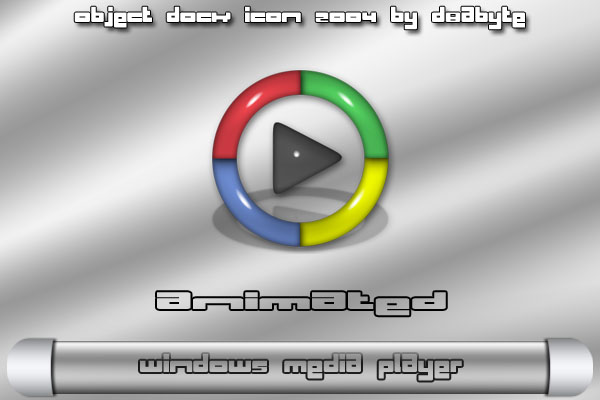
It is just a really wide png file. example - a normal png on average is 192x192 like I use, but an animated one would be 192x1200. Get my drift and you place all the images side by side to make it animated. All you have to do is do exactly what I did. Open up completed icon and take a look at what they did. To get all those images I use Macromedia Flash. I create the animation then you just export an image sequence and Flash lets you export to png so you do not have to convert them. Then I go to Photoshop and place all the images and save. That is the best I can explain. Just a little time,effort, and research is all it took for me to make them so Im sure you can too.
d8abyte
Comment #8 Tuesday, June 22, 2004 10:21 PM
Comment #8 Tuesday, June 22, 2004 10:21 PM
And actually the width would be based on how many images you have to make the animation. So if you had 10 images that make up your animation it would be 192x1920 but if you had like 30 images (which most of mine have or more) it would be 192x5760. It is kinda of hard to explain but just try and you will get it. I hope this helped.
Please login to comment and/or vote for this skin.
Welcome Guest! Please take the time to register with us.
There are many great features available to you once you register, including:
- Richer content, access to many features that are disabled for guests like commenting on the forums and downloading files.
- Access to a great community, with a massive database of many, many areas of interest.
- Access to contests & subscription offers like exclusive emails.
- It's simple, and FREE!





Comment #1 Saturday, June 19, 2004 10:33 AM