






































|
Rainlendar ToggleUpdated Jun 02, 2004 by vijayanandn |
||||||
Qmix
Comment #2 Friday, June 11, 2004 6:10 PM

Comment #2 Friday, June 11, 2004 6:10 PM
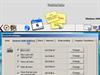
This is going to be question that may cause eye-rolling, but in the screenshot, what app does the "post-its" icon point to? 
vijayanandn
Comment #3 Monday, June 21, 2004 3:24 AM
Comment #3 Monday, June 21, 2004 3:24 AM
It points to my other "dockelet" - TurboNote Note Creator 
If you care, check it out here: https://www.wincustomize.com/skins.asp?library=29&SkinID=4060

If you care, check it out here: https://www.wincustomize.com/skins.asp?library=29&SkinID=4060
sfdoddsy
Comment #4 Monday, November 22, 2004 10:38 PM
Comment #4 Monday, November 22, 2004 10:38 PM
For some reason the docklet doesn't show up after I extract it to the Docklets folder. Any thoughts?
Steve
Steve
petr3576
Comment #6 Sunday, January 16, 2005 2:21 PM
Comment #6 Sunday, January 16, 2005 2:21 PM
I cannot get it to work how do I supposed to do that?Please? 

vijayanandn
Comment #7 Monday, January 17, 2005 8:54 PM
Comment #7 Monday, January 17, 2005 8:54 PM
1. Have Rainlendar installed.
2. Download this docklet zip
3. Unzip the .exe file inside the zip to some folder
4. In almost all of the calendar docklets there is a place in its config where you can specify a program to run when the docklet is clicked in ObjectDock. Put the path to the .exe you unzipped in that place in the calendar docklet config
5. Save changes and thats it.
2. Download this docklet zip
3. Unzip the .exe file inside the zip to some folder
4. In almost all of the calendar docklets there is a place in its config where you can specify a program to run when the docklet is clicked in ObjectDock. Put the path to the .exe you unzipped in that place in the calendar docklet config
5. Save changes and thats it.
vijayanandn
Comment #8 Monday, November 14, 2005 5:10 AM
Comment #8 Monday, November 14, 2005 5:10 AM
OK, I had a bright  idea that I thought I will share here. Now that there is an app to toggle the calendar window(s), imagine putting a path to it in the registry under "HKEY_LOCAL_MACHINE\SOFTWARE\Microsoft\Windows\CurrentVersion\App Paths" (google to find out how to do this). OK, say you do this such that you can run the toggle app by typing "cal". Now whichever explorer window (or run dialog box) you have opened you can type cal in the address box and boom! you have the calendar nicely toggling.
 idea that I thought I will share here. Now that there is an app to toggle the calendar window(s), imagine putting a path to it in the registry under "HKEY_LOCAL_MACHINE\SOFTWARE\Microsoft\Windows\CurrentVersion\App Paths" (google to find out how to do this). OK, say you do this such that you can run the toggle app by typing "cal". Now whichever explorer window (or run dialog box) you have opened you can type cal in the address box and boom! you have the calendar nicely toggling.
JeemLin
Comment #9 Friday, November 17, 2006 4:41 AM
Comment #9 Friday, November 17, 2006 4:41 AM
vijay dude, you said
1. Have Rainlendar installed.
2. ...
okey, where is the Rainlendar installer? cause I already download Rainlendar control.zip
thanx
1. Have Rainlendar installed.
2. ...
okey, where is the Rainlendar installer? cause I already download Rainlendar control.zip
thanx
DJdri
Comment #10 Thursday, July 10, 2008 4:05 PM
Comment #10 Thursday, July 10, 2008 4:05 PM
Hello ! I have Rainlendar 2.1 installed (lite), but not in C:\Program Files\Rainlendar... And when i run RainlendarToggle.exe or RainlendarControl.exe it doesn't make anything, i think it comes from the directory of Rainlendar, isn't it ? How i can modify you .exe ? I have Reshack but it doesn't work. Could you help me ? Thank you !
Please login to comment and/or vote for this skin.
Welcome Guest! Please take the time to register with us.
There are many great features available to you once you register, including:
- Richer content, access to many features that are disabled for guests like commenting on the forums and downloading files.
- Access to a great community, with a massive database of many, many areas of interest.
- Access to contests & subscription offers like exclusive emails.
- It's simple, and FREE!




Comment #1 Wednesday, June 2, 2004 10:16 AM