




































December Desktop Screenshots
Wednesday, November 30, 2005 by Jafo | Discussion: WinCustomize Talk

Bits n Pieces of 'stuff'.....some of it's rather 'old'...
 |
|
Page 2 of 6 | |
|
|---|

Reply #22 Thursday, December 1, 2005 6:58 PM
| I would like to have them like Wizop Corky_O has them |
krankiefrankie,
I am using ObjectDock Plus with 3 docks:
1 - Normal dock (top) with 6 icons displaying at 96 pixels, and a transparent background
1 - Normal dock (bottom right with Recycle Bin icon, transparent icon, and transparent background
1 - 3 tabbed dock (bottom center) with Shiny Black background
You can find ObjectDock (free and plus versions) here https://www.stardock.com/products/objectdock/
You can find the transparent background for the dock here https://www.wincustomize.com/ViewSkin.aspx?SID=1&SkinID=4448&LibID=29
Note - you can use the free version to create one normal dock (such as the top dock), and the transparent background will work with that version, as well as with the Plus version. 

Reply #23 Thursday, December 1, 2005 7:31 PM
WB is Cabal, OB is adapted from Rubicon OB, OMNI Slides widget, photograph by me, Winamp is Enkera, Icons came from various places.


Reply #25 Thursday, December 1, 2005 8:10 PM


Reply #26 Thursday, December 1, 2005 9:11 PM
WB5 is worth displaying the notebook as well.......
I also finished the wall........
As you can see, I usually run the same stuff on notebook and desktop (above).

WB = StealthOS https://www.wincustomize.com/ViewSkin.aspx?SID=1&SkinID=4302&LibID=1
System Icons = Icon-A-Day https://www.wincustomize.com/ViewSkin.aspx?SID=1&SkinID=1340&LibID=2
Displayed dock icons can be found here, by Aspirino http://www.aspirino.net/icons2004.htm
Happy Holidays, and Peace On Earth......

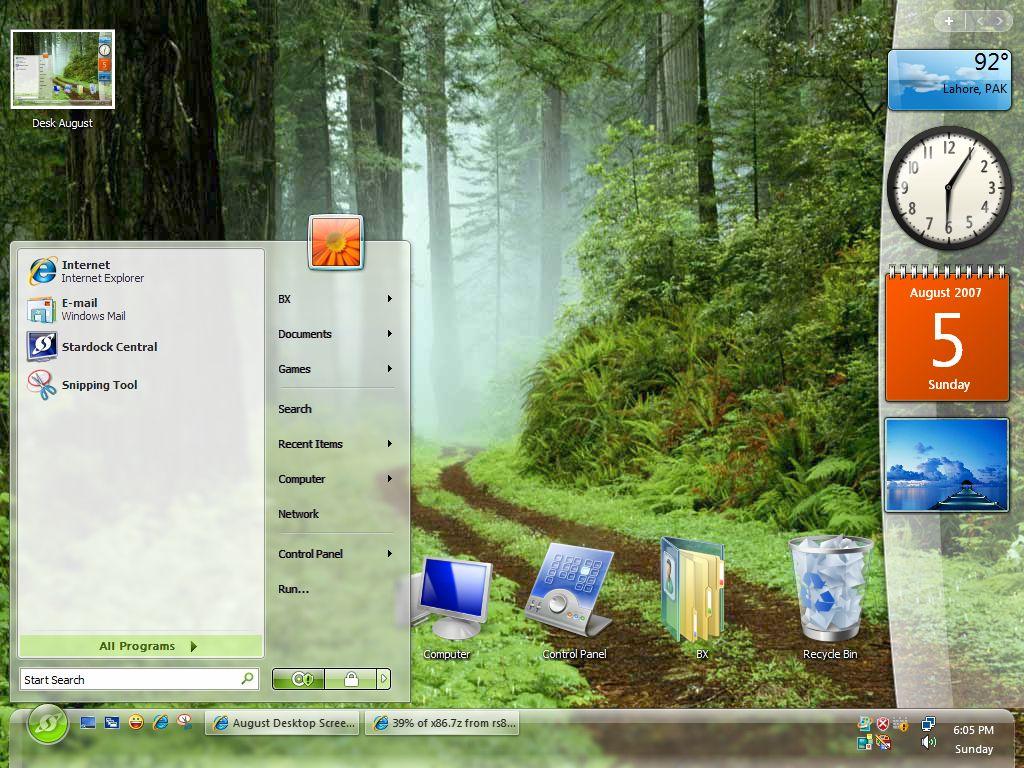
Reply #28 Friday, December 2, 2005 8:57 AM
 There are some damn fine desktops on here.
 Reply #29 Friday, December 2, 2005 8:59 AM
I've got the Santa Claus cursor.
Reply #32 Friday, December 2, 2005 10:21 AM
Reply #33 Friday, December 2, 2005 11:59 AM

Reply #34 Saturday, December 3, 2005 2:14 AM
 Now if I could just figure out how to upload mine

Reply #35 Saturday, December 3, 2005 5:44 AM
But!!...He Doesn't Come Till Your Asleep...
Wall: Waiting For Santa
Skin: Josephs (Recolored...Blinds 5)
Icons: Bethlehem
Dock/Taskbars: Bethlehem
Widget: Irregular Weather

Reply #36 Saturday, December 3, 2005 8:26 AM
Would be nice to have it on my PC. Reply #37 Saturday, December 3, 2005 9:24 AM
Reply #38 Saturday, December 3, 2005 9:35 AM
Aye...tis a lovely pic. Could I possibly have it too? If possible, of course. EmailReply #39 Saturday, December 3, 2005 9:54 AM

WB: Christmas Time
Cursor: Sant@ Claus
Wallpaper: Magical Christmas
Windows Icons: Default
Reply #40 Saturday, December 3, 2005 6:42 PM
I think you have to become a member though...
http://www.renderosity.com/photos/GAL_200512/GalleryImage1104771.jpg
Please login to comment and/or vote for this skin.
Welcome Guest! Please take the time to register with us.
There are many great features available to you once you register, including:
- Richer content, access to many features that are disabled for guests like commenting on the forums and downloading skins.
- Access to a great community, with a massive database of many, many areas of interest.
- Access to contests & subscription offers like exclusive emails.
- It's simple, and FREE!
|
|
Page 2 of 6 | |
|
|---|
Reply #21 Thursday, December 1, 2005 6:38 PM
I can change the skin on my pc, but don't know how to change the icons, I would like to have them like Wizop Corky_O has them
Anyone please help?