






























Just a Hint or Deeply Tinted
A subtle change that can make a big difference.
Monday, March 2, 2026 by bdsams | Discussion: WinCustomize News
Icons on the desktop and in the Start menu represent "things" that you do and also tell a lot about your personality. Do you have a lot of games or PDFs or are you mostly using the browser, so you don't have many apps installed?
On the desktop, icons can be meticulously organized with Fences 6 or in the Start menu, they can be arranged in tabs, groups, and pages with Start11.
Where you keep your icons is up to you, some like it on the desktop for easy access while others prefer they stay in the Start menu so that you the desktop is empty and you can see your wallpaper. I tend to do a bit of hybrid, all the apps that I am using stay in the Start menu but any files I’m working on tend to land in the desktop, especially screenshots.

Fences 6 with Icon Tint
With both Start11 and Fences 6 you can apply a color tint to the icons to make them standout or create a uniform color experience across the OS. I have kept my Start menu icons a shade of blue that is nearly identical to the Windows start button but the desktop icons, I will typically keep a darker grey for items that are inside my Fence groups.
However, icons that I have loose on the desktop, need to be full color as the tinting can sometimes mask a screenshot and make it not as easy to recognize. I’ve thought about dumping my screenshots into a different folder but there is something easy about having them land on the desktop for quick manipulation and then deletion.
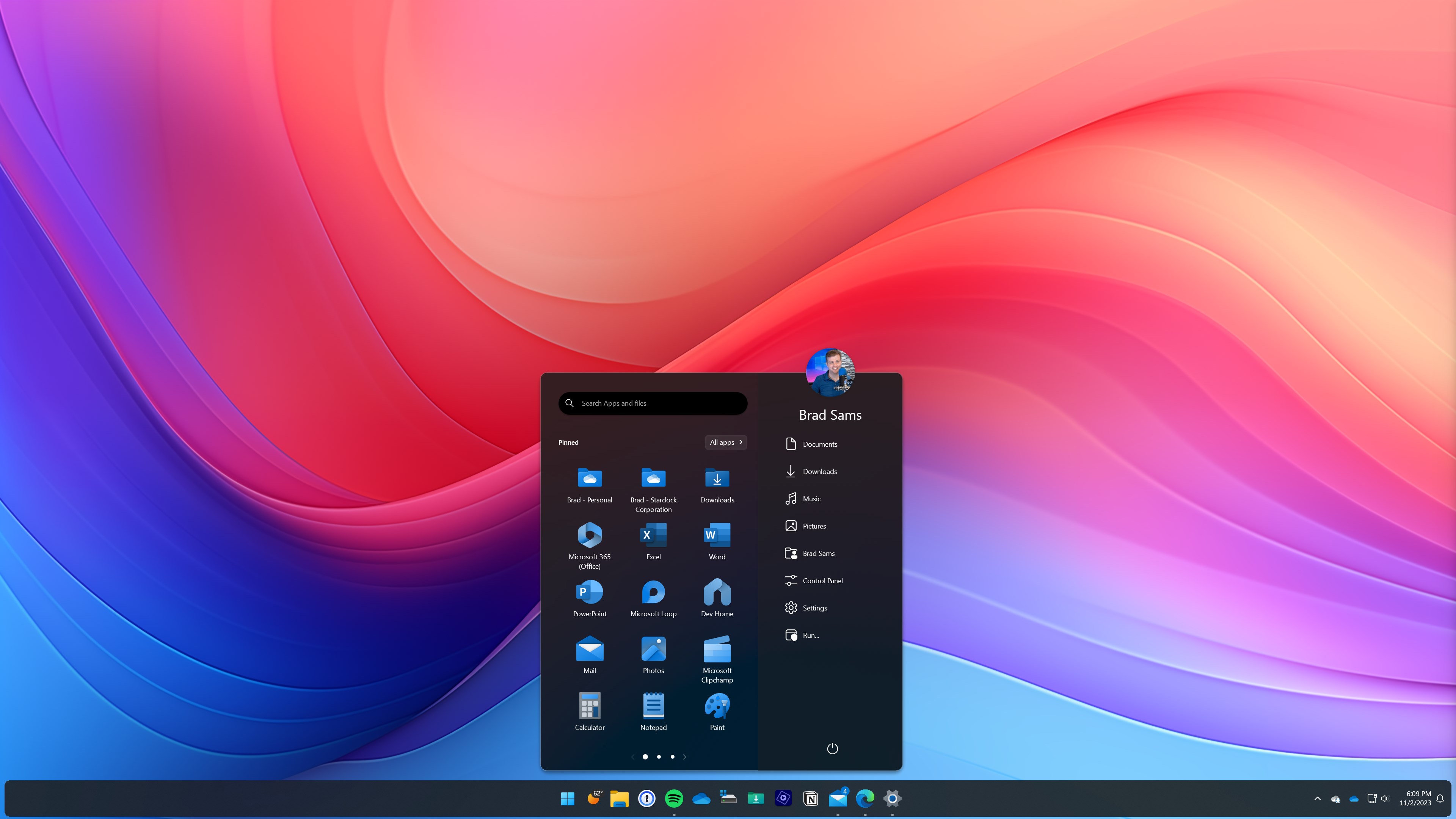
Start11 v2 with Icon Tint
In Fences 6, you can apply tint to icons across the entire desktop or make it per each group and in Start11, right click an icon and the tint option allows you to make each icon have a different tint or apply the same color to all icons.
With icon tint, it’s about providing additional layers of flexibility to help you make the desktop more personalized and more unique. It’s a small part of both applications but when combined, can really change the aesthetics of a desktop.
Please login to comment and/or vote for this skin.
Welcome Guest! Please take the time to register with us.
There are many great features available to you once you register, including:
- Richer content, access to many features that are disabled for guests like commenting on the forums and downloading skins.
- Access to a great community, with a massive database of many, many areas of interest.
- Access to contests & subscription offers like exclusive emails.
- It's simple, and FREE!
Reply #1 Monday, March 2, 2026 1:37 PM