









































Startbutton disappeared after update.
WB11/Start1
Friday, March 17, 2023 by neone6 | Discussion: OS Customization
I had a Windows update yesterday and after that the Start button doesn't show anymore 
-Tried different settings in WB and start11 to No avail.

Windows 11 Core 22H2 (22621.ni_release.220506-1250)
WindowBlinds 11.01 (012 x64 - Windows 11 Edition) - 64 bit OS
Window titlebar blur features are enabled on this operating system
Wblind.dll 2023/01/17 18:25:18
Wblind64.dll 2023/01/17 18:25:22
Wbsrv.dll 2023/01/17 18:25:33
WB11Config.exe 2023/01/17 18:25:29
Wbload.dll 2023/01/17 18:25:38
Screen10.exe 2023/01/17 18:25:45
-----------------------------------------
Start11 version 1.41

 |
|
Page 4 of 5 | |
|
|---|
Reply #62 Monday, March 20, 2023 4:46 PM
My LATEST Insidian (for example) HAS the problem mentioned... -It has Nothing to do with whether the Skin is "old" or not.
Even this (finished today) With a "smaller" startbutton is Messed up :/
-Would be nice with info about if this is being worked on...


This seems kind of odd, I am not seeing this issue with other skins that have what looks to be the same size start button as in the screen shot above.
As far as an update, Neil does have a copy of Insidian, so I am sure he is looking into it
Paul Scroggins
Associate Technical Support Analyst
I couldn't reproduce any issue with insidian other than it having a start button thats absolutely massive. Mouseover, clicking etc work just fine. Due to the size it needs WB 11.02 and Start11 1.42 with enhanced taskbar enabled.

Reply #63 Monday, March 20, 2023 4:57 PM
I couldn't reproduce any issue with insidian other than it having a start button thats absolutely massive.
Due to the size it needs WB 11.02 and Start11 1.42 with enhanced taskbar enabled.

Reply #64 Monday, March 20, 2023 5:00 PM
I only have 11.01 in my Downloads... ??
Reply #65 Monday, March 20, 2023 5:02 PM
I only have 11.01 in my Downloads... ??
Go here Andrew: https://forums.stardock.com/517602/page/1/#3882862

Reply #66 Monday, March 20, 2023 5:16 PM
Okay, so I installed 11.02 But the Button still disappears when there are no Taskbar buttons on the taskbar plus it's still hard to find a spot where it reacts to Mouse-over 
If There is a setting that I Overlooked please tell me because it doesn't work as well as You describe it Neil... at least not for me .


Reply #69 Monday, March 20, 2023 6:01 PM
Tried to make a recording to demonstrate, but since the recording-app is open, the startbutton keeps showing... -Trust me , It disappears as soon I close all activities on the taskbar...

Reply #70 Tuesday, March 21, 2023 9:45 AM
Tried to make a recording to demonstrate, but since the recording-app is open, the startbutton keeps showing... -Trust me , It disappears as soon I close all activities on the taskbar...
Yes it does disappear just like Andy says. Only way it doesn't is if you have the button centered or if there's something open like a folder and you minimize it or if you pin an app to the taskbar. I have Spotify pinned. That is when the button is left.


Reply #72 Tuesday, March 21, 2023 9:59 AM
enhanced taskbar enabled.
where is this option in start11? i cant seem to find it
Reply #73 Tuesday, March 21, 2023 10:55 AM
Tried to make a recording to demonstrate, but since the recording-app is open, the startbutton keeps showing... -Trust me , It disappears as soon I close all activities on the taskbar...
-Yes it does disappear just like Andy says. Only way it doesn't is if you have the button centered or if there's something open like a folder and you minimize it or if you pin an app to the taskbar. I have Spotify pinned. That is when the button is left.


Reply #75 Tuesday, March 21, 2023 1:25 PM
Tried to make a recording to demonstrate, but since the recording-app is open, the startbutton keeps showing... -Trust me , It disappears as soon I close all activities on the taskbar...
-Yes it does disappear just like Andy says. Only way it doesn't is if you have the button centered or if there's something open like a folder and you minimize it or if you pin an app to the taskbar. I have Spotify pinned. That is when the button is left.
Some recognition of the problem at hand
 ...
...Reply #76 Wednesday, March 22, 2023 4:26 AM
The Startbutton is not Behaving like it's supposed to...
-With the latest updates to everything, the startbutton basically: -Only shows with something active on the Taskbar, -Only Reacts more or less properly by Clicking FAR Left (where the button sometimes isn't even is skinned)
Reply #77 Sunday, March 26, 2023 7:45 AM
Has this been Read and acknowledged by someone working with this ?? 

Reply #78 Sunday, March 26, 2023 9:18 AM
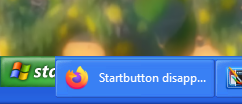
For me it just is cut off. I do not have any missing start button issues.
Reply #79 Sunday, March 26, 2023 10:56 AM
Has this been Read and acknowledged by someone working with this ??
This was addressed in the latest Start11 beta.
That said one word of warning. Absurdly wide start buttons may introduce compatibility issues which will be responded to as skin issues. If your button is for example 200 pixels wide you are really pushing things.
Reply #80 Sunday, March 26, 2023 11:57 AM
Please login to comment and/or vote for this skin.
Welcome Guest! Please take the time to register with us.
There are many great features available to you once you register, including:
- Richer content, access to many features that are disabled for guests like commenting on the forums and downloading skins.
- Access to a great community, with a massive database of many, many areas of interest.
- Access to contests & subscription offers like exclusive emails.
- It's simple, and FREE!
|
|
Page 4 of 5 | |
|
|---|
Reply #61 Monday, March 20, 2023 4:09 PM
My LATEST Insidian (for example) HAS the problem mentioned... -It has Nothing to do with whether the Skin is "old" or not.
Even this (finished today) With a "smaller" startbutton is Messed up :/


-Would be nice with info about if this is being worked on...
This seems kind of odd, I am not seeing this issue with other skins that have what looks to be the same size start button as in the screen shot above.
As far as an update, Neil does have a copy of Insidian, so I am sure he is looking into it
Paul Scroggins
Associate Technical Support Analyst