





































January 2022 Desktop Screenshots
Happy New Year SD and WC!
Friday, December 31, 2021 by DrJBHL | Discussion: WinCustomize Talk
HAPPY NEW YEAR TO ONE AND ALL!
May this year be healthier and happier for all! For those who are ill, may it bring health.
For those who have financial problems, security.
For those who are homeless, a roof over their heads.
For those who are hungry, food and sustenance.
So, here's my desktop...with two new, homemade icons.

Post yours!
 |
|
Page 4 of 5 | |
|
|---|

Reply #62 Tuesday, January 18, 2022 1:20 AM


Reply #63 Tuesday, January 18, 2022 1:44 AM
B85M, boy that's an old one, nice job on the xWidgets Chuck. 



Reply #65 Tuesday, January 18, 2022 7:13 AM

Reply #66 Tuesday, January 18, 2022 8:17 AM
I really like the look here. Particularly the taskbar part. Windows 11 default Taskbar is pretty boring and it is nice to see yet another option for never combine tabs.. I hope Stardock's new taskbar in start 11 v1.2 has a similar look as well. I enjoy seeing these alternatives. Good work!
Thanks. It's not Stardock software. It's Winstep Extreme. The skin is a recoloring of RedneckDude's port of don5318's Windowblind "Dark Rogue".
LOL, I'm open for suggestions Doc!
Cast thy power tools from thee! Take up the burden of the skinner! Repent ye of home improvement sin! 
Reply #68 Wednesday, January 19, 2022 1:22 PM
Hallo from Greece. WindowBlinds 10 with my favorite UI, VISTA theme  and Start11 start menu.
I'm searching in Skin Studio how to change some elements to improve this more, for example how to change font color from black to white in Details Pane in file explorer, and some other things...


Reply #69 Friday, January 21, 2022 1:45 PM
Finally got round to organising my Master and Skin Collection, never realised i had so many that i had not re coloured using my Schemes, Here from neone6 is a long lost Gem that is right up my street Inkubus
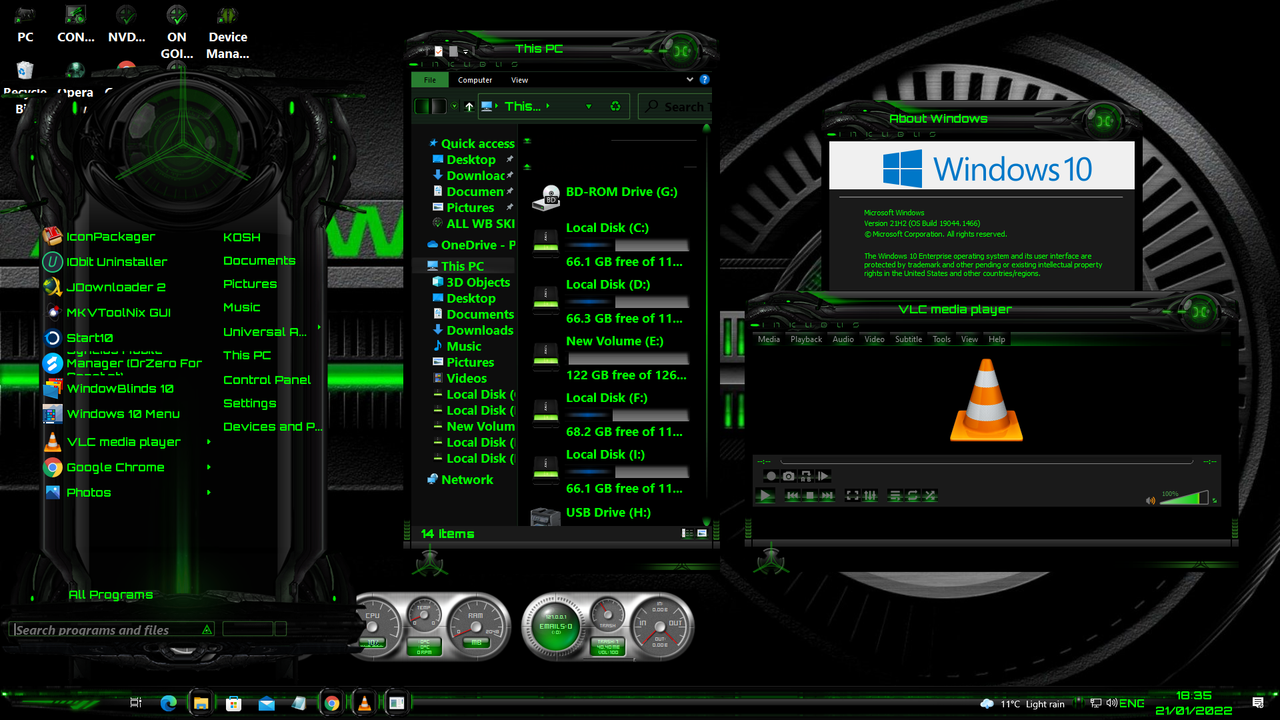

Reply #70 Friday, January 21, 2022 6:56 PM
Hallo from Greece. WindowBlinds 10 with my favorite UI, VISTA theme
and Start11 start menu.I'm searching in Skin Studio how to change some elements to improve this more, for example how to change font color from black to white in Details Pane in file explorer, and some other things...
Great screenshot! I love your country, I lived in Greece near Athens from late 1970 until 1973, loved it! 
Reply #71 Friday, January 21, 2022 10:55 PM
Coming soon to a desktop near you, Sea Foam.... thought I'd lighten things up a bit, and take our minds off the dark winter...

Reply #72 Saturday, January 22, 2022 1:27 AM

I pieced together a couple different parts to give me a look I am happy with on Windows 11
Reply #73 Saturday, January 22, 2022 1:49 AM
Coming soon to a desktop near you, Sea Foam.... thought I'd lighten things up a bit, and take our minds off the dark winter...
I love your work Don, the dark rouge theme is one of my all time favorites. I cant wait to see what you can do once newer tools arrive
Reply #78 Saturday, January 22, 2022 12:31 PM
Here's my retro screenie.
Pitch Black by remolacio:
https://www.wincustomize.com/explore/windowblinds/6565/
The Wall is a Redneck creation:
https://www.wincustomize.com/explore/wallpapers/50307/

Reply #79 Saturday, January 22, 2022 12:34 PM
Don't usually post 2 shots but today is an exception.


Please login to comment and/or vote for this skin.
Welcome Guest! Please take the time to register with us.
There are many great features available to you once you register, including:
- Richer content, access to many features that are disabled for guests like commenting on the forums and downloading skins.
- Access to a great community, with a massive database of many, many areas of interest.
- Access to contests & subscription offers like exclusive emails.
- It's simple, and FREE!
|
|
Page 4 of 5 | |
|
|---|
Reply #61 Monday, January 17, 2022 4:19 PM
Found it! The right wallpaper (for me, anyway) for Dark Rogue...the Dark Rogue factory!
I really like the look here. Particularly the taskbar part. Windows 11 default Taskbar is pretty boring and it is nice to see yet another option for never combine tabs.. I hope Stardock's new taskbar in start 11 v1.2 has a similar look as well. I enjoy seeing these alternatives. Good work!