








































WindowBlinds 11 planning
Friday, December 25, 2020 by Frogboy | Discussion: WindowBlinds
We are putting together the schedule to make WindowBlinds 11.
Customization is a lot harder now than it used to be. Microsoft, for reasons unknown, has actively encouraged developers to take care of their own client and even non client (border, frame) painting rather than using standard Windows controls.
Microsoft's baffling decision to throw away trying to provide a standard set of in-app controls for developers and instead provide vague, often conflicting standards (cough, Fluent) has resulted in having less and less of the OS we can even touch.
Which is unfortunate because WindowBlinds, in theory, could actually give Windows users a consistent, OS-wide Fluent if apps weren't handling the drawing of their own UIs these days.
Still, with that in mind, there are things we can do such as skin the standard OS controls and then handle apps on a case-by-case basis. Keep in mind though, the more non-standard apps we have to handle, the harder it is for us to keep compatibility.
Earlier this year we released Curtains which doesn't even hook into the OS. This means it is 100% compatible. Skins, even the weirdest ones, won't break a given app. Of course, the price is that it doesn't skin nearly as much (no client area GUI controls like scrollbars, push buttons, radio buttons, etc.). It's done quite well. However, we know there are still plenty of people out there who would like to have more full control over how their Windows desktop looks.
That's where this thread comes in: What would you like to see in WindowBlinds 11?
 |
|
Page 15 of 34 | |
|
|---|



Reply #283 Sunday, November 7, 2021 9:57 AM
I have no more icons past the "Eye" for preview, i thought i was missing it but i am missing 3 more icons past the eye symbol as shown by image from Jafo.
Is it a posting rule thing?

Reply #284 Sunday, November 7, 2021 9:59 AM
How about this icon

Thank you,
Basj,
Stardock Community Assistant
Reply #286 Sunday, November 7, 2021 10:05 AM
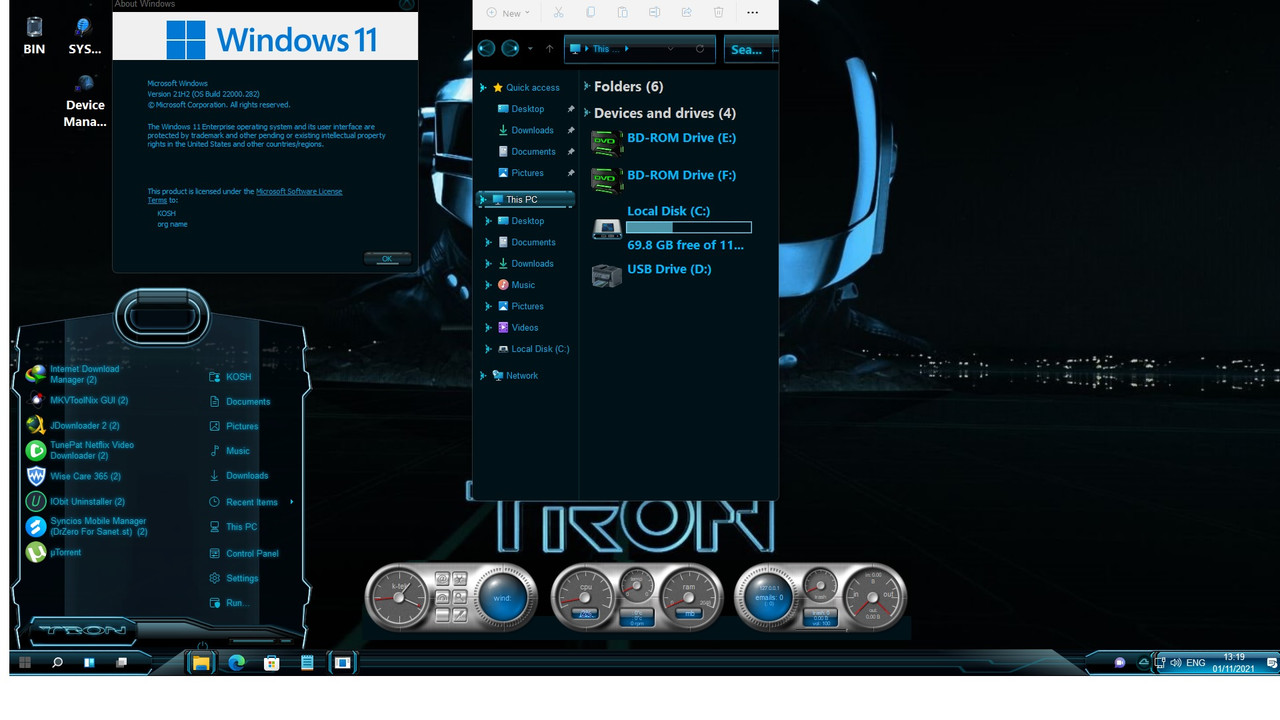
Need to see tabs, main buttons and frame. I just see Start panel and taskbar.. a small part..
Thank you,
Basj,
Stardock Community Assistant
Reply #287 Sunday, November 7, 2021 10:10 AM
What tabs and buttons would you like to see Basj. Internet Browser window tabs? What buttons would you like to see. Do you mean the explorer Buttons (minimize, maximize and close etc..)
Reply #288 Sunday, November 7, 2021 10:13 AM
Show us something like this :

Thank you,
Basj,
Stardock Community Assistant

Reply #291 Sunday, November 7, 2021 10:50 AM
I keep getting an image size box as opposed to my posted image, my first image when entered had the dimensions added automatically, now when i link my new image the dimension boxes do not autofill size, and hence when posted do not work well just giving me a resize box that does not help
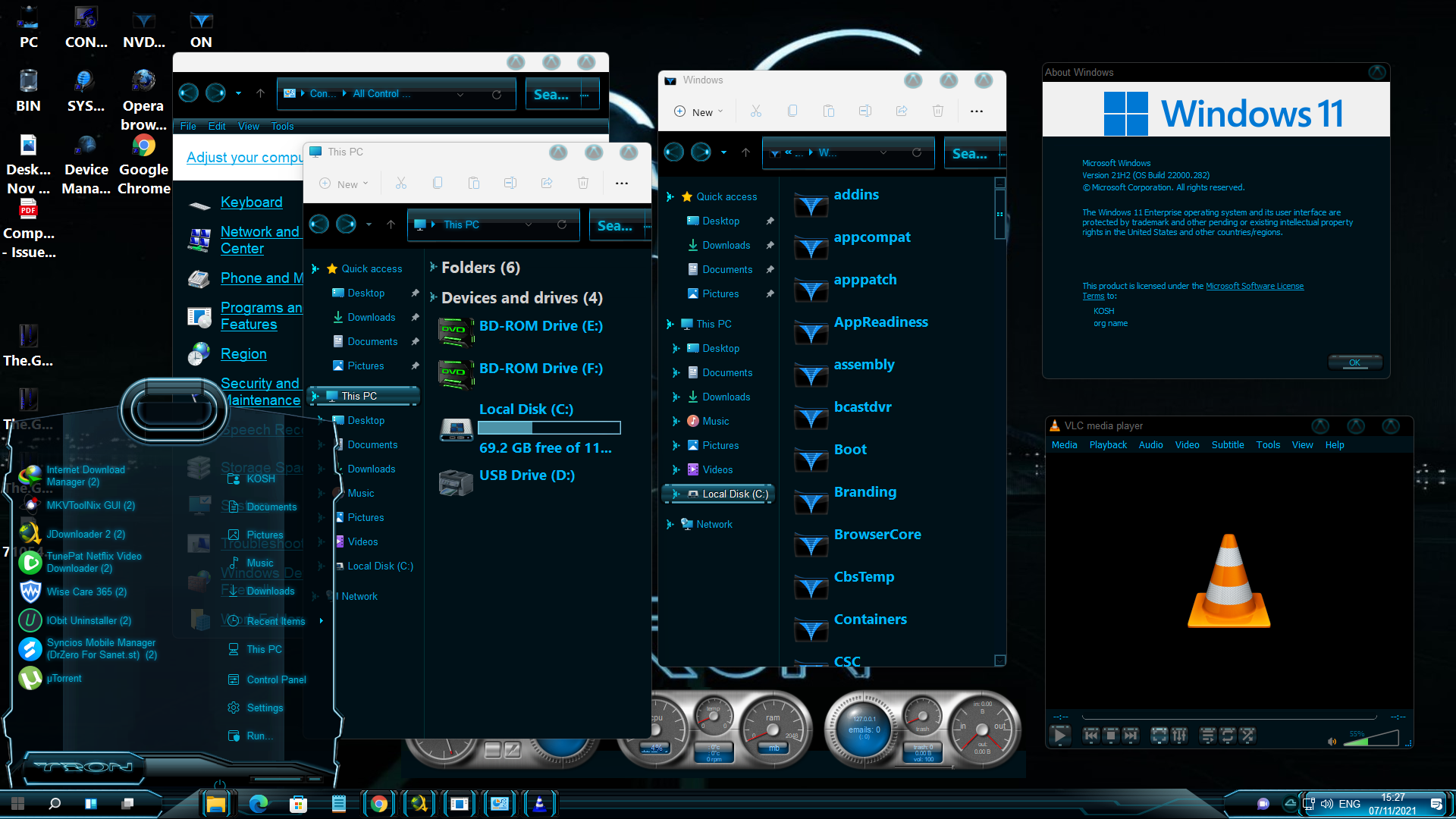
Edit. If you click on the image portion of my last upload, it will show my desktop, sorry about the faf but it will show if clicked, it now shows buttons etc..
Reply #293 Sunday, November 7, 2021 11:03 AM
Will the above do as it shows buttons which are skinned and has explorer Tabs, also skinned, this particular set up does not have Frames, but i do have another working theme , a Halloween one that does have skinned frames, but it is not my thing (more for Kids) as it has witches on brooms etc..
Reply #294 Sunday, November 7, 2021 11:07 AM
Do you like what you see? That the most important thing. If you do, than it is done for you. Other people might not feel the same.
Thank you,
Basj,
Stardock Community Assistant
Reply #295 Sunday, November 7, 2021 11:15 AM
On my Win10 SSD with WB10, i use an older skin Stealth Drone which i have changed around with the colours, so now it is still very dark but i have changed the text colours and edges etc.. to Electric Green, so it pops. My desktop above is in blue which is not a favourite colour.It has a look and feel of what i had before with WB10. I seriously miss the Windowblinds ability to mess around with system colours, can not find a similar thing in Win11, any idea or any tips on changing the blue to Green, this was easy in WB10, but not so easy in Win 11 without the WB colour changing tool.
Basj.
It's not perfect by any means, i spend so much time on my PC through work and my own Forum, that i have come accustom to using WB, and seeing the type of desktop i like, Windowblinds can not be bettered, and i was not trying to do that, but i did need to do something to stop my eyes going crazy looking at the Microsoft lame themes, i think it looks ok, My WB10 desktop on the Win10 SSD, for me is brilliant, but due to work i need to be using Win11 so had to come up with a plan, it is similar in look and feel and works well with no known issues so far even after 2 small MS updates.

Reply #296 Sunday, November 7, 2021 12:34 PM
It will get here when it gets here. All this whining isn't going to speed it up.
Agree 100% Jim, apparently they've (whinners) never developed/designed a program before, lot's of time and planning goes into making a program, perhaps they can come up with their own version of WB 11?


LOL you are assuming that it's apparent. Why are you upset because we have a difference of opinion?
Peace and have a happy and safe Thanksgiving and upcoming holiday season.
Me upset over "a difference of opinion", you're funny 
On the contrary, I find your constant questioning of when WB 11 will be ready, very amusing!
As one great person said; "Peace and have a happy and safe Thanksgiving and upcoming holiday season." 
You see we can agree on some things. Now only if our politicians could do the same.

 .... -Don't share those things with ANYONE.
Reply #299 Sunday, November 7, 2021 7:22 PM
Neil is 100% right.
I waited a long as I could to jump from W7 to W10. M$ had to correct many problems to make it usable, I had to do a lot of work to understand skinning to modify 2 skins to get something likeable, and it's only because new hardware and 10G networking did not work with W7 that I jumped to W10.
W7 was better in all aspects, I can't find a single thing I like better on W10. It will be a least 3 years before I jump to W11, and only if I really need it.
Using a third party browser, a third part firewall and a third party (but only if defender is no longer updated) anti-virus is enough security. I patch my systems once a year, at most, and in 30 years, never had a breach. Regular backups and I could not care less about M$ dropping W10 support. I don't like having my arm twisted to do something I don't need.
Reply #300 Sunday, November 7, 2021 7:37 PM
W7 was better in all aspects, I can't find a single thing I like better on W10. It will be a least 3 years before I jump to W11, and only if I really need it.
My sentiments entirely. I have always been an 'early adopter' but NOT as a primary/principal system. THAT still runs Win 7. All other machines run 10, and 2 of those still have issues because 10 isn't ready for prime time....and now along comes 11.
I can't help but think 11 might be the new 7, just as 10 might have been the new Vista...aka 'let's get past this one quick!'
I have no interest in going to 11 yet...but maybe curious as to whether it might fix the issues that still exist with 10.
Anyone actually jumping on 11 already needs [as my father would say] "their head read"...
Please login to comment and/or vote for this skin.
Welcome Guest! Please take the time to register with us.
There are many great features available to you once you register, including:
- Richer content, access to many features that are disabled for guests like commenting on the forums and downloading skins.
- Access to a great community, with a massive database of many, many areas of interest.
- Access to contests & subscription offers like exclusive emails.
- It's simple, and FREE!
|
|
Page 15 of 34 | |
|
|---|
Reply #281 Sunday, November 7, 2021 9:44 AM
I am not sure if i am allowed to post an image link, as i can not see the "insert Image " link in the tools menu above, if it is allowed and anyone can tell me what would be the correct tool above, i will post an image of my desktop for scrutiny.
You should see 2 rows of icons in the 'quick reply' box....last one second row is 'insert image'. [unless of course it's something unique to me - but somewhere there should be an icon for you] ...