































Odd Installer Dialogs
Tuesday, May 5, 2020 by RedneckDude | Discussion: Stardock Support General
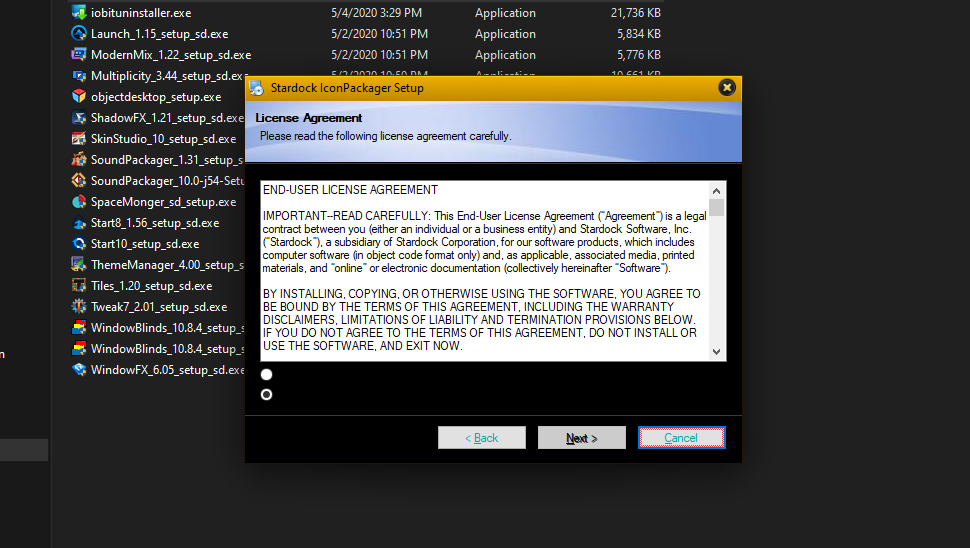
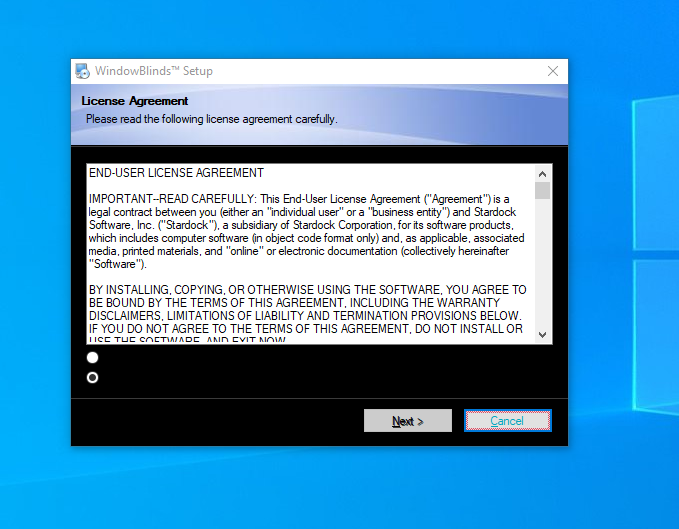
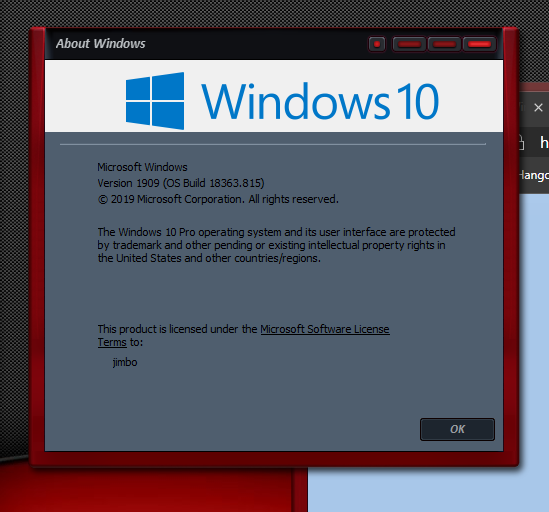
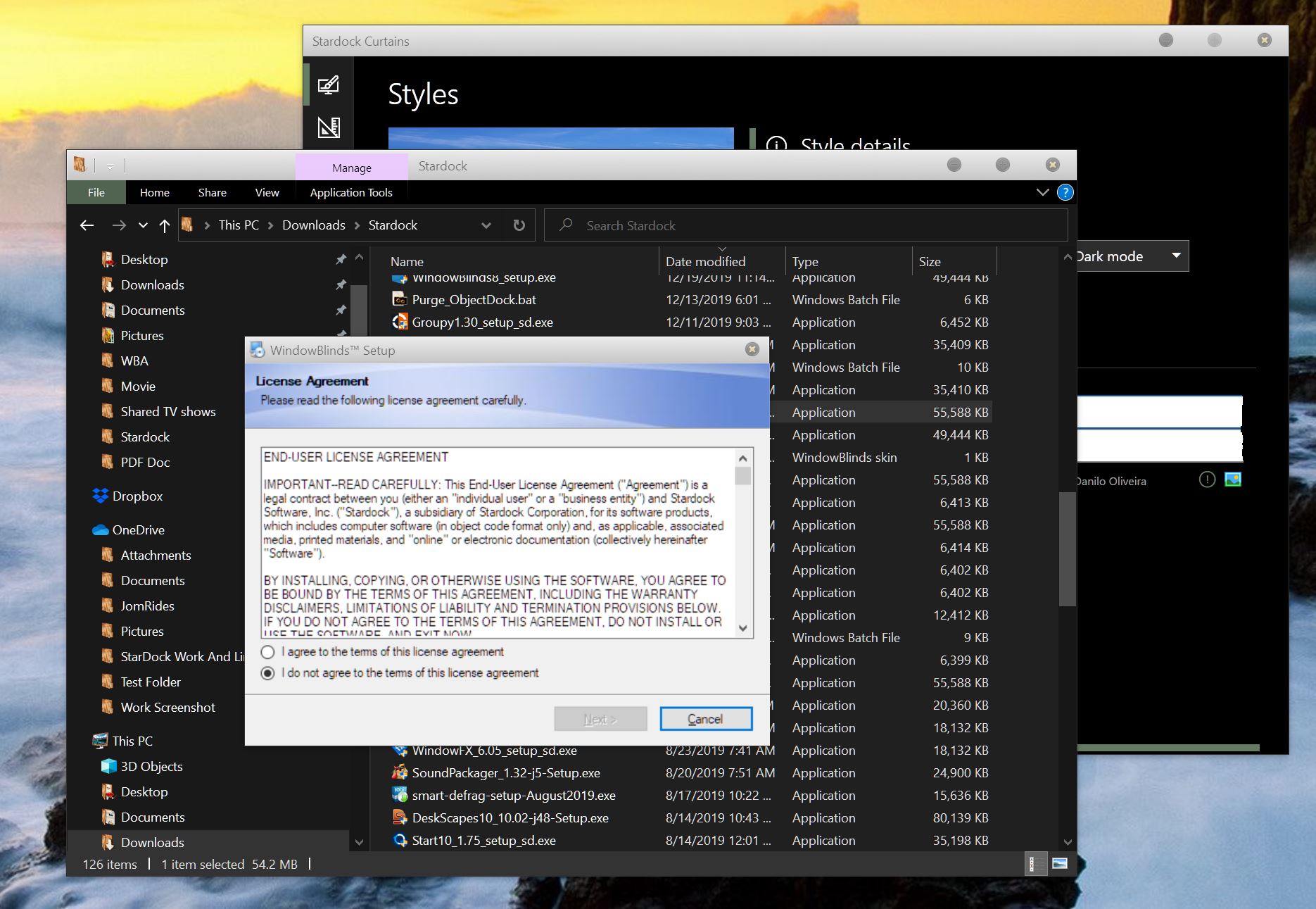
Hey guys, I am seeing this install dialog when installing Stardock products. This is unreadable. Using dark mode or Light mode built into windows. With and without Curtains or Windowblinds.

Reply #2 Tuesday, May 5, 2020 8:48 PM
Hello Jim,
Sorry to hear you are having issues. But, I don't see it on my system.
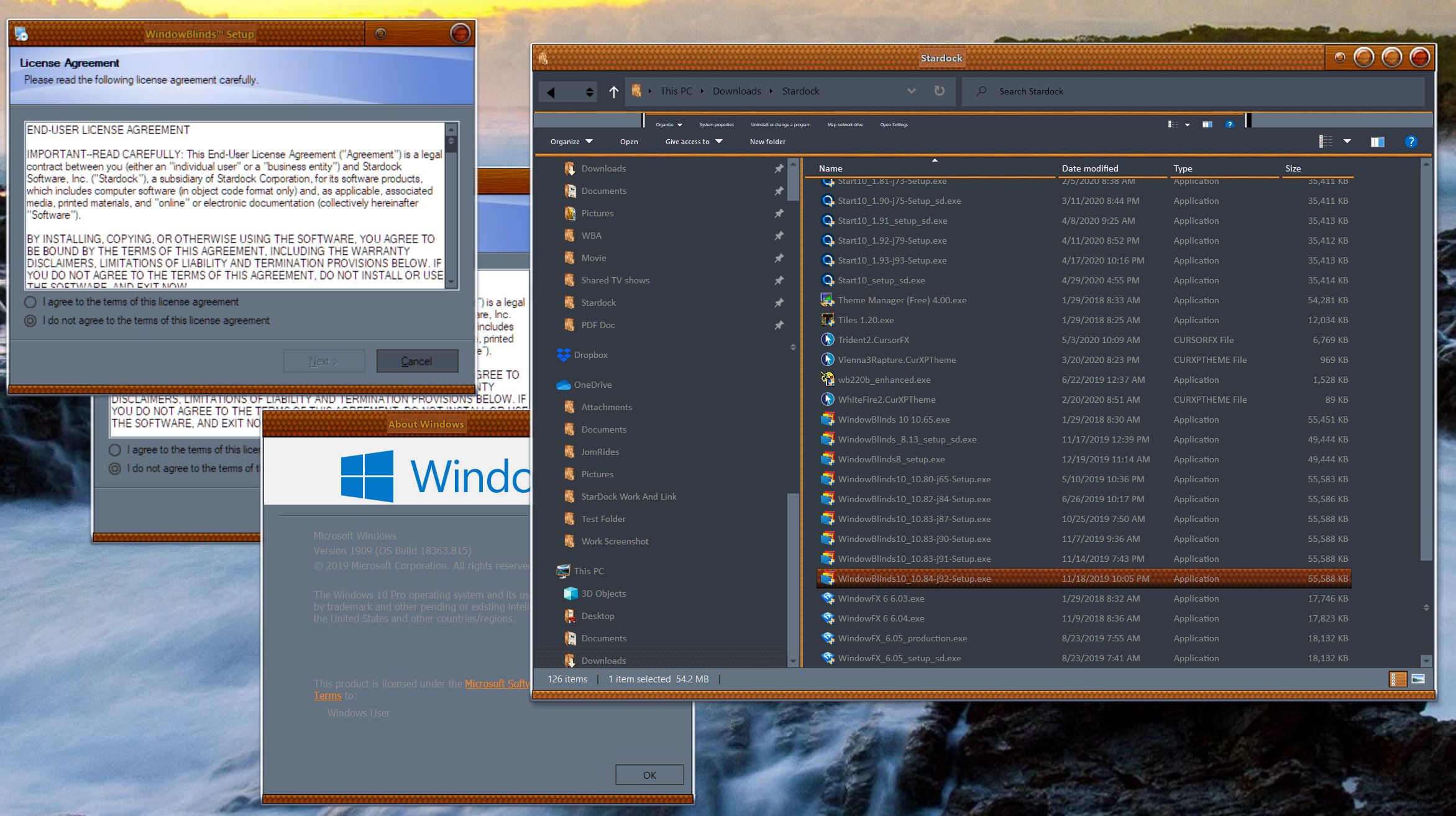
Have you try rebooting?
Basj,
Stardock Community Assistant.
Reply #3 Wednesday, May 6, 2020 12:15 AM
Have you try rebooting?
LOL, several times.
Every Stardock install I have done does it. I'll see what I get installing other things. I thought it was Curtains, so I uninstalled Curtains. Didn't help.
Reply #4 Wednesday, May 6, 2020 4:09 AM
It looks like your system buttonface colour has been set to black.
Did you perhaps have a theme where you did that? If so don't 
Reply #5 Wednesday, May 6, 2020 1:07 PM
It looks like your system buttonface colour has been set to black.
Did you perhaps have a theme where you did that? If so don't
I tried only using the default windows 10 skin (disabling windowblinds) and uninstalled Curtains. Still get the same dialog.
Reply #6 Wednesday, May 6, 2020 2:55 PM
I have installed a few non Stardock apps/programs and I am not seeing the black dialogs.

Reply #8 Saturday, May 9, 2020 5:02 PM
I have installed a few non Stardock apps/programs and I am not seeing the black dialogs.
Not sure why you getting the black dialogues when installing Stardock products. I just installed Curtains, just to check and did not get it. The buttons on the other hand is dark for me, but I noticed that on any programs so taking that's due to the windowblind skin I'm presently using. Although, neither of that is helping you with your problem !

Reply #9 Saturday, May 9, 2020 5:21 PM
Looks like it dies here.
It is almost certainly a bad system colour somewhere.
Try going to the Windows personalize page, find themes and pick the default theme, does that help?
Also what if you apply a different WB theme as that should reset colours on apply. Are they still all black?
The other oddity I notice is some of your buttons are using an odd colour for text too which again points to odd colours somewhere.
Reply #10 Saturday, May 9, 2020 9:55 PM
I'll try your suggestions. As for a different WB theme, this was happining DURING the install of WindowBlinds.
Reply #11 Sunday, May 10, 2020 12:42 PM
Try going to the Windows personalize page, find themes and pick the default theme, does that help?
Please login to comment and/or vote for this skin.
Welcome Guest! Please take the time to register with us.
There are many great features available to you once you register, including:
- Richer content, access to many features that are disabled for guests like commenting on the forums and downloading skins.
- Access to a great community, with a massive database of many, many areas of interest.
- Access to contests & subscription offers like exclusive emails.
- It's simple, and FREE!
Reply #1 Tuesday, May 5, 2020 7:23 PM
Also, a fresh install, new PC equipment all around, and nothing installed but Stardock.