































WindowBlinds 10 Beta with Windows 10 Support Available for Object Desktop Members
Tuesday, December 15, 2015 by Island Dog | Discussion: WinCustomize News
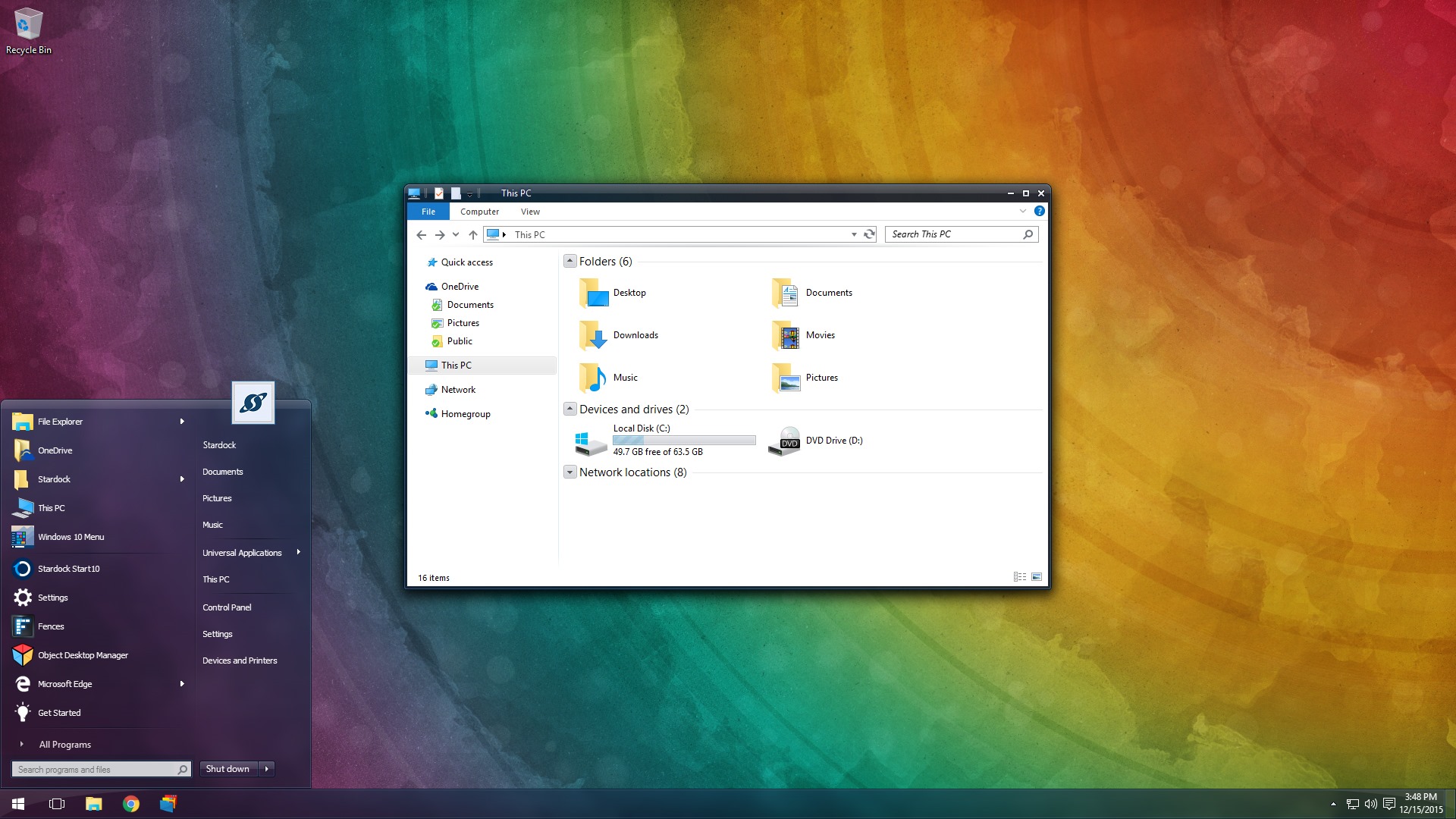
The first beta for WindowBlinds 10 is now available for active Object Desktop owners!
This beta includes support for Windows 10 and a new UI.
Object Desktop members can now get the WindowBlinds 10 beta from your Stardock account here. In future updates, we'll be including new skins and features.
WB v10.0.1 update:
- Added skin rebuild list button
- Fixed config screen resolution
 |
 |
If you're not an Object Desktop member, now is a great time to become one. You get over 10 Windows customization products such as WindowBlinds, DeskScapes, Fences, Start10, and many more. You will also get access to betas and updates first, like WindowBlinds 10 for one year. Get Object Desktop today!
 |
|
Page 1 of 3 | |
|
|---|
Reply #2 Tuesday, December 15, 2015 2:33 PM
Party time indeed! Rebooting to install it on Windows 10 now! Yes! It's Christmas time! On yeah! 
Reply #3 Tuesday, December 15, 2015 3:22 PM
So it looks like it applies any skin designed for Window 7 or 8 just fine, I haven't noticed any issues yet, which tells me that SkinStudio 8 can be used still to design skins.
Only problem I had was with activation, it would not accept my email address activation nor my OD Sub number. I ended up having to do the manual activation over the Internet, but no biggie, I got it done!
Thank you Stardock!

Reply #6 Tuesday, December 15, 2015 3:31 PM
OK, small bug I just noticed, the back forward arrows in explorer are using the Windows 10 ones, and not the ones in the applied skin.
Also, the right click menu glyphs (arrows, checks, etc.) are the same way, using the ones from Windows 10 and the Notification area in the tray area is also using the Windows 10 image (yuk).
Also, the Settings items inside WB10 are not staying applied, I tell it to show in the taskbar tray area and it won't.

Reply #7 Tuesday, December 15, 2015 3:55 PM
W00t! W00t! W00t! 
 Downloading now ... I'll let ya know how it goes!
Well, I can confirm the Bug(s) Lightstar reported. In the case of the icon in the task area, I have it, but it insists on being hidden. Also, on my secondary monitor (2 of 2), My taskbar is only visible under the Start Button, Cortana, Task View and buttons for running programs. It is invisible elsewhere.
But it still beats the CRAP out of nothin' at all! Cheers, Stardock! 

Reply #8 Tuesday, December 15, 2015 4:18 PM
great news - sadly my OD sub expired, gonna wait till new year and next pay check to grab it.
Can Someone check if start10 now can handle WB starmenu animations ?
Thanks in advance
Reply #11 Tuesday, December 15, 2015 4:55 PM
Also, the Settings items inside WB10 are not staying applied, I tell it to show in the taskbar tray area and it won't.
Tom, check the box, then go back to the skins and hit apply.

Reply #12 Tuesday, December 15, 2015 5:10 PM
Xp had a startmenu- It was being skinned.
Win 7 had a startmenu- It was being skinned.
Win 10 has a startmenu.....why do we need start 10 ???  Hmmm...
Hopefully Sks 10 will have a Startmenu area for skinning the win 10 startmenu just like it used to be for XP & 7
Reply #13 Tuesday, December 15, 2015 5:30 PM
Xp had a startmenu- It was being skinned.
Win 7 had a startmenu- It was being skinned.
Win 10 has a startmenu.....why do we need start 10 ???
Hmmm...Hopefully Sks 10 will have a Startmenu area for skinning the win 10 startmenu just like it used to be for XP & 7
You need Start 10 to apply the Windows 7 start menu Andy.

Reply #14 Tuesday, December 15, 2015 5:32 PM
How do you do the manual activation over the internet? Thanks,

Reply #17 Thursday, December 17, 2015 12:48 PM
WindowBlinds 10.0.1 beta update available.
WB v10.0.1 update:
- Added skin rebuild list button
- Fixed config screen resolution

Reply #19 Friday, December 18, 2015 12:46 PM
So far not to bad. But I had a Dream going and I paused it. Then I also have fences going with no problem with the dream. After pausing the dream, Fences showed fine. I applied a windowblind without a problem. Worked well. Had the Fences. Then I attempted to change the wallpaper from Windowblinds. Changed the wallpaper, but my fences totally disappeared. Also my right click ablility on the desktop was gone. Anybody else experience this with dreams? How can I turn off dreams? I can pause them with right click, but how do I turn them off to try windowblinds? I restored desktop by going back into the start menu and reactivating the dream.
Edit: Okay, I found out how to disable dreams. Fences 3 work fine with windowblinds 10 style, but applying any wallpaper afterwards, disables them and Right clicking on the desktop.
Reply #20 Saturday, December 19, 2015 3:21 AM
So far not to bad. But I had a Dream going and I paused it. Then I also have fences going with no problem with the dream. After pausing the dream, Fences showed fine. I applied a windowblind without a problem. Worked well. Had the Fences. Then I attempted to change the wallpaper from Windowblinds. Changed the wallpaper, but my fences totally disappeared. Also my right click ablility on the desktop was gone. Anybody else experience this with dreams? How can I turn off dreams? I can pause them with right click, but how do I turn them off to try windowblinds? I restored desktop by going back into the start menu and reactivating the dream.
Edit: Okay, I found out how to disable dreams. Fences 3 work fine with windowblinds 10 style, but applying any wallpaper afterwards, disables them and Right clicking on the desktop.
did you restart the pc, after you apllied a skin for the first time?
Please login to comment and/or vote for this skin.
Welcome Guest! Please take the time to register with us.
There are many great features available to you once you register, including:
- Richer content, access to many features that are disabled for guests like commenting on the forums and downloading skins.
- Access to a great community, with a massive database of many, many areas of interest.
- Access to contests & subscription offers like exclusive emails.
- It's simple, and FREE!
|
|
Page 1 of 3 | |
|
|---|
Reply #1 Tuesday, December 15, 2015 2:32 PM
Party time!